
Enter a payment for a vendor credit memo
When a vendor sends you a refund for a credit memo, record it as a non-AR payment and attach the credit memo so it’s cleared.
Before you begin
Section titled “Before you begin”Post the credit memo in Nexsyis first. See Post a credit memo.
Enter the payment
Section titled “Enter the payment”-
Go to Accounting › Banking/Cash › Non-AR Payments.
-
Select New on the button bar.
-
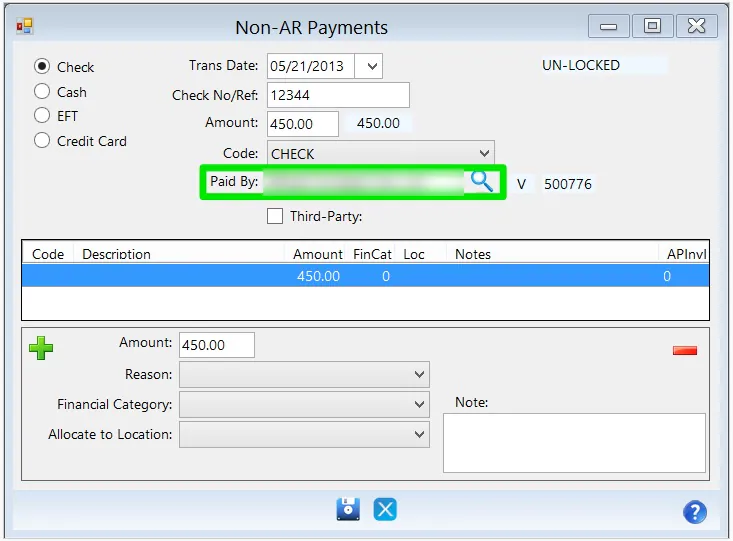
At the top, enter the payment details. For Paid By, select the vendor you entered the credit memo for.
-
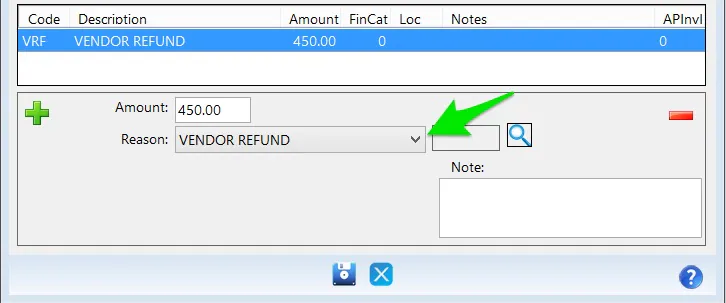
At the bottom, set Reason to VENDOR REFUND.
-
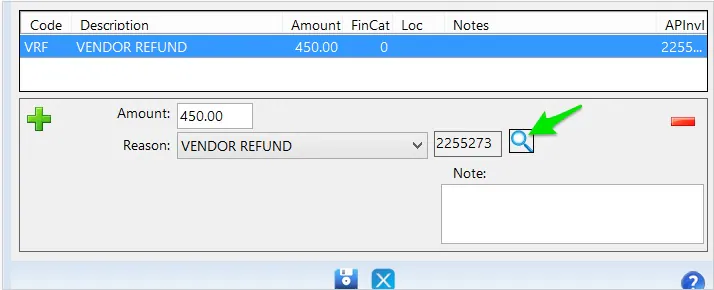
Select the search button next to Reason to find the credit memo. If Paid By is set to the right vendor, only that vendor’s credit memos show.
-
Select the credit memo and select the green check mark on the button bar. The credit memo ID and amount fill in.
-
If the payment isn’t for the full credit memo, change the Amount at the bottom. Save turns on when the amounts at the top and bottom match.
-
Select Save.