
Terminate an employee
When an employee leaves, mark them as terminated and make their user inactive so they can no longer sign in.
Mark the employee as terminated
Section titled “Mark the employee as terminated”-
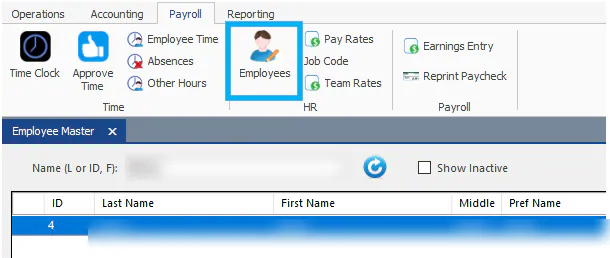
On the Payroll tab, select Employees.
-
Search for the employee, then double-click their name.
-
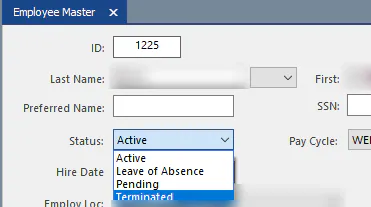
Change Status from Active to Terminated.
-
Select Save.
Make the employee’s user inactive
Section titled “Make the employee’s user inactive”-
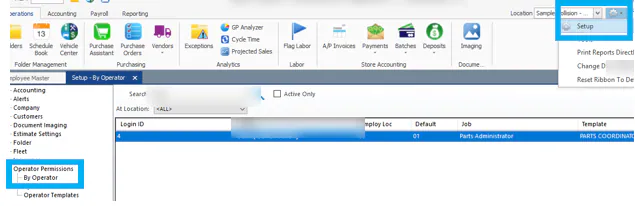
Open Setup, then select Operator Permissions › By Operator.
-
Search for the employee’s login ID, then double-click their name.
-
Select Inactive.

-
Save the record.