
Online photo estimates
With an online photo estimate, a customer requests an estimate by sending their contact details, vehicle details, damage photos and comments. Nexsyis creates a folder for the request automatically.
How customers start a request
Section titled “How customers start a request”-
From a button on your website. It opens the online photo estimate welcome screen.
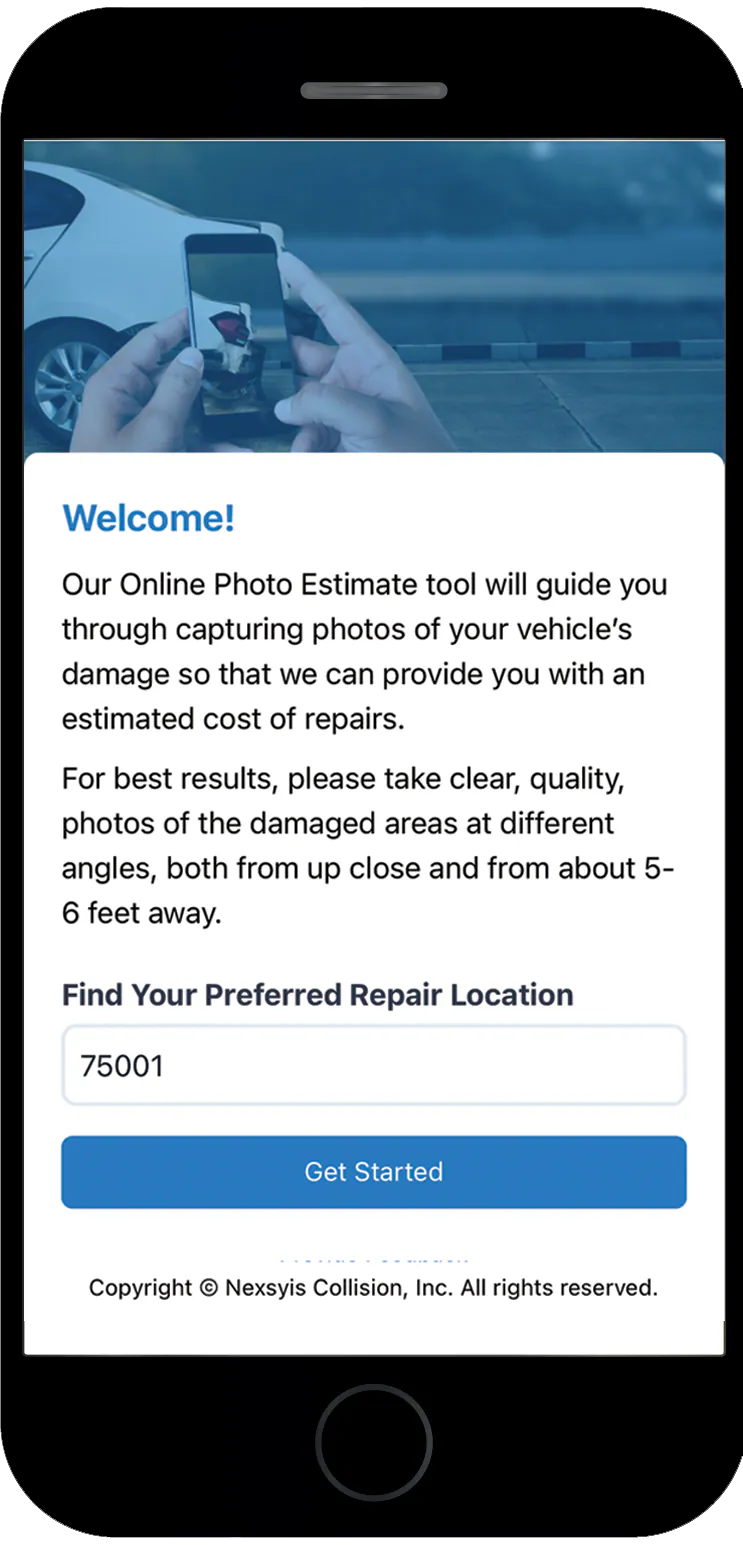
-
From a link you send. On the folder’s Communication tab, choose the Online Photo Estimate template and send it.
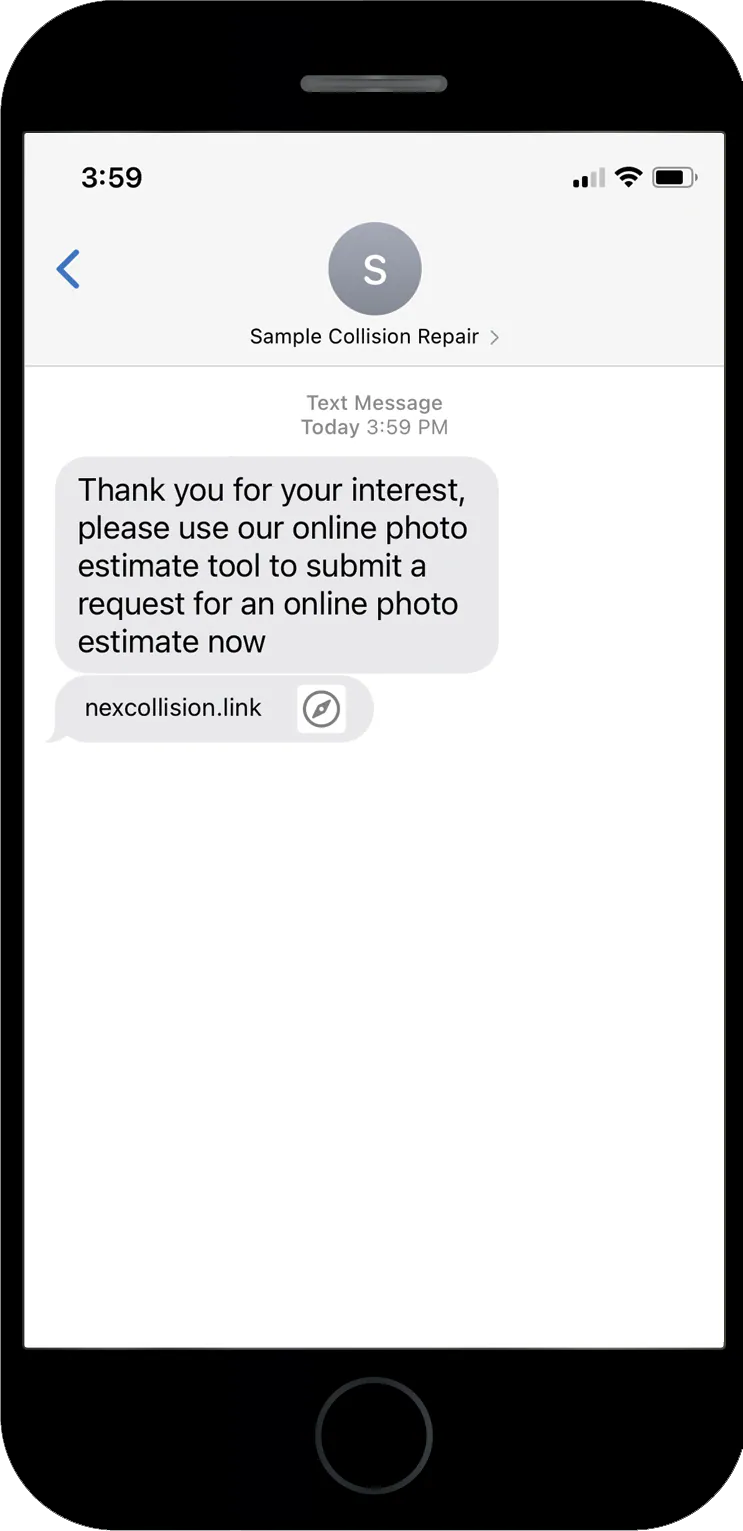
What the customer does
Section titled “What the customer does”The customer goes through four screens to enter their details and upload photos.
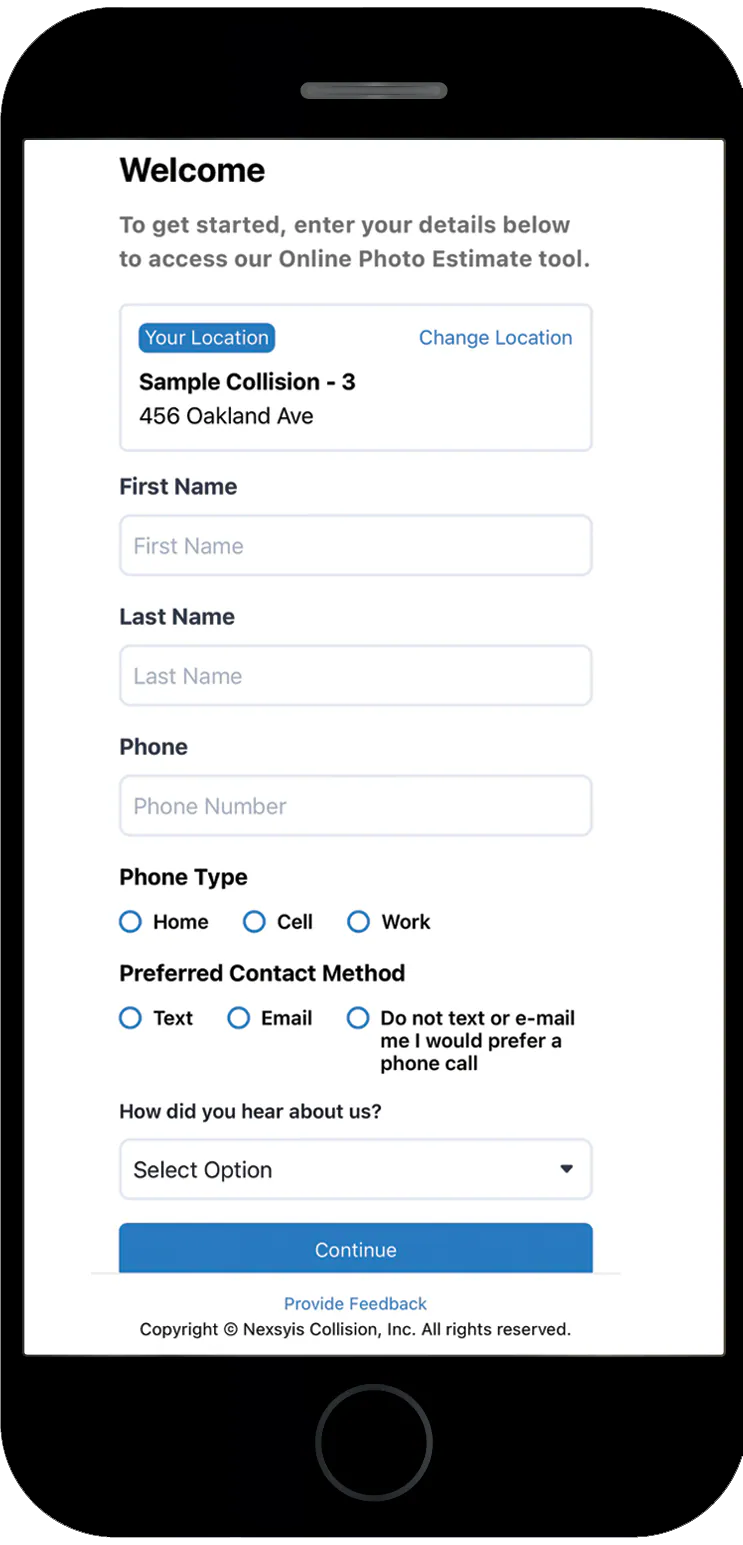
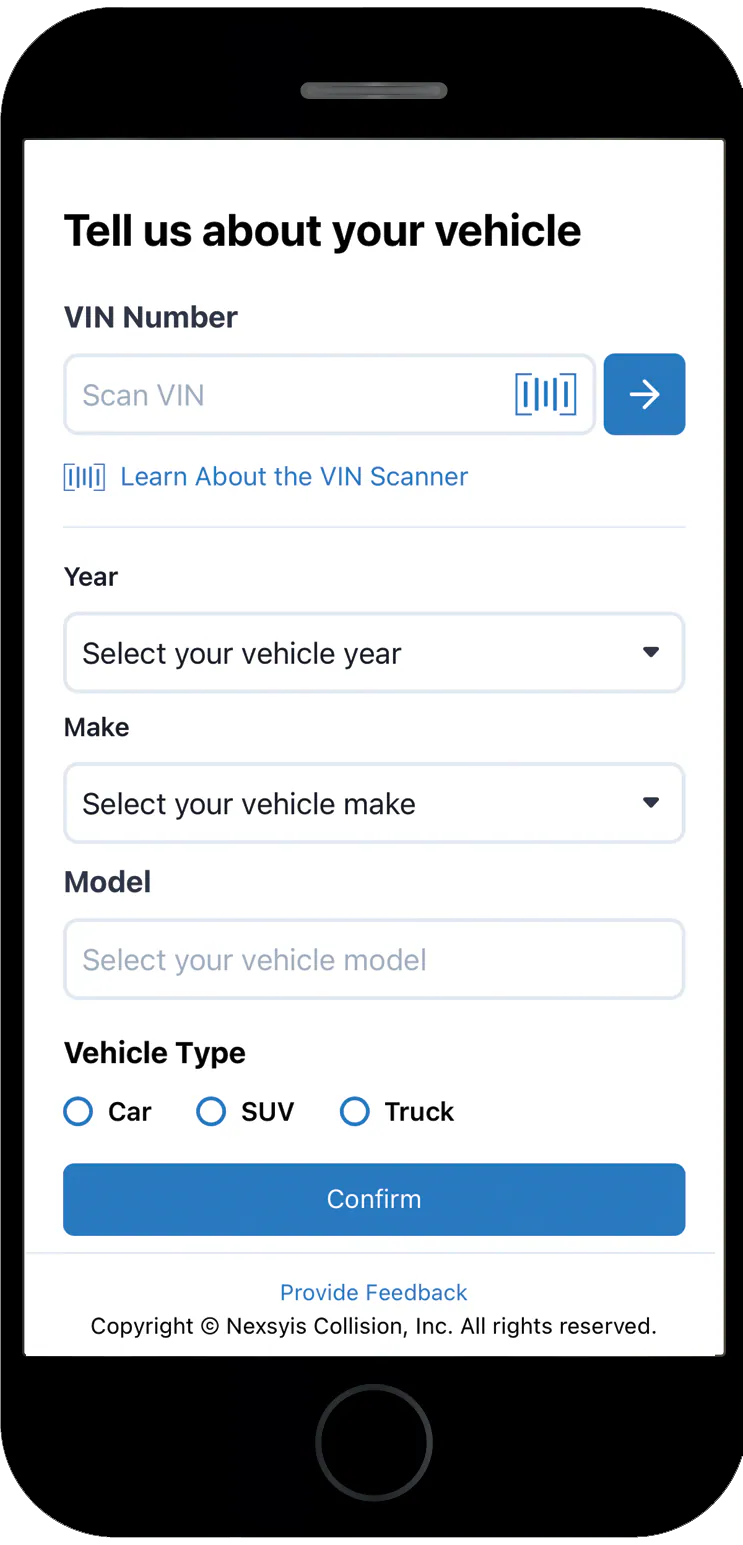
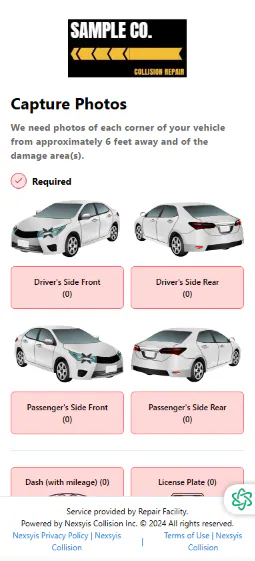
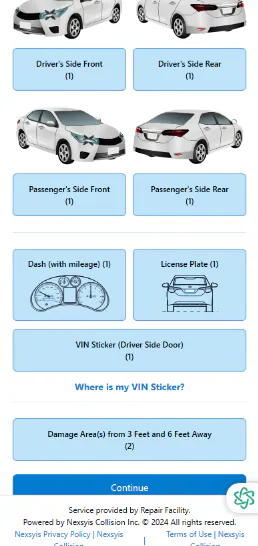
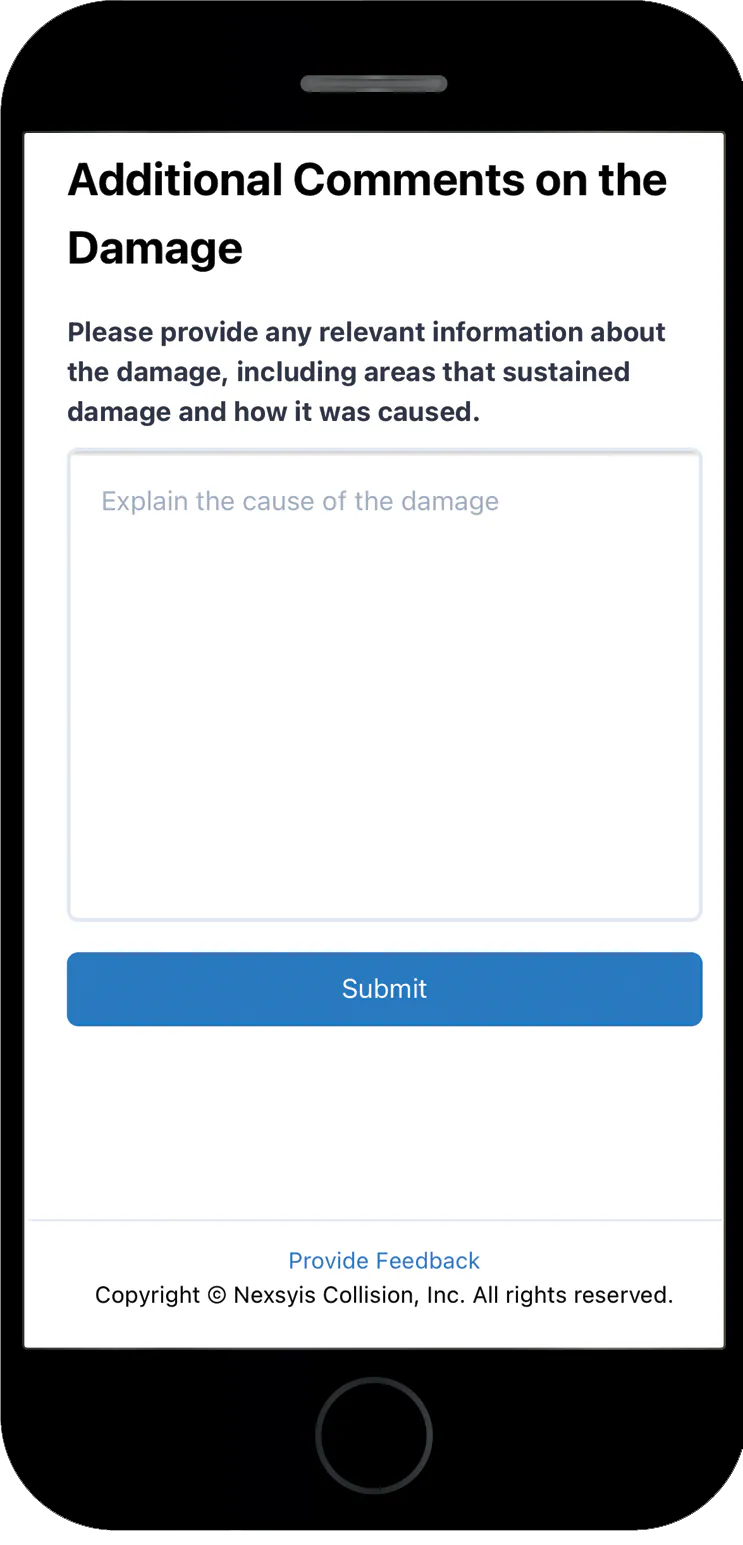
Each photo button turns blue when a photo is added. When all the required photos are uploaded, the customer selects Continue. On the last screen, they describe the damage and select Submit.
What happens in Nexsyis
Section titled “What happens in Nexsyis”When the customer submits the request:
-
A folder is created on the Opportunities tab with the customer’s details and photos. It shows WEB as the user who created it.

-
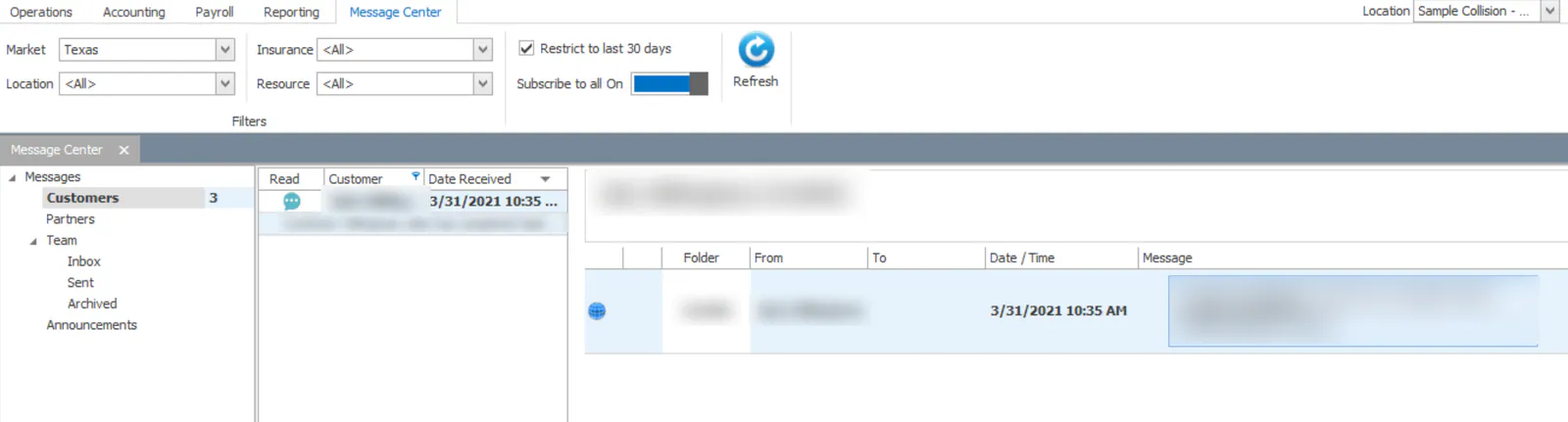
Users subscribed to customer messages get a customer message: Customer has completed task: Estimate Request.
-
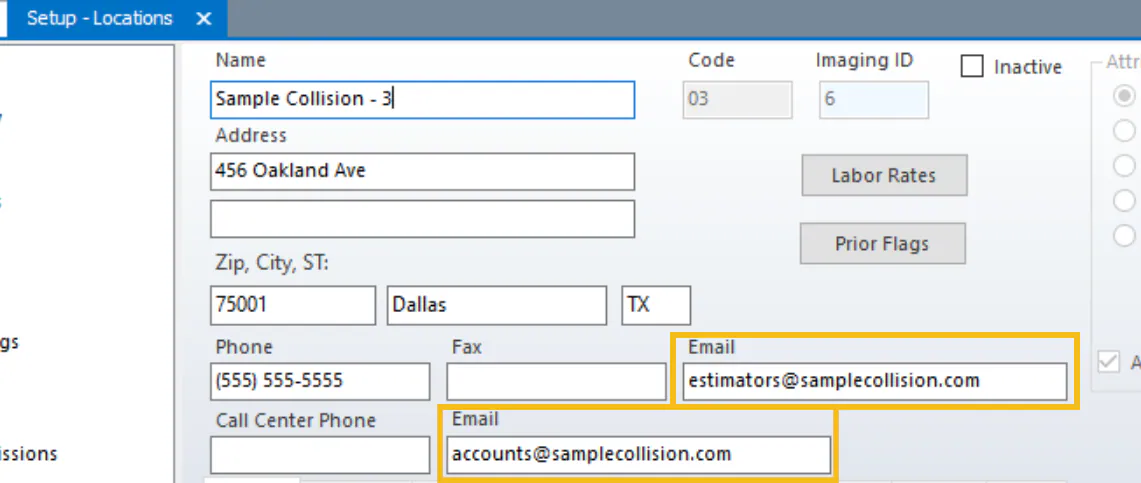
An email goes to the two email addresses set up on the company Location tab.
Next step
Section titled “Next step”Write the estimate and import it into the folder, then send it for review.