Add a core charge
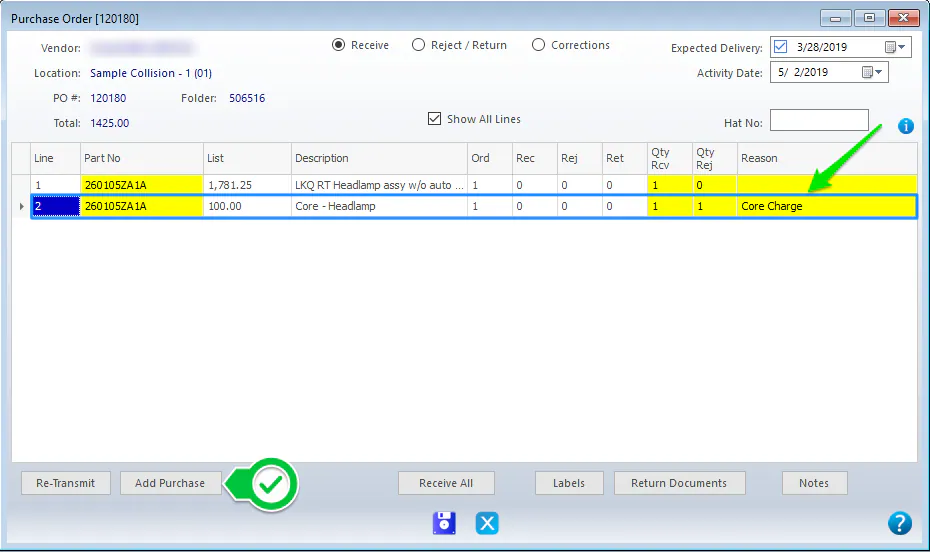
When a part you receive has a core charge, add the core charge as its own line on the purchase order.
- While receiving the part, select Add Purchase. A new line is added to the purchase order.
- On the new line, enter the Part Number, a description, the core charge amount as the List Price, and the quantity received.
- Mark the line as rejected and choose the Core Charge reason. This keeps track of cores to return and makes your return reports more accurate.