
Set an operator's imaging path
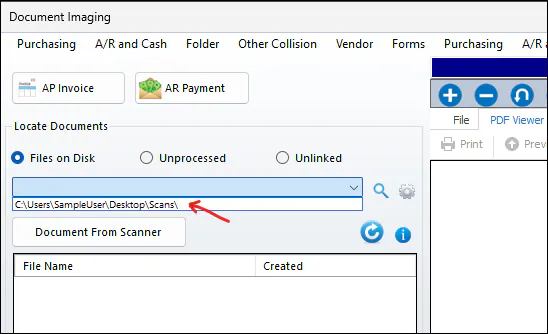
Add the folders you scan to so they show in the Files on Disk drop-down in Document Imaging. You only need this if you attach documents from the Document Imaging window.
For other ways to bring documents into Nexsyis, see Document imaging options.
Add an imaging path
Section titled “Add an imaging path”-
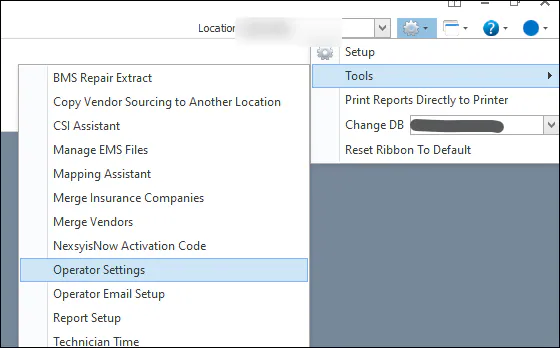
Select the gear icon, then Tools › Operator Settings.
-
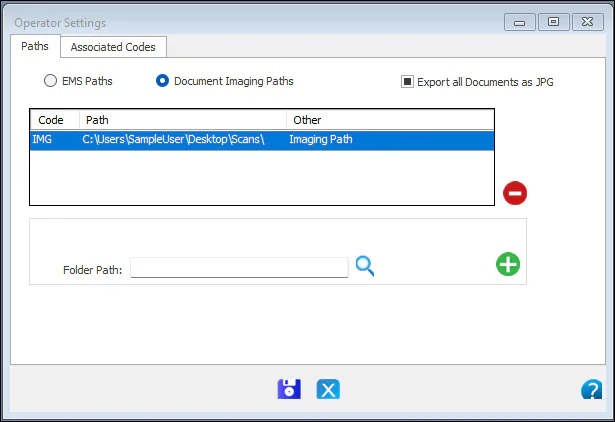
Select Document Imaging Paths.
-
In Folder Path, paste the path or browse to the folder.
-
Select the green + to add the path to the list.
-
Select Save.
What happens next
Section titled “What happens next”Your paths show in the drop-down when you select Files on Disk in Document Imaging.