
Set work order print preferences
Choose how Nexsyis prints work orders. The setting applies to every folder.
Before you begin: you need the Preferences Form transaction permission.
Choose the work order format
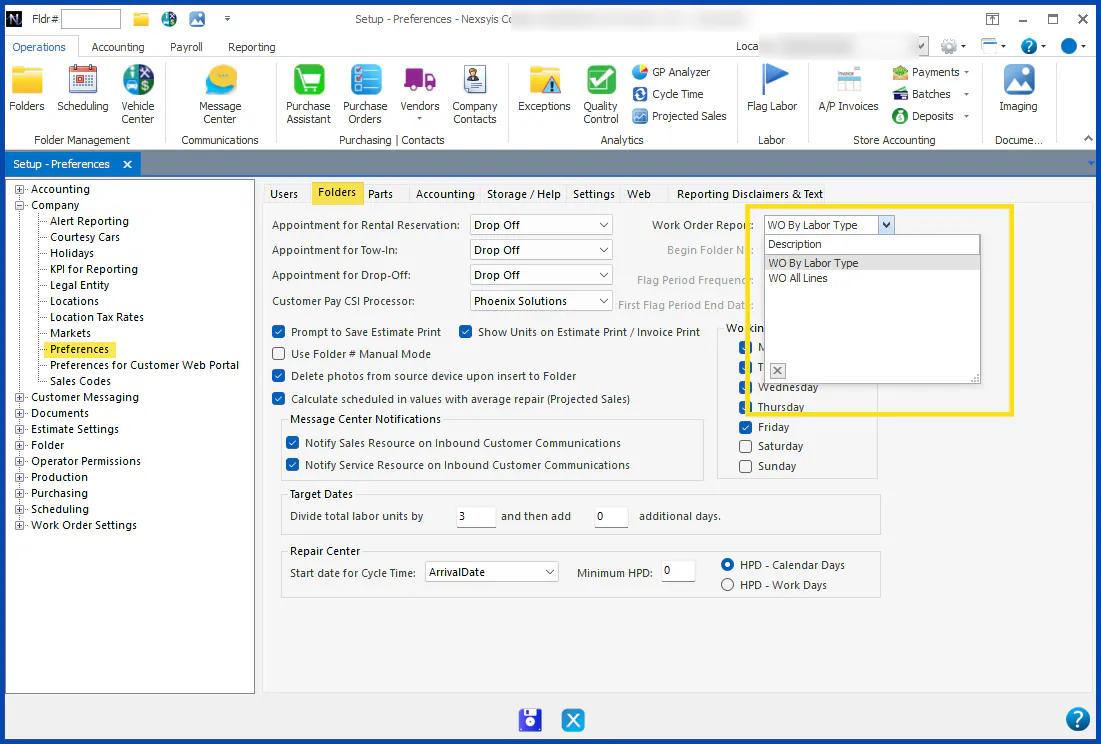
Section titled “Choose the work order format”- Go to Setup › Company › Preferences, then the Folders tab.
- In Work Order Report, choose a format:
- WO By Labor Type: prints each labor type on its own page, with the assigned technician, that labor type’s part lines and its total hours. Line notes imported from the estimating system don’t print.
- WO All Lines: prints like an estimate, listing every line in line-number order, with all allocated technicians at the top and the purchase and labor totals at the bottom. Line notes imported from the estimating system print on their own line.
- Select the save button at the bottom of the screen.
For examples of each format, see Print a work order.