
Set up tow companies
Add the tow companies your shop works with so you can send them tow requests from a folder.
Add a tow company
Section titled “Add a tow company”-
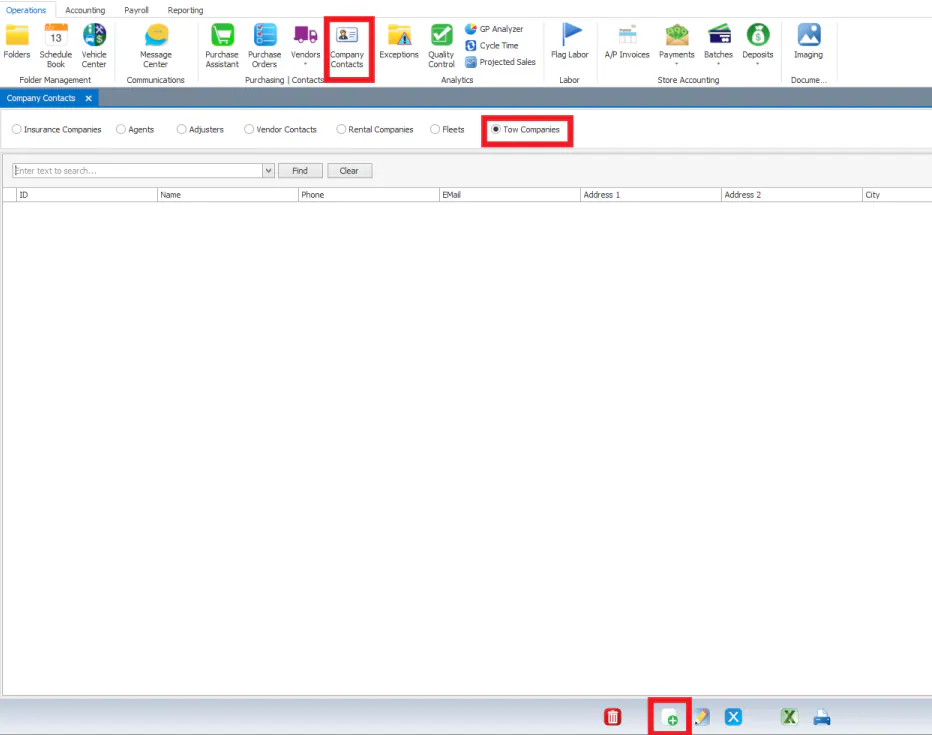
Select Company Contacts on the Operations tab.
-
Select the Tow Companies option.
-
Select New at the bottom of the screen.
-
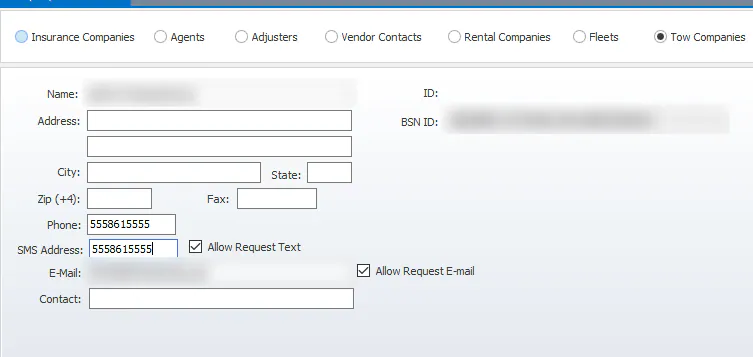
Fill in the tow company’s details, such as Name, Address and Phone.
-
To send tow requests to the company by text, enter its SMS Address and select Allow Request Text.
-
To send tow requests by email, enter its E-Mail and select Allow Request E-mail.
-
Select the save button at the bottom of the screen.