
Set up vehicle make groups
A vehicle make group links several vehicle makes under one name. You can then set Nexsyis estimate item pricing for the group instead of for each make. For example, a Chrysler group could include Chrysler, Jeep, Dodge and RAM.
To open the setup screen, go to Setup › Folder › Vehicle Makes.
Create a vehicle make group
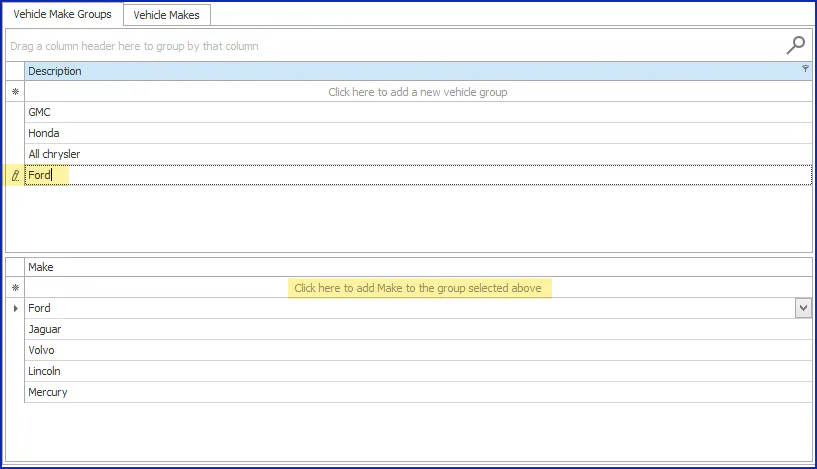
Section titled “Create a vehicle make group”- On the Vehicle Make Groups tab, select the first row, Click here to add a new vehicle group.
- Type a name for the group, for example Ford.
- Select the group you created.
- In the lower section, select Click here to add Make to the group selected above, choose a vehicle make from the drop-down, and press Enter.
- Repeat step 4 for each make in the group.
Find all makes for a parent company
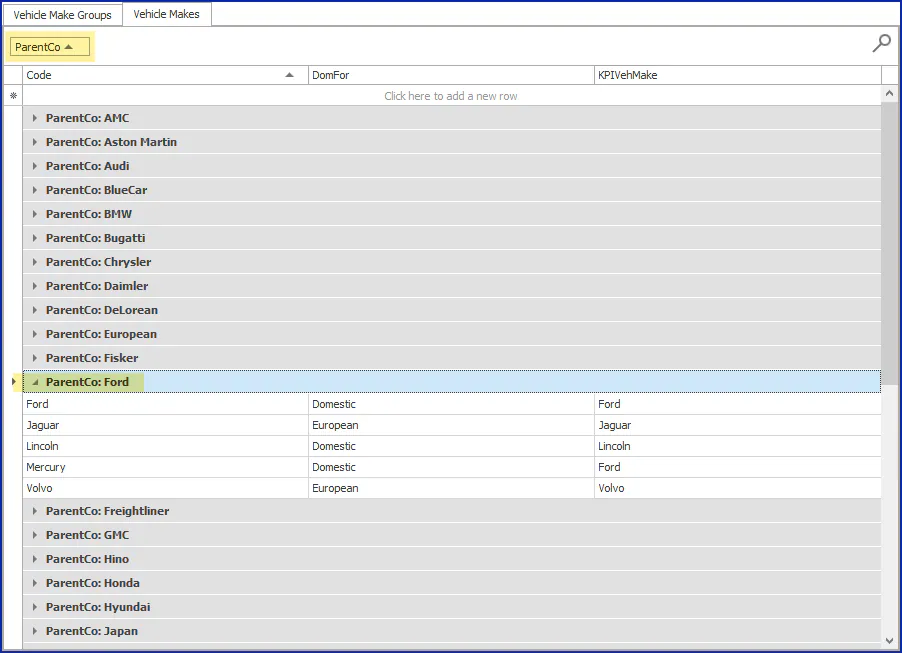
Section titled “Find all makes for a parent company”The Vehicle Makes tab lists each make with its parent company (ParentCo) and whether it’s domestic or foreign (DomFor). Use it to find every make you should add to a group.
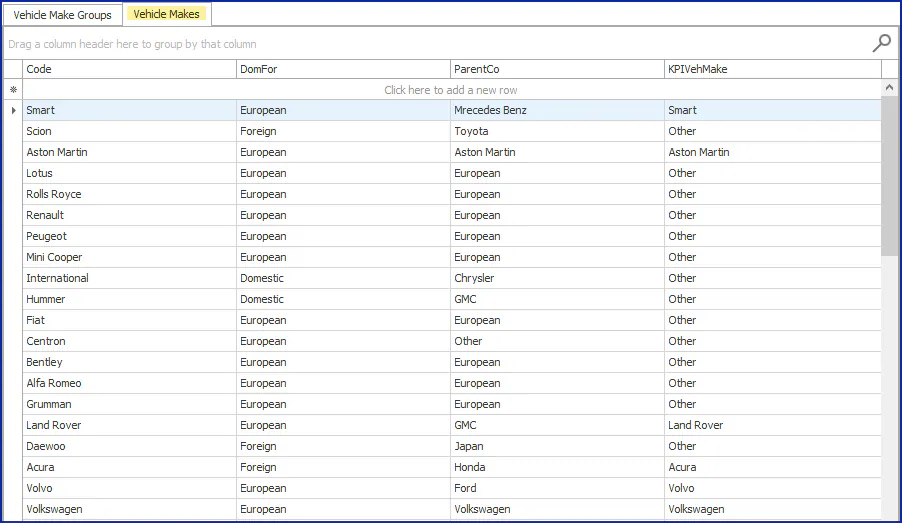
You can sort the list, or group it by parent company: drag the ParentCo column header to the area that says Drag a column header here to group by that column.
What happens next
Section titled “What happens next”Once the group is set up, you can use it in Nexsyis estimate setup to price items for the group instead of a single vehicle make.