
Set up online appointment scheduling
Turn on online booking so customers can schedule an estimate or drop-off appointment from your website.
-
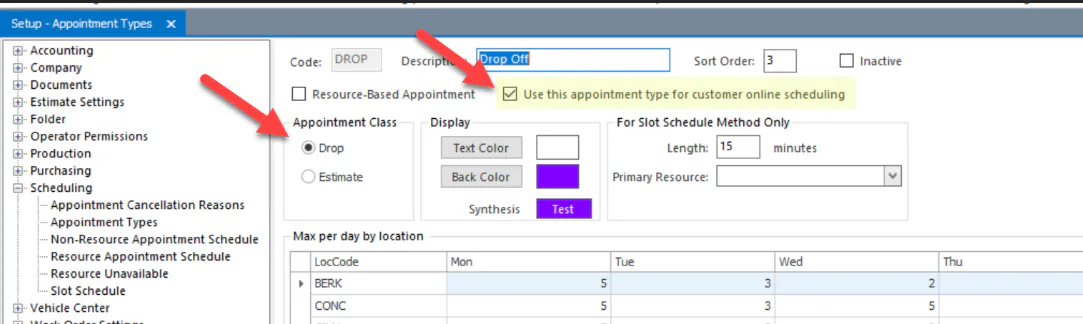
Open Setup › Scheduling › Appointment Types, and open the appointment type customers should book.
-
Select Use this appointment type for customer online scheduling.
-
Choose the Appointment Class: Estimate for online estimate appointments, or Drop for online drop-off appointments. Only one appointment type of each class can be used for online scheduling.
-
Select Save.
-
Contact Nexsyis Support for your company’s online appointment scheduling links.
-
Add a button to your website that opens those links.
-
Check the slot schedule for the appointment types you chose. It decides which dates and times customers see as available.