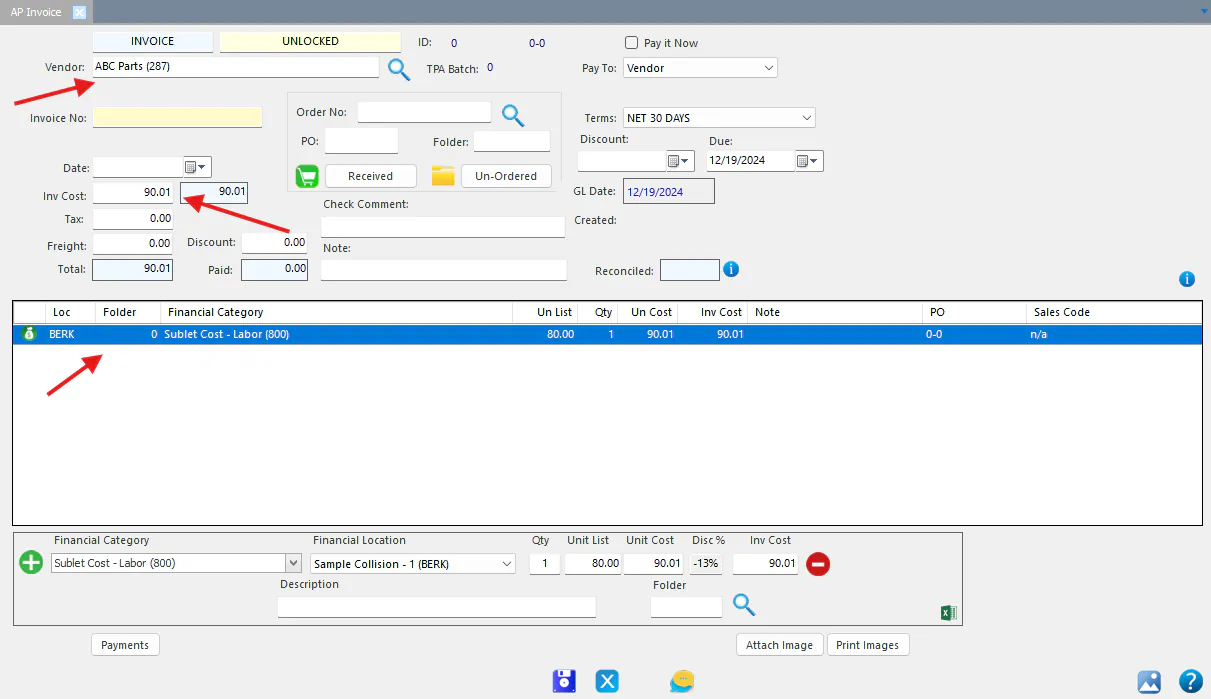
Create an AP invoice from an existing one
When a new invoice looks like one you’ve already entered, for example a monthly bill, copy the existing AP invoice instead of starting from scratch.
Copy without amounts
Section titled “Copy without amounts”-
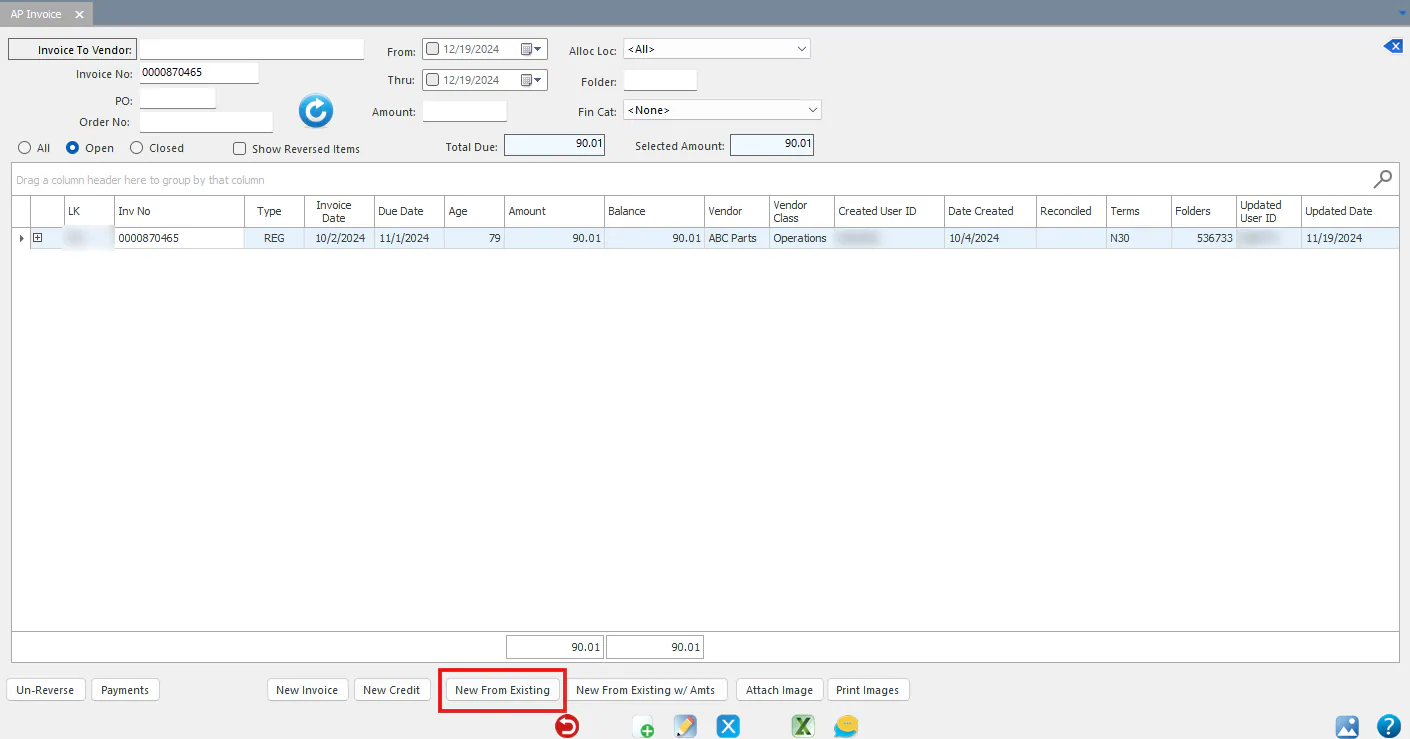
Open the A/P Invoices screen. Enter the invoice number or other filters, then select Refresh to list the invoices.
-
Select the invoice to copy, then select New From Existing at the bottom of the screen.
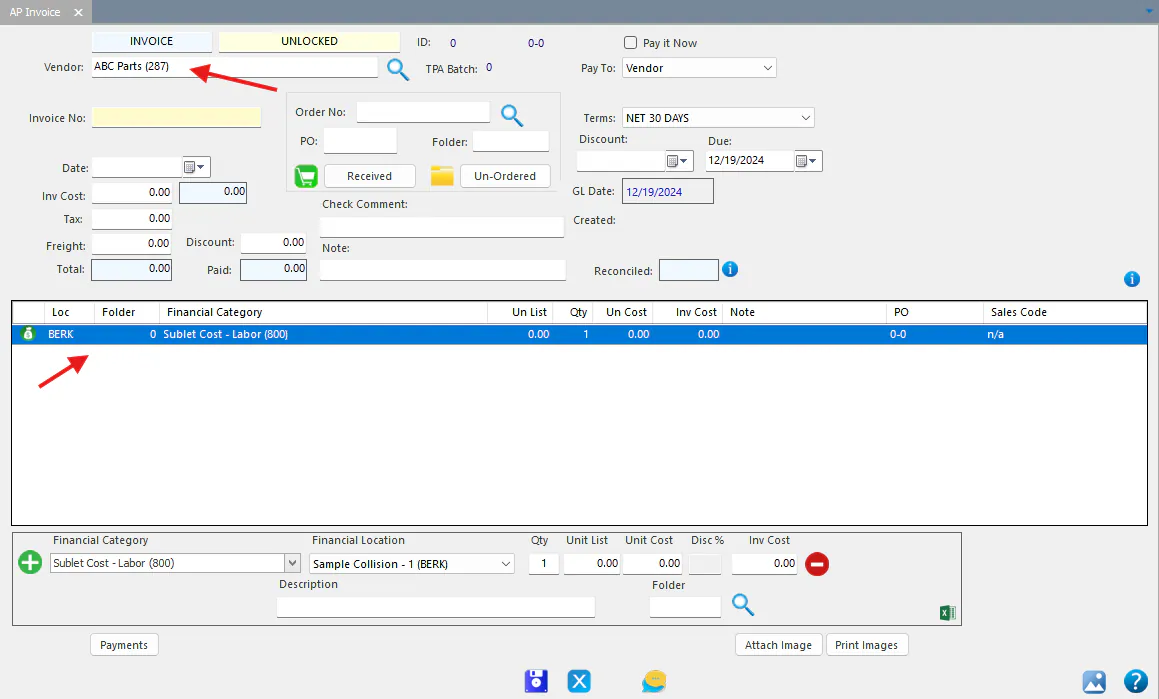
The vendor and distribution lines are copied from the invoice you selected.
-
Enter the Invoice No, Date and Inv Cost, then select Save.
Copy with amounts
Section titled “Copy with amounts”-
On the A/P Invoices screen, select the invoice to copy, then select New From Existing w/ Amts.
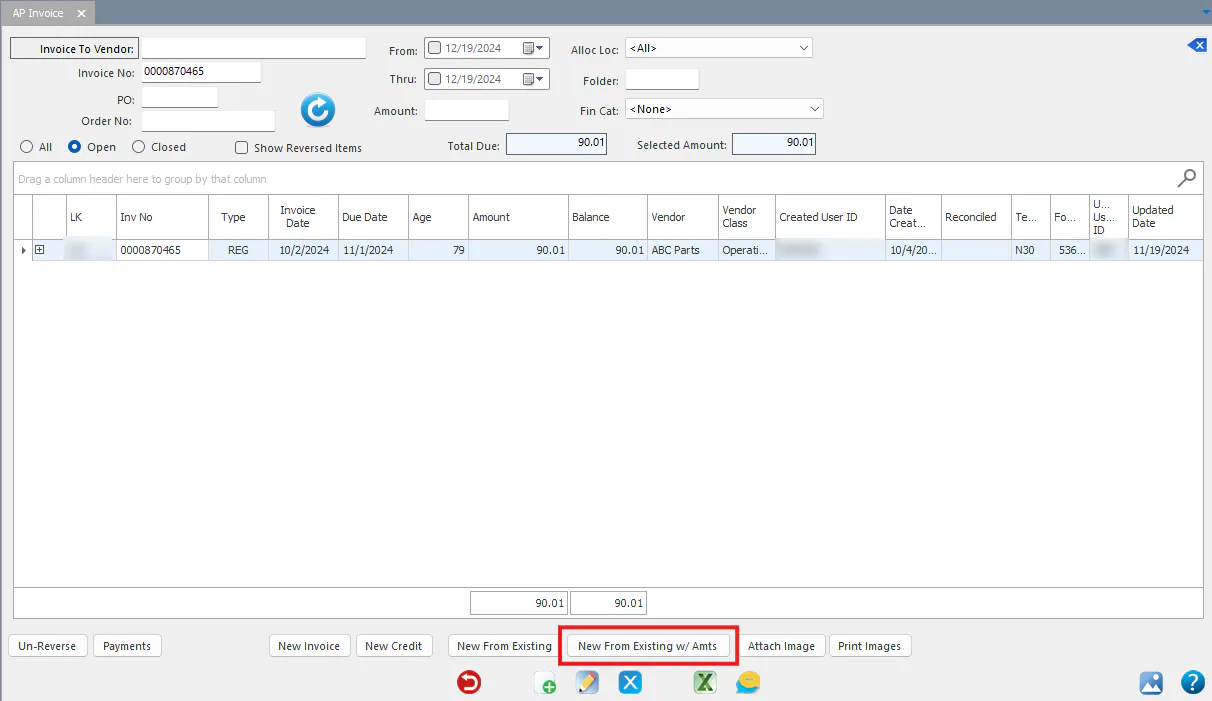
The vendor, invoice cost and distribution lines are copied from the invoice you selected.
-
Enter the Invoice No and Date, then select Save.