
Troubleshoot email
If you can’t send email from Nexsyis, try these steps in order.
1. Restart your computer
Section titled “1. Restart your computer”Restart your computer, then try sending the email again.
2. Check the To address
Section titled “2. Check the To address”Make sure the email address in To is valid.
3. Turn off your email signature
Section titled “3. Turn off your email signature”Clear the check box that includes your email signature, then try again.
4. Delete and re-add your email profile
Section titled “4. Delete and re-add your email profile”-
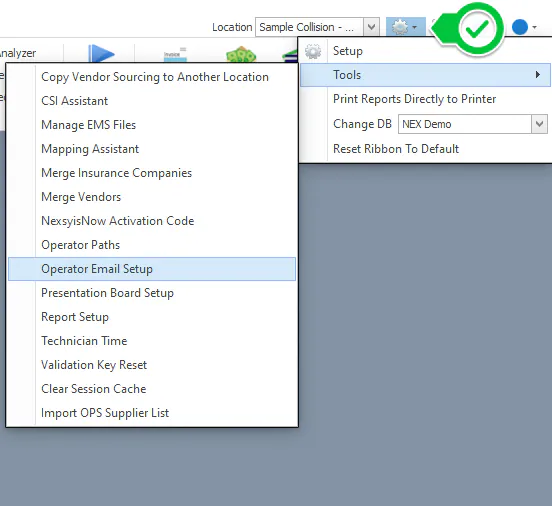
Select the settings (gear) icon, then Tools › Operator Email Setup.
-
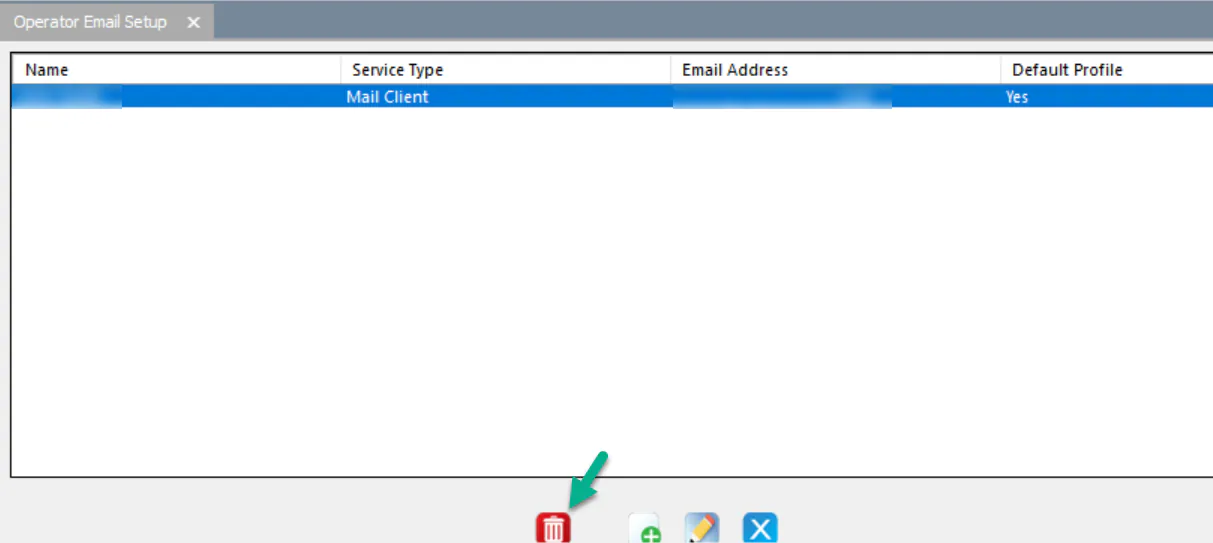
Select your email profile, then select Delete (the trash can) at the bottom of the window.
-
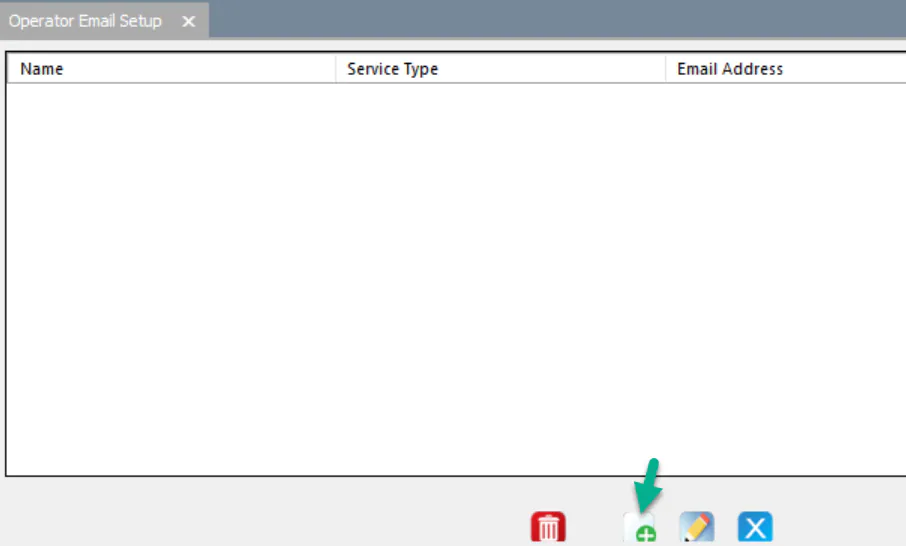
Select New to add the profile again.
-
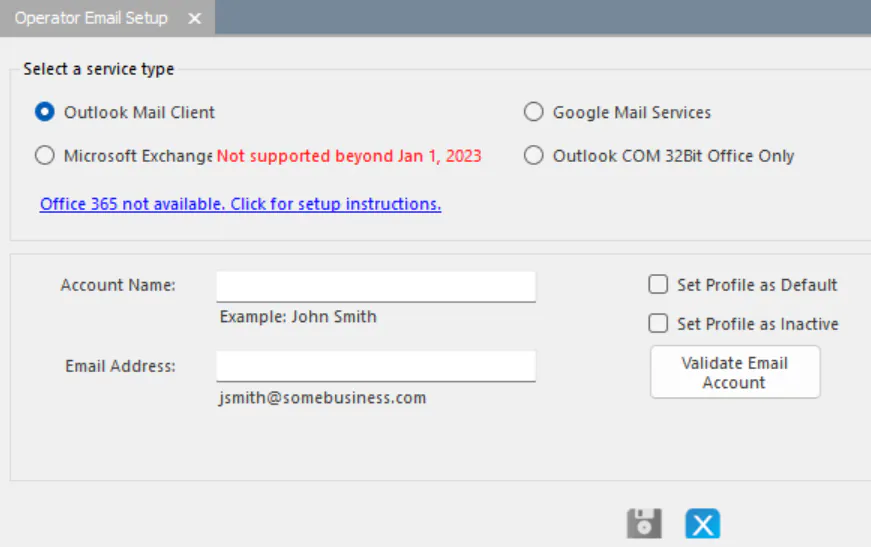
Under Select a service type, select your service type.
-
Enter your email information:
- Account Name: your name.
- Email Address: your company email address.
-
Select Validate Email Account, then finish the steps for your service type:
Still not working?
Section titled “Still not working?”Contact Nexsyis Support at nexsupport@nexsyis.com. Include the folder or PO number and the documents you were trying to attach.