
Set the repair category
A repair category groups repairs by size, for example Light or Heavy. Set it on each folder, then use it to filter and report.
Set the repair category on a folder
Section titled “Set the repair category on a folder”You can set the repair category:
-
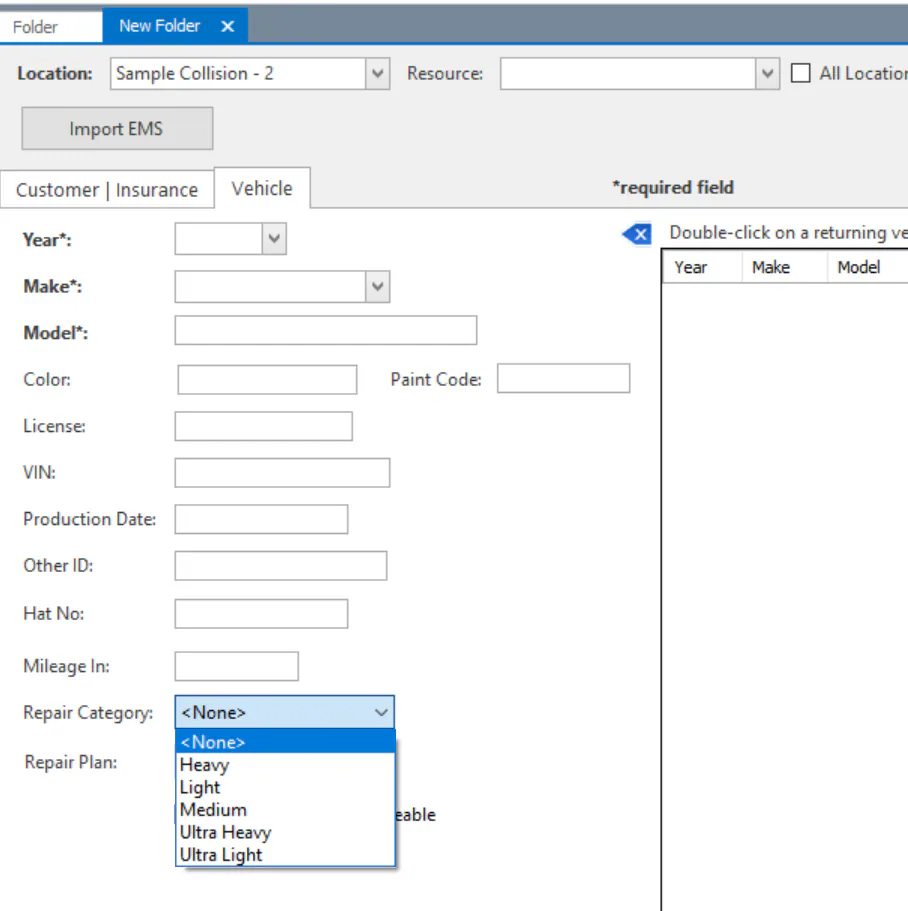
When you create the folder, on the Vehicle tab.
-
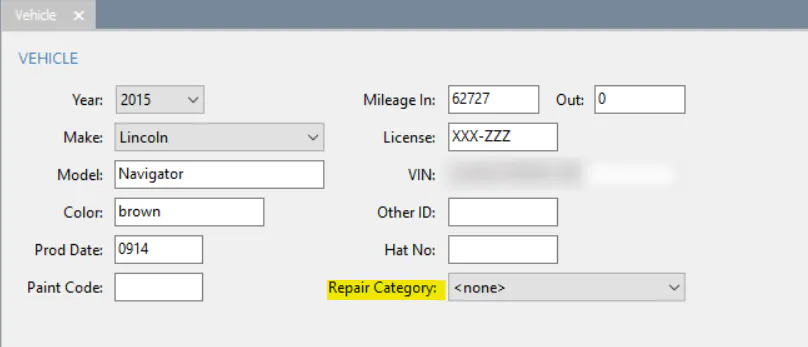
On the folder’s Vehicle screen.
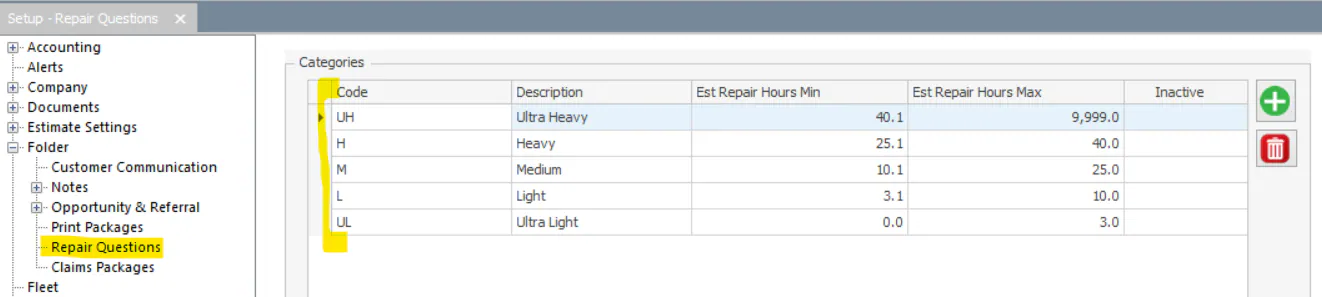
Nexsyis comes with the categories Ultra Light, Light, Medium, Heavy and Ultra Heavy. You can change this list.
View and report on repair categories
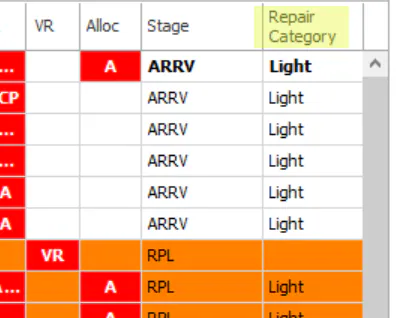
Section titled “View and report on repair categories”Add the Repair Category column to the Vehicle Center, Scheduling screen or Folder Tracking screen. Use the column to filter by category.
Set up repair categories
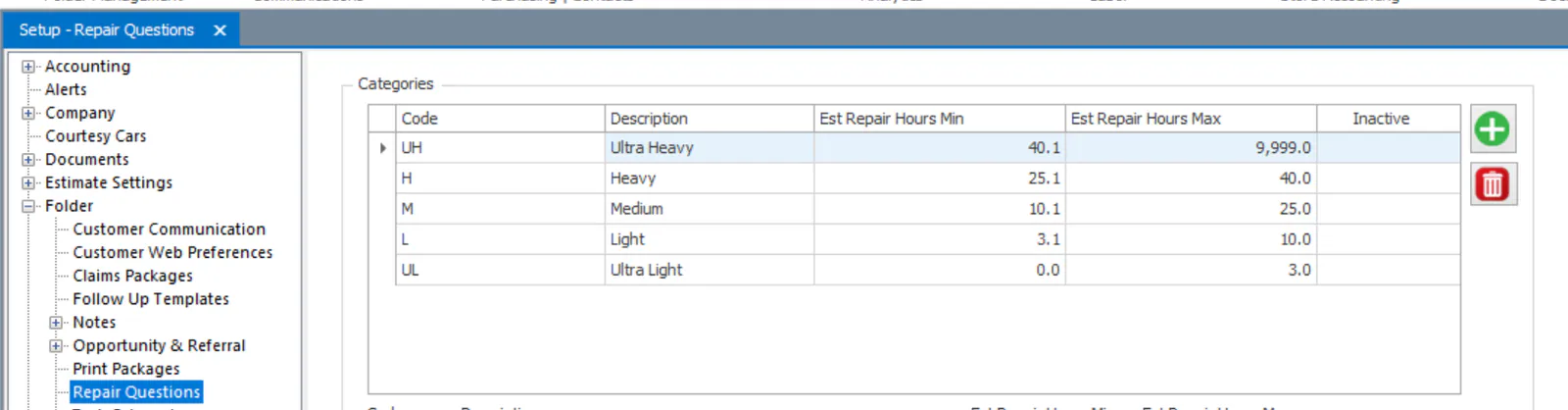
Section titled “Set up repair categories”Open System › Setup › Folder › Repair Questions.
Add a category
Section titled “Add a category”Enter a Code and Description, then select Save.
Make a category inactive
Section titled “Make a category inactive”To remove a category from the list, select it and select Delete. A red icon shows in the Inactive column.
