
Set folder dates for WIP folders
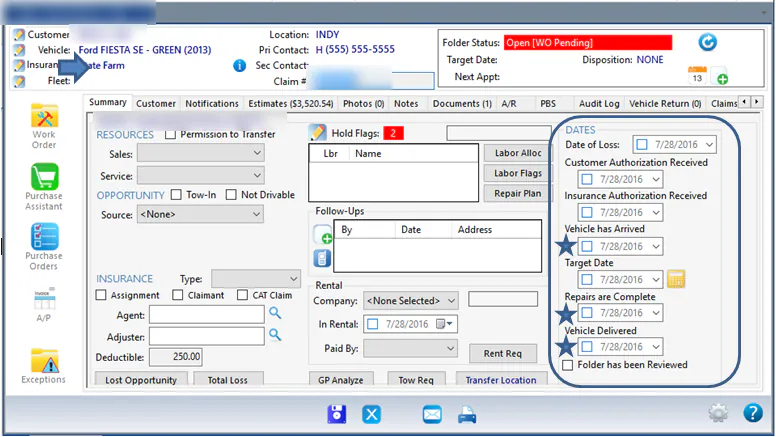
When you re-enter a repair from your prior system, set its folder dates to the dates recorded there. The important dates are when the vehicle arrived, when repairs were complete and when the vehicle was delivered.
Set the dates
Section titled “Set the dates”-
Open the folder and select the Summary tab. The dates are on the right, under Dates.
-
For Vehicle has Arrived, Repairs are Complete and Vehicle Delivered, select the down arrow next to the date, then select the date from your prior system on the calendar.
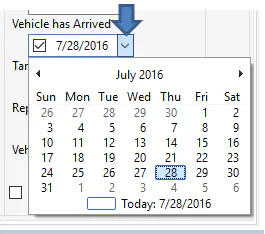
For a finished repair that only has an AR balance, set Vehicle Delivered to the original delivery date.