
Enter an AP invoice manually
In the rare case that there’s no purchase order (PO) to attach an invoice or credit memo to, enter it manually against the folder.
Enter a manual invoice or credit
Section titled “Enter a manual invoice or credit”-
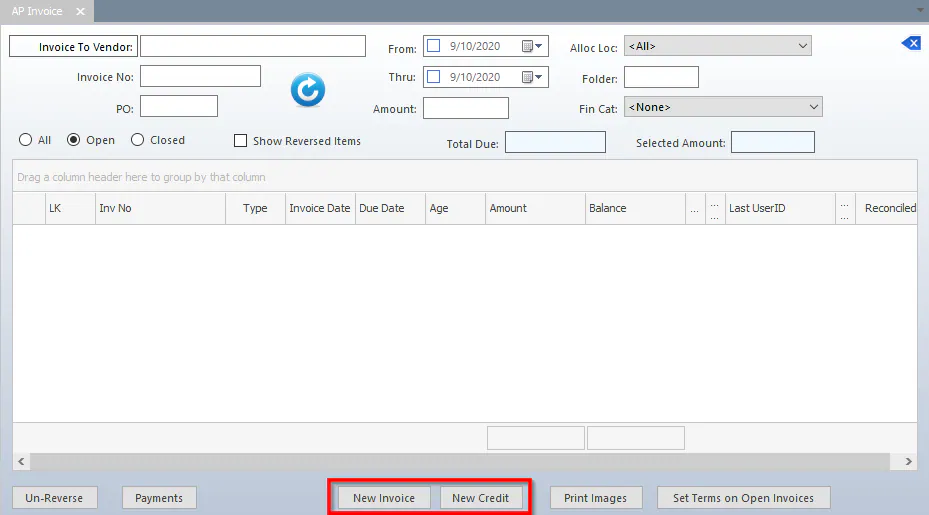
Open the A/P Invoices screen and select New Invoice or New Credit.
-
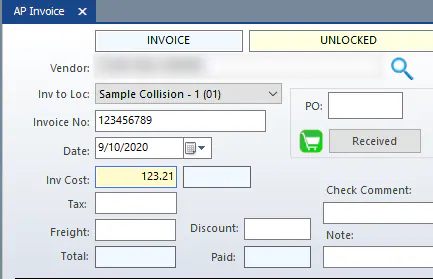
Fill in the top of the screen as usual: Vendor, Inv to Loc, Invoice No, Date and Inv Cost.
-
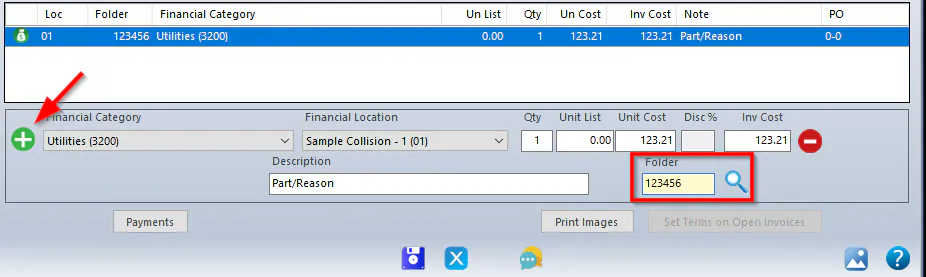
Select the green plus button, choose a Financial Category and Financial Location, then fill in the Unit List, Unit Cost, Description and Folder. The folder is the most important field.
-
Select Save.
Lines with a quantity over 1
Section titled “Lines with a quantity over 1”When you invoice a quantity greater than 1, Nexsyis calculates the discount on the invoice list price, and you can change only the unit list and unit cost. This can leave a rounding difference of a few cents.
For example, a line of 6 with a total of 16.22 works out to 2.7033 each. Rounded to 2.70, times 6 gives 16.20, two cents short.
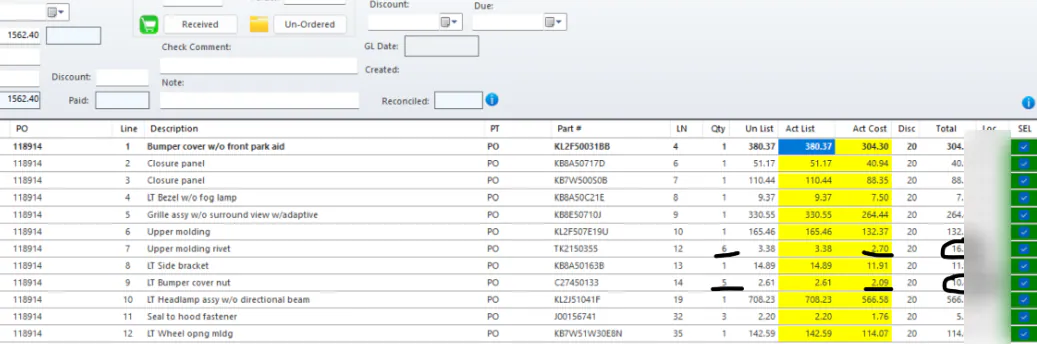
To make the invoice balance, enter the difference on another line that has a quantity of 1.