
Troubleshoot estimate imports
Use this page to fix common problems importing EMS estimate files into Nexsyis. If none of these solutions fixes the problem, contact Nexsyis Support at nexsupport@nexsyis.com.
Can’t find EMS data to import
Section titled “Can’t find EMS data to import”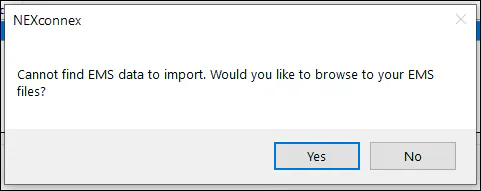
- Check that the correct EMS path is set in your estimating system. See Set up estimate imports.
- If the path is correct, check whether the estimate is already attached to another folder. See the next section.
The estimate is already attached to a folder
Section titled “The estimate is already attached to a folder”If an estimate shows gray in the import list, it’s already attached to another folder. The Folder column shows that folder’s number.
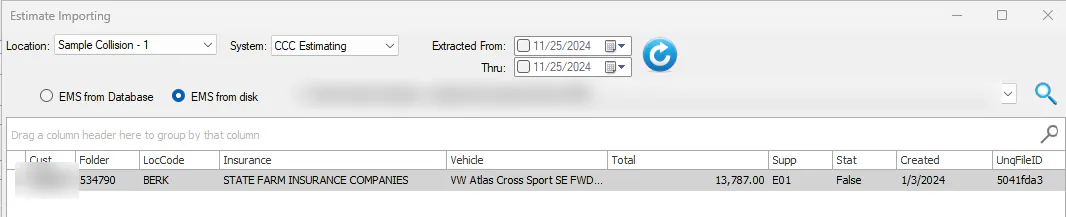
To import the estimate into a different folder, first remove it from the original folder.
No file found error when importing
Section titled “No file found error when importing”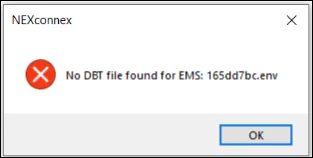
An EMS export is a set of about 15 files. If one of them is missing, you get this error. The error means your EMS paths are fine, but a file went missing. There are two common causes:
- Export speed. When you export from your estimating system, it writes the EMS files to your export path. A local path, such as
C:\NexEMS\Export, is usually much faster than a shared network folder on the shop server. After you export, wait 2 to 3 seconds before importing into Nexsyis, so the export can finish. - Other applications taking the files. Many shops export EMS to a shared folder on the shop server. Another computer on the network, often a parts person’s computer running EMS upload tools such as AutoPartsBridge, CollisionLink or OPS Trax, may detect the export, process the files and sometimes delete them. When you import, some or all of the files are gone.
To find out which computer is taking the EMS files, use Open Files under Shared Folders in Windows Computer Management on the server. Export EMS from a computer on the network, then refresh the Open Files list right away. You’ll likely see which user’s computer has opened the files.
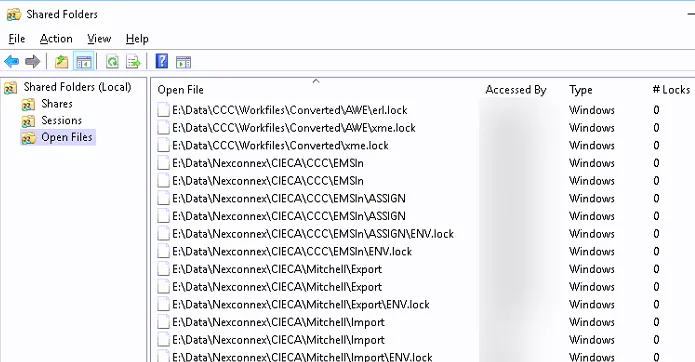
The usual fix is to give the parts person a separate EMS export path for the EMS upload applications they use.
Directory does not exist error
Section titled “Directory does not exist error”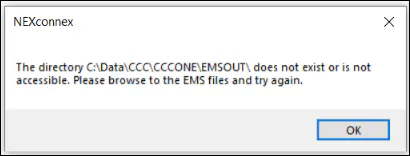
This error means the EMS path set in Nexsyis doesn’t exist on this computer. Common causes:
- The user doesn’t have a mapped drive to the export folder on the shop server.
- It’s a new computer, and the export paths haven’t been created or connected yet.
See Set up estimate imports to create the folders, and Set an operator’s EMS path for user-specific paths.
BuildEstCollectionFromDir error
Section titled “BuildEstCollectionFromDir error”The error reads Submitted Error from Nexsyis Collision (Proc:BuildEstCollectionFromDir), sometimes with the description Unspecified error.
This error is likely caused by a bad EMS file in the export folder. In most cases, you can fix it by deleting all of the EMS files in the export folder and exporting the EMS files again.