
View archived folders
Nexsyis archives finished folders automatically. Archived folders are left out of search results by default, but you can still find them, and you can un-archive one if you need to change it.
When a folder is archived
Section titled “When a folder is archived”A folder is archived automatically when it meets all of these conditions:
- The folder is delivered or marked as a lost opportunity.
- The AR balance is $0.00.
- There’s no open purchasing activity: every purchase order line is invoiced, and every PO has a CLS status.
Find an archived folder
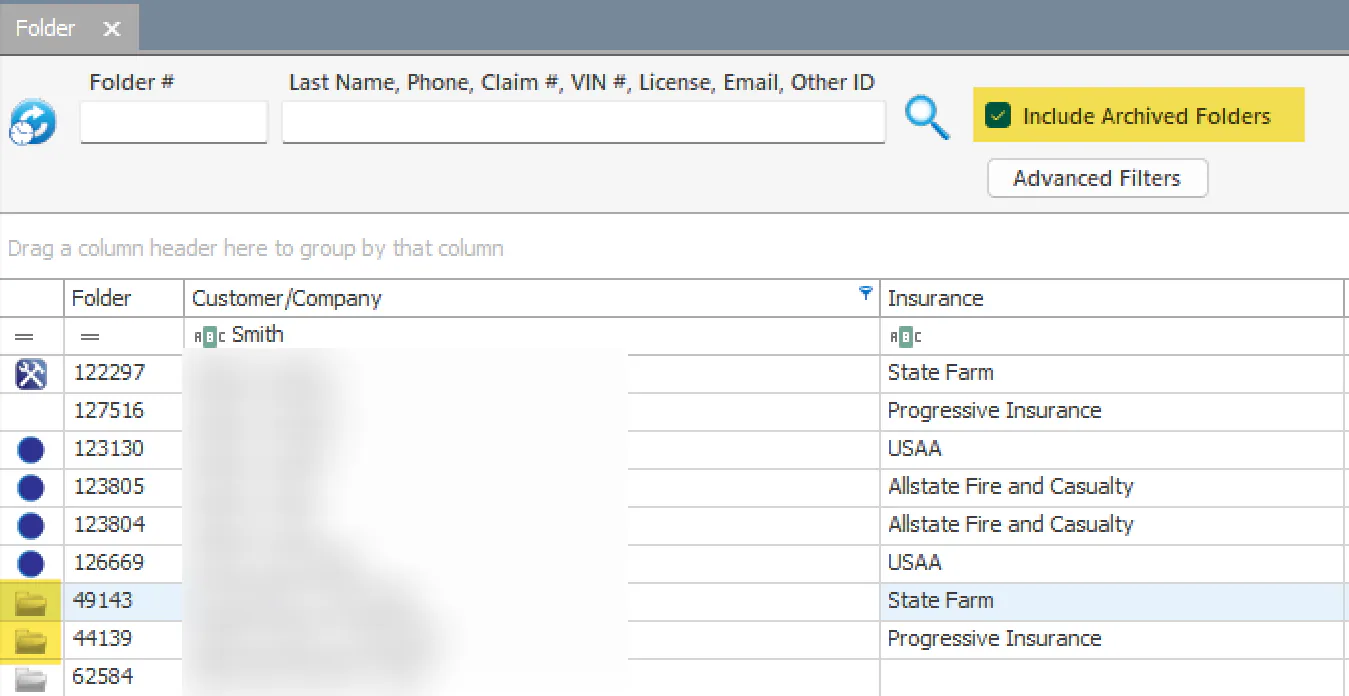
Section titled “Find an archived folder”- On the folder search screen, select Include Archived Folders.
- Search as usual. Archived folders show a gray folder icon.
Un-archive a folder
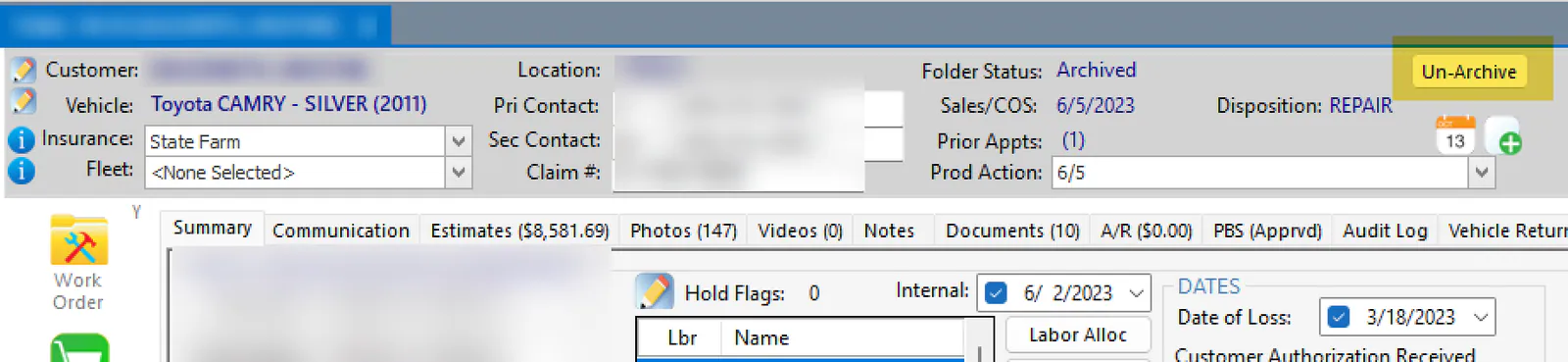
Section titled “Un-archive a folder”You can’t change an archived folder until you un-archive it: the Save button stays disabled.
-
Open the folder and select Un-Archive in the top-right corner.
-
Make your changes.
When the folder meets the archiving conditions again, Nexsyis archives it again automatically.
Archive folders when they’re reviewed
Section titled “Archive folders when they’re reviewed”A preference can archive folders as soon as they’re marked as reviewed, even if they still have outstanding purchase orders or AR activity. This skips the usual requirement that a folder has no outstanding activity.
To turn it on, email Nexsyis Support and ask for ForceArchiveAfterFinalReview to be set to 1.