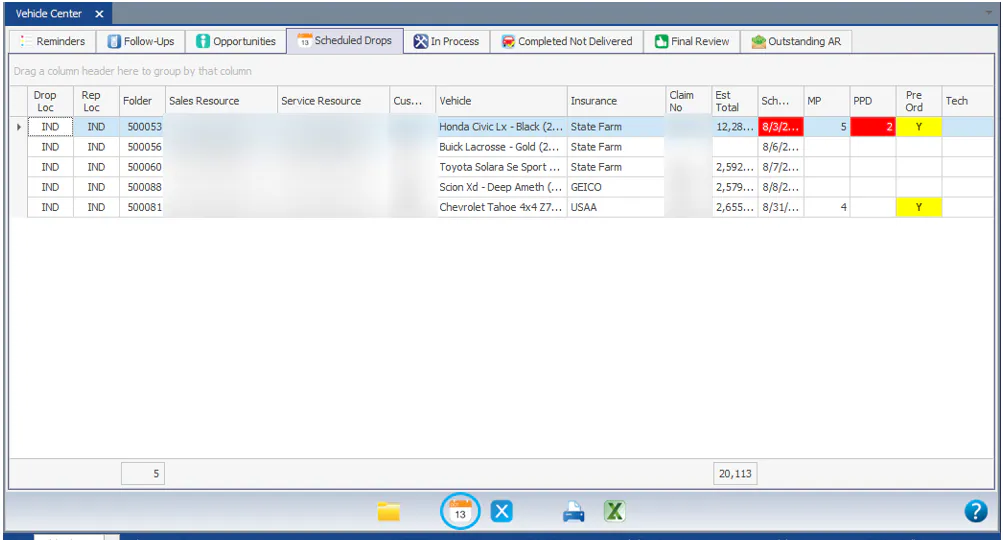
Work the Scheduled Drops tab
The Scheduled Drops tab of the Vehicle Center lists every folder with a drop appointment. Use it to see which vehicles are due to arrive and which are late.
To change the columns, see Search, filter and save grid views.
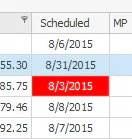
Find late appointments
Section titled “Find late appointments”Late appointments show in red in the Scheduled column.
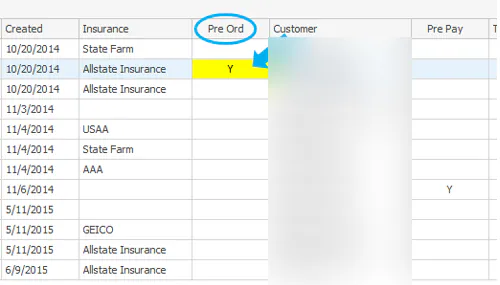
See pre-ordered parts
Section titled “See pre-ordered parts”When parts have been pre-ordered for the vehicle, the Pre Ord column shows a yellow box with a Y. Double-click the box to open the Purchase Assistant.
Open the folder or the appointment
Section titled “Open the folder or the appointment”- Folder: double-click the folder’s row, or select the row and then select the folder icon on the bottom button bar.
- Appointment: to change the appointment, select the row and then select the appointment (calendar) icon on the bottom button bar. The Scheduling screen opens.