Track projected sales against your goal
The Projected Sales screen calculates projected sales from each folder’s Internal date and compares them with the sales goal for a location.
Open the Projected Sales screen
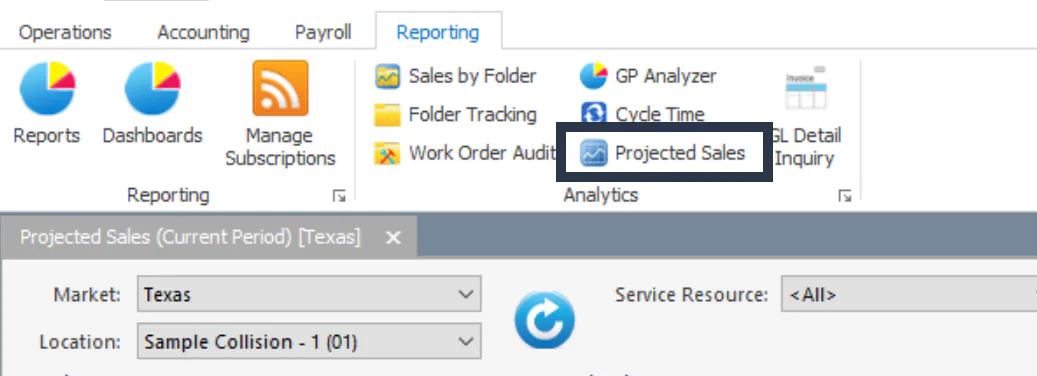
Section titled “Open the Projected Sales screen”- On the Operations or Reporting tab, in the Analytics group, select Projected Sales.
- Choose the Market and Location.
- Select Refresh.
Settings (top left)
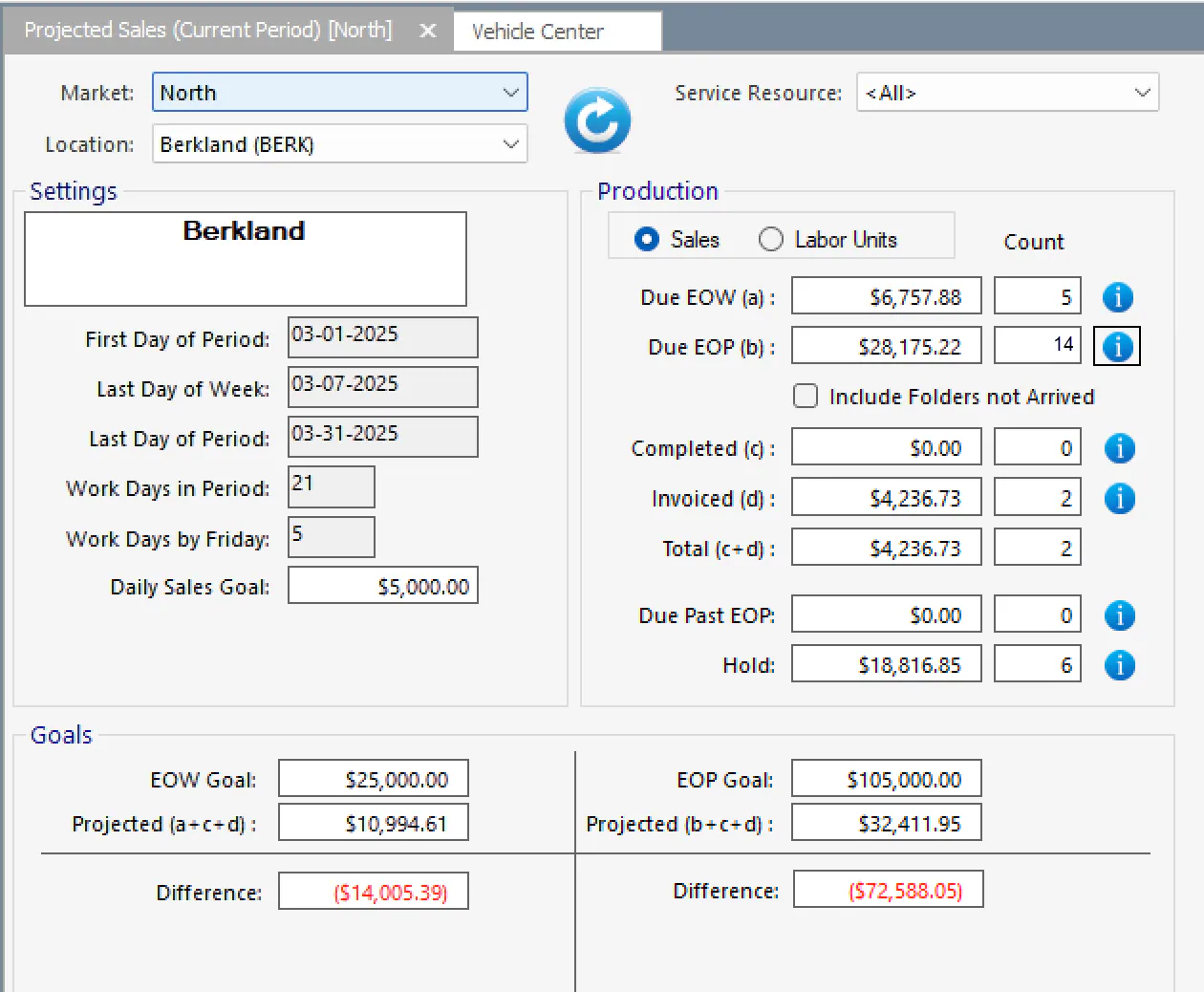
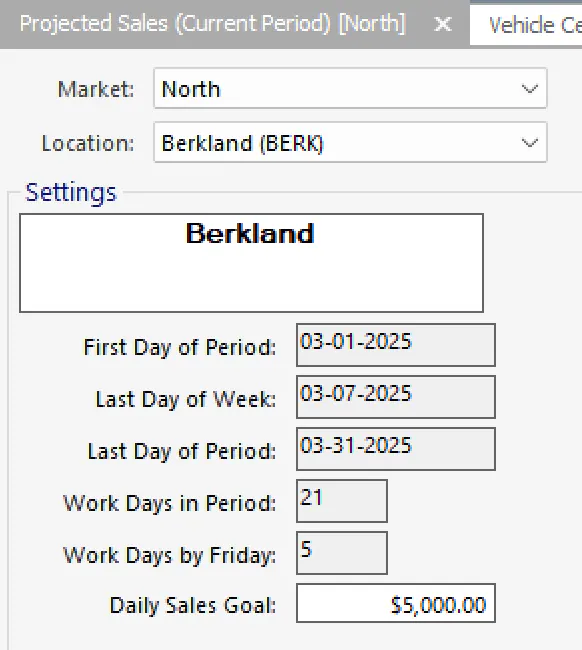
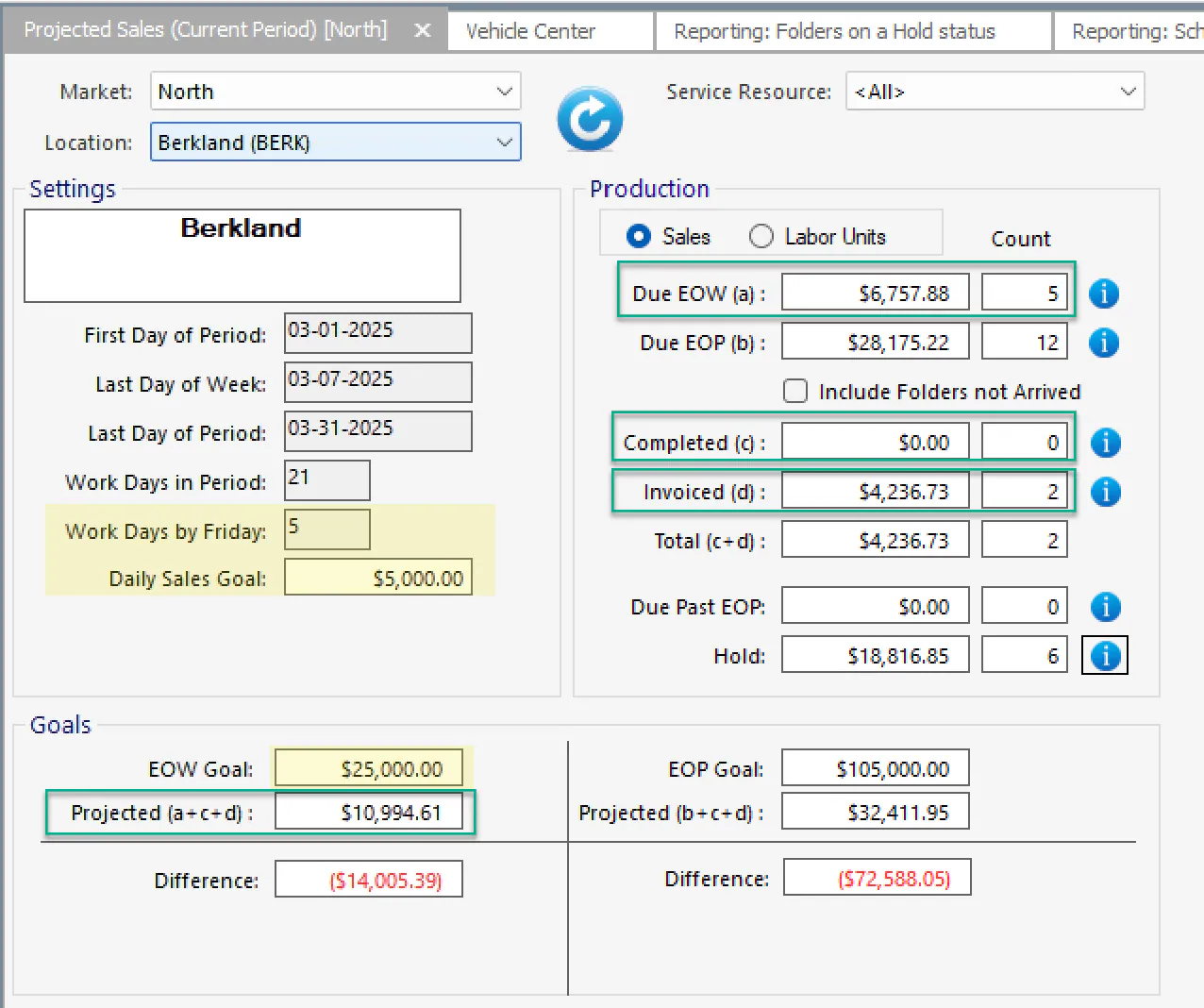
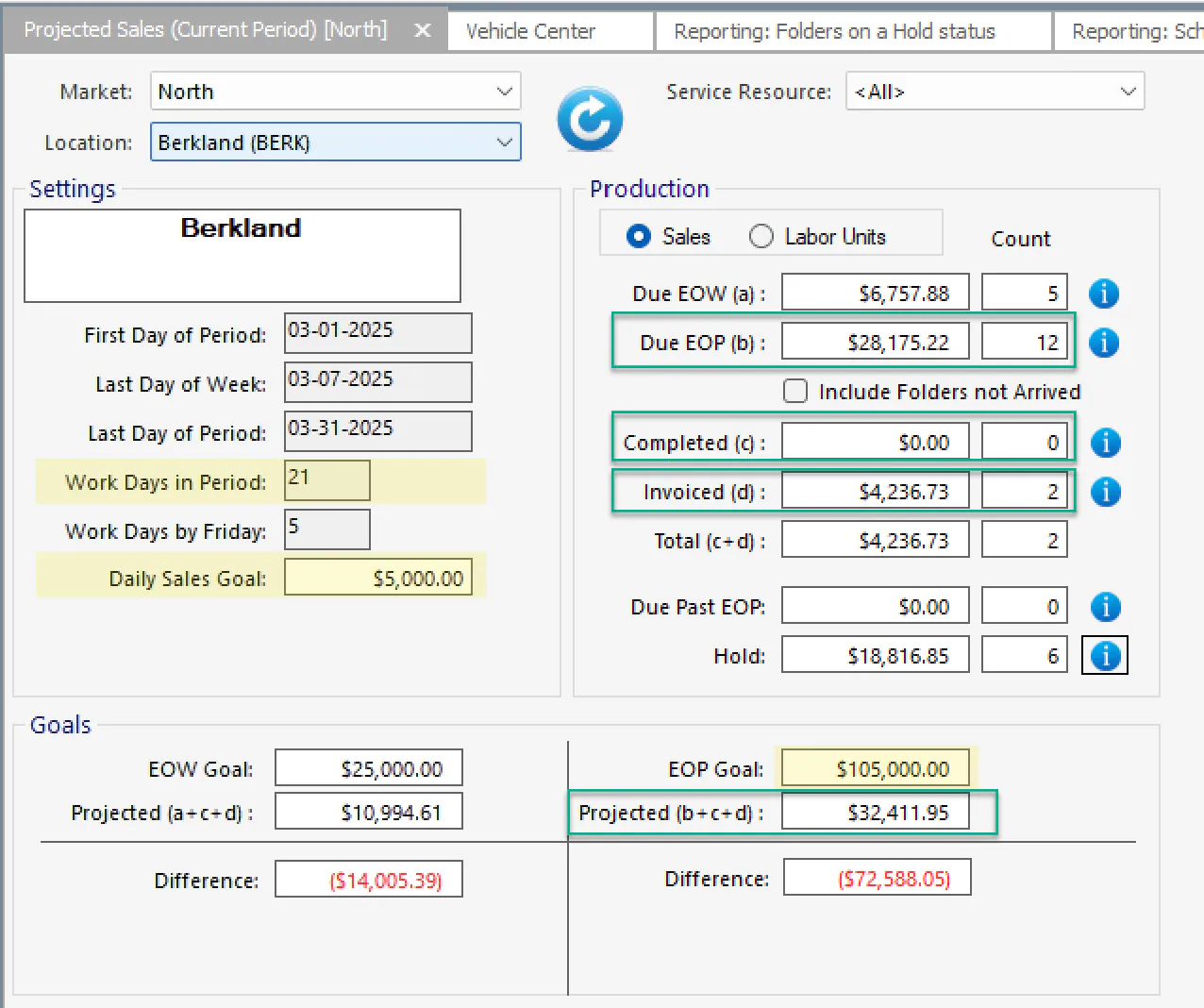
Section titled “Settings (top left)”This section shows the values used to calculate the totals: First Day of Period, Last Day of Week, Last Day of Period, Work Days in Period, Work Days by Friday and Daily Sales Goal.
Work Days in Period is the number of work days in the month, minus any holidays set up in Nexsyis.
Set the daily sales goal
Section titled “Set the daily sales goal”- Open System › Setup › Company › Locations, and open the location.
- On the General tab, enter the Daily Sales Goal.
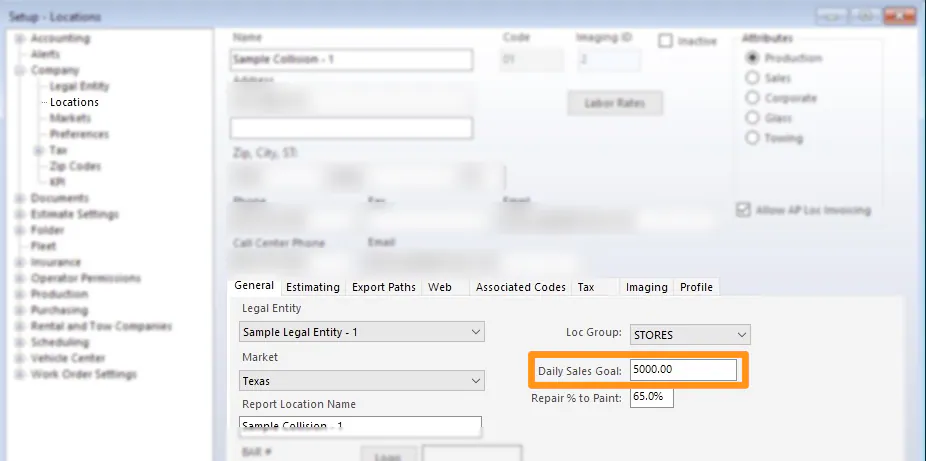
Nexsyis uses the daily goal and the number of working days to calculate the end-of-week and end-of-period goals.
Production (top right)
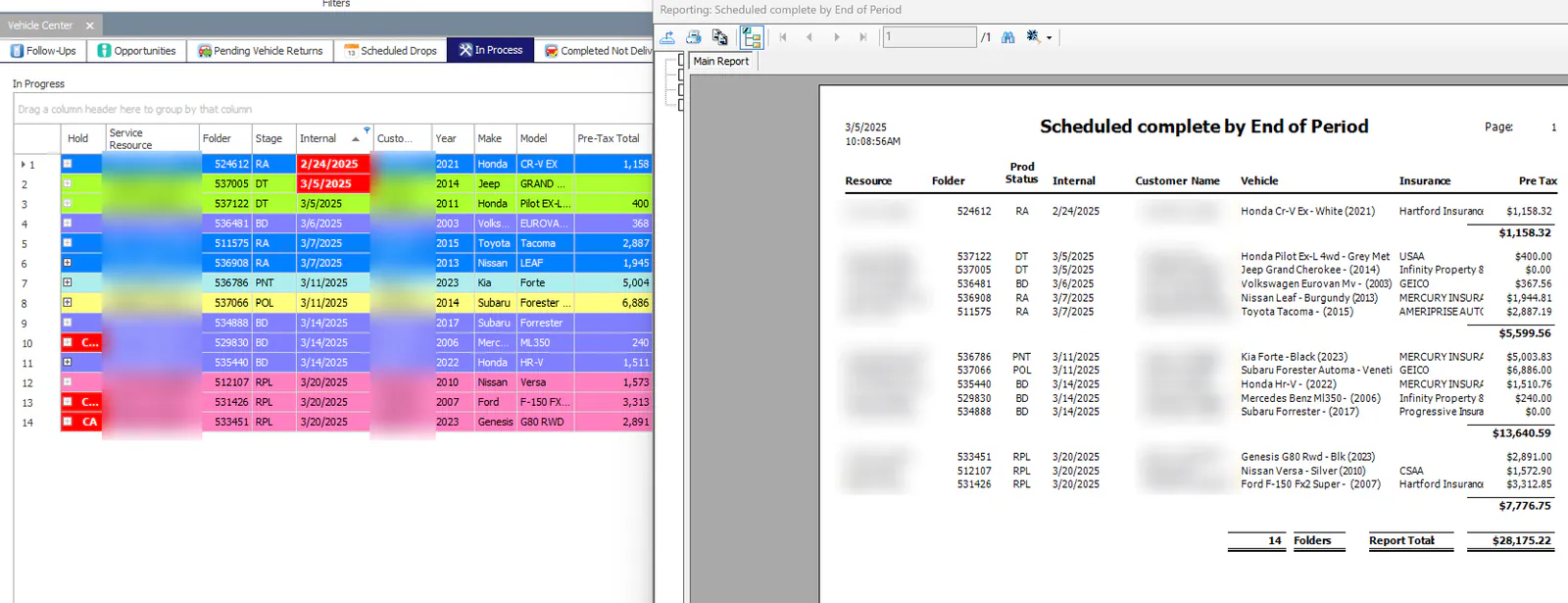
Section titled “Production (top right)”- Due EOW (a): projected sales from in-process folders with an Internal date of this week or earlier.
- Due EOP (b): projected sales from in-process folders with an Internal date of this month or earlier.
- Include Folders not Arrived: when selected, folders with an Internal date but no arrival date are included in the Due EOW and Due EOP totals.
These totals update as Internal dates change.
To see the folders behind a total, select its i button for a detailed report, or filter the In Process list by Internal date.
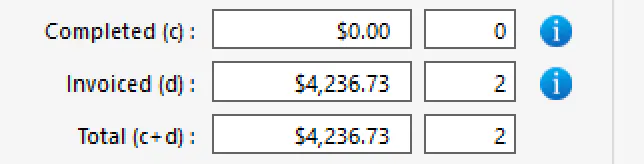
- Completed (c): folders marked completed that haven’t been invoiced yet. This is always 0 if your company recognizes sales on the completed date.
- Invoiced (d): folders that have been invoiced.
- Total (c+d): completed plus invoiced, which is your sales so far.
- Due Past EOP: folders with an Internal date after the current month.
- Hold: all in-process folders with a hold. Folders on hold are still included in the Due EOW and Due EOP totals.
Goals (bottom)
Section titled “Goals (bottom)”End of week
Section titled “End of week”- EOW Goal: Work Days by Friday × Daily Sales Goal.
- Projected (a+c+d): Due EOW + Completed + Invoiced.
- Difference: EOW Goal − Projected. This shows how far ahead of or behind your goal you are.
End of period
Section titled “End of period”- EOP Goal: Work Days in Period × Daily Sales Goal.
- Projected (b+c+d): Due EOP + Completed + Invoiced.
- Difference: EOP Goal − Projected. This shows how far ahead of or behind your goal you are.
Other reports that show projected sales
Section titled “Other reports that show projected sales”Daily Numbers
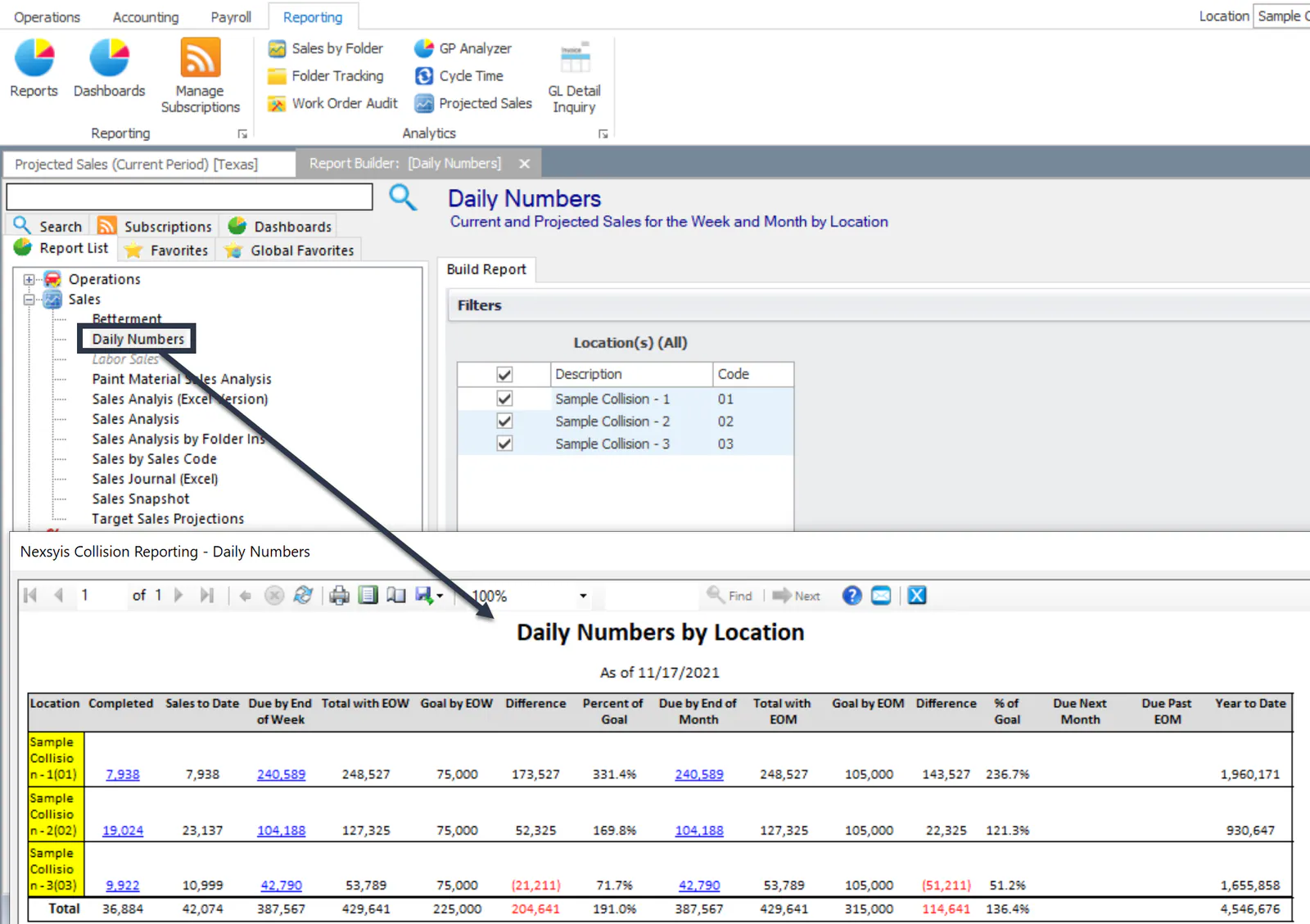
Section titled “Daily Numbers”The Daily Numbers report, under Sales in the report list, shows current and projected sales for the week and month by location.
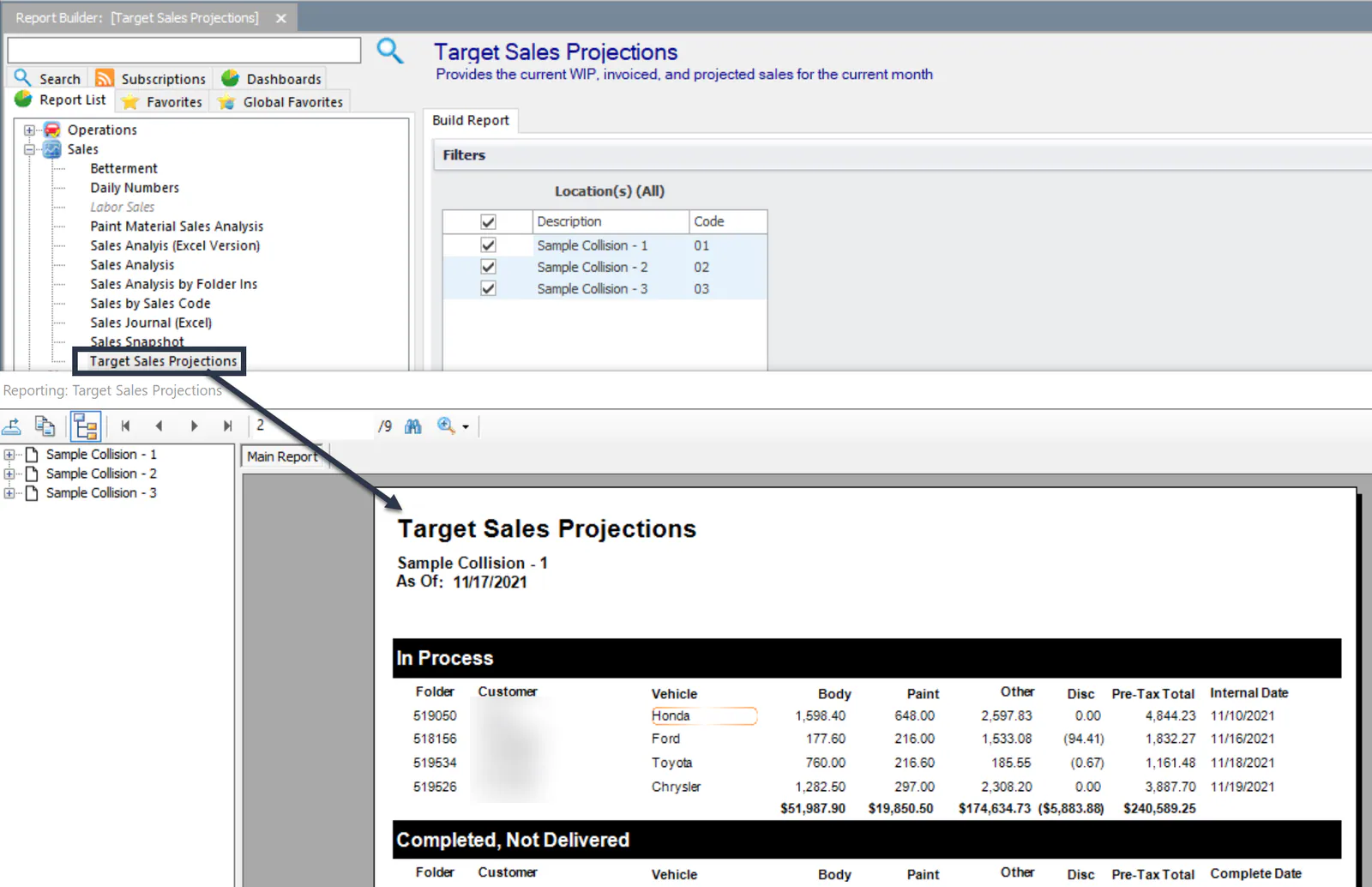
Target Sales Projections
Section titled “Target Sales Projections”The Target Sales Projections report, also under Sales, shows the current work in process, invoiced and projected sales for the current month.