
Reset an employee's time clock password
If an employee forgets their time clock password, a manager with permission can reset it. The password is reset to the employee’s ID number.
Before you begin
Section titled “Before you begin”You need permission to reset time clock passwords.
Employees who know their password can change it themselves on the time clock. See Use the time clock.
Reset the password
Section titled “Reset the password”-
On the Payroll tab, select Employee Time.
-
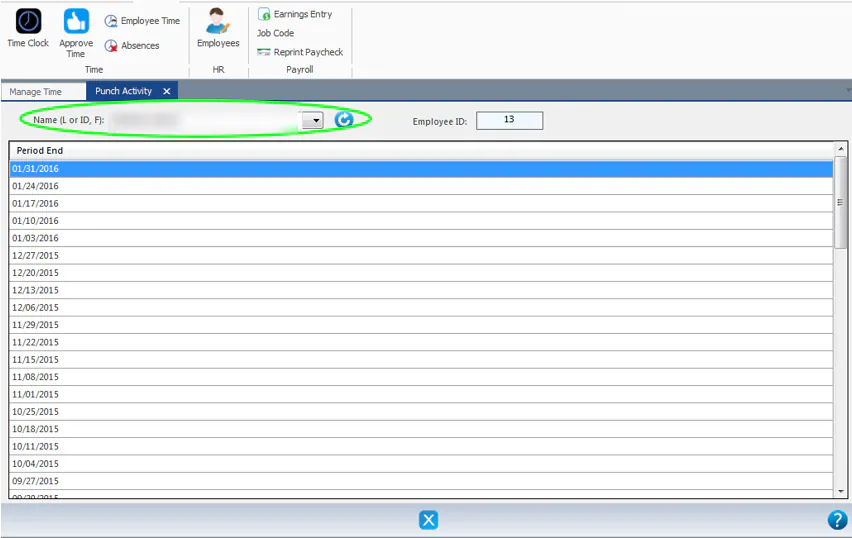
In Name (L or ID, F), select the employee, then double-click any Period End date.
-
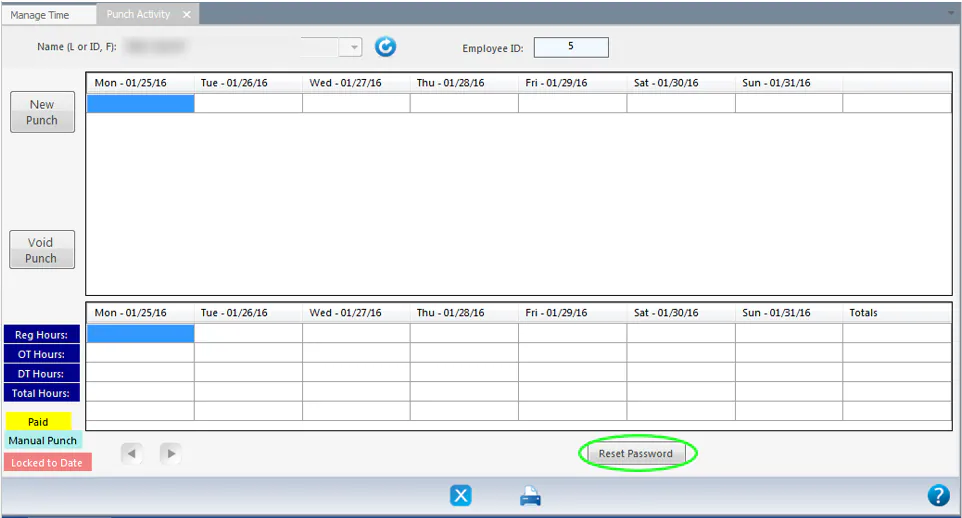
At the bottom of the Punch Activity screen, select Reset Password.
-
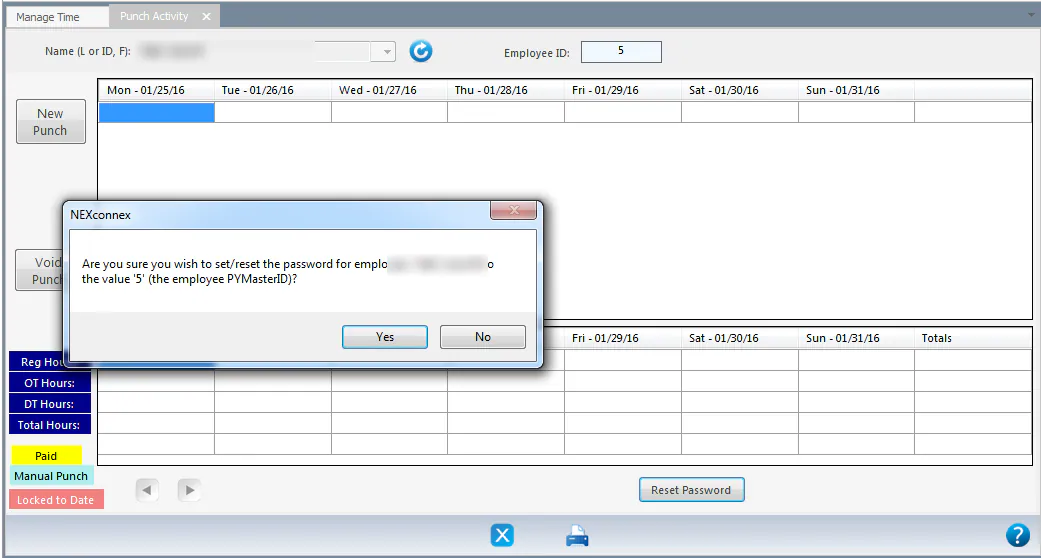
When asked if you’re sure you want to reset the password to the employee PYMasterID, select Yes.
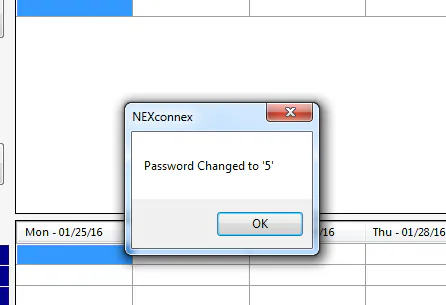
A message confirms the new password, which is the employee’s ID. Select OK.
What happens next
Section titled “What happens next”The employee signs in to the time clock with their employee ID as the password, then changes it right away with Change Password.