Report cycle time in hours
Most cycle time reports in Nexsyis count days. A few NexsyisNow reports count work hours instead, so you can see how long folders really spend in each repair stage.
Cycle time in days and in hours
Section titled “Cycle time in days and in hours”Standard cycle time reports follow the industry standard: any time under a day is rounded up to 1 day.
- A folder in a repair stage for 2 hours shows as 1 day.
- A folder that arrives at 4:30 PM on Monday and leaves at 9:30 AM on Tuesday shows as 2 days.
The cycle time hours reports count hours in an 8 AM to 5 PM workday instead. Both examples above show as 2 hours.
Run the Cycle Time Hours by Repair Stage report
Section titled “Run the Cycle Time Hours by Repair Stage report”Before you begin
Section titled “Before you begin”You need permission to the report, or it doesn’t show in the list. Permissions are set in desktop Nexsyis under Operator Permissions, by operator or operator template, on the Report Permissions tab. See Set reporting permissions.
-
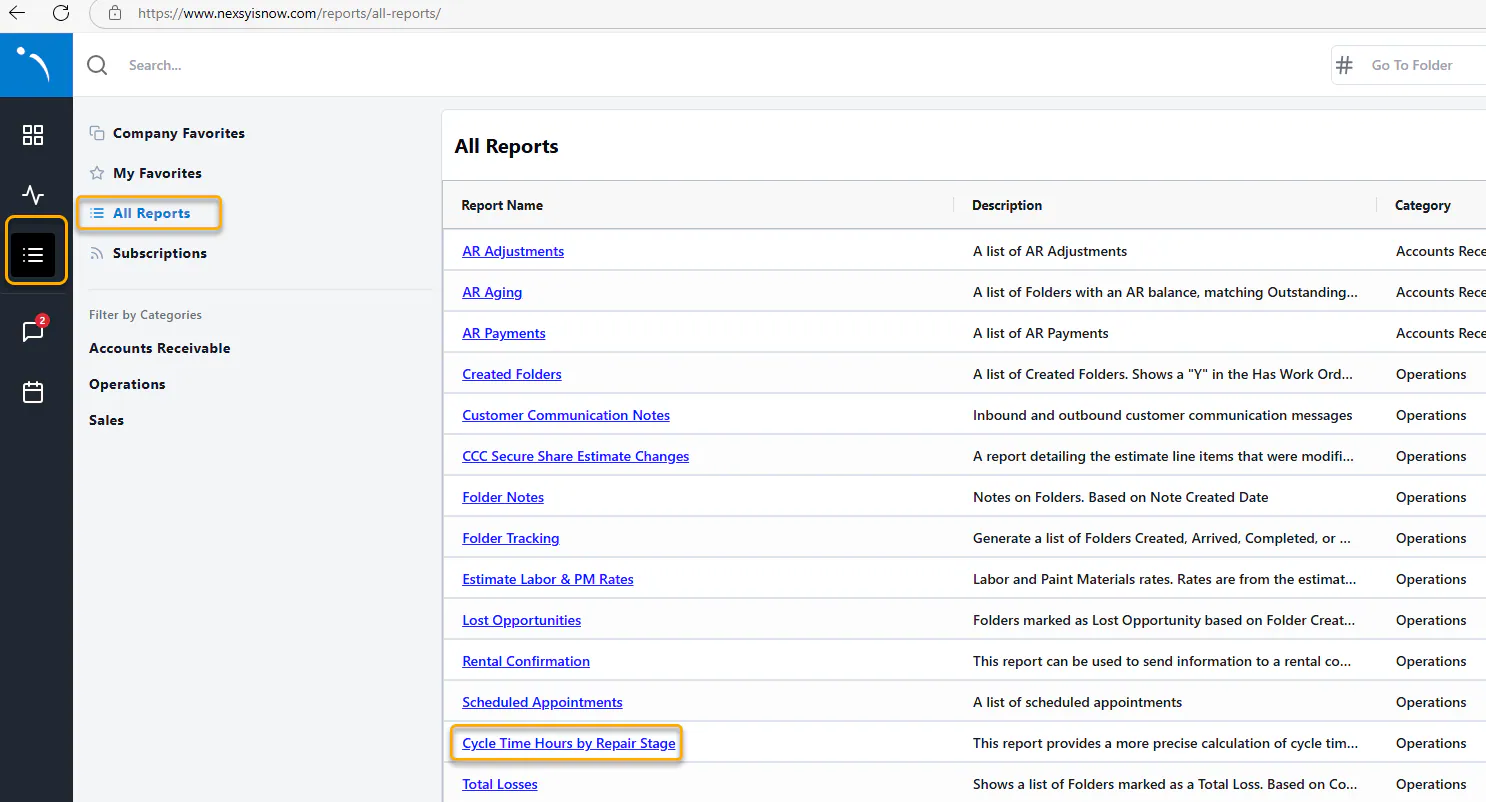
Sign in to NexsyisNow (nexsyisnow.com, or nexsyisnowca.com in Canada).
-
Select the reports menu on the left, then select All Reports.
-
Select Cycle Time Hours by Repair Stage.
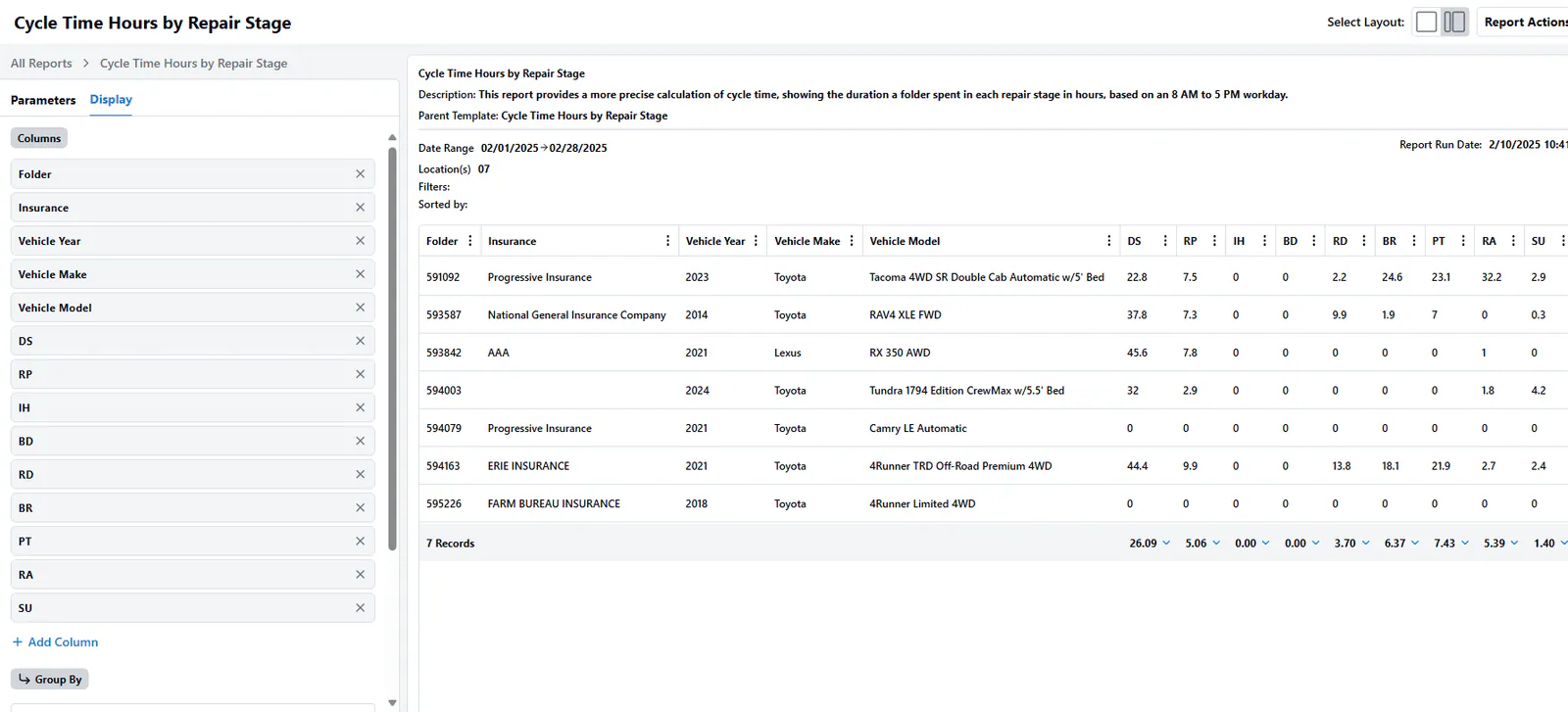
The report shows the hours each folder spent in each repair stage.
Use the cycle time dashboards
Section titled “Use the cycle time dashboards”- In NexsyisNow, open the Dashboards menu.
- Scroll down to the cycle time dashboards:
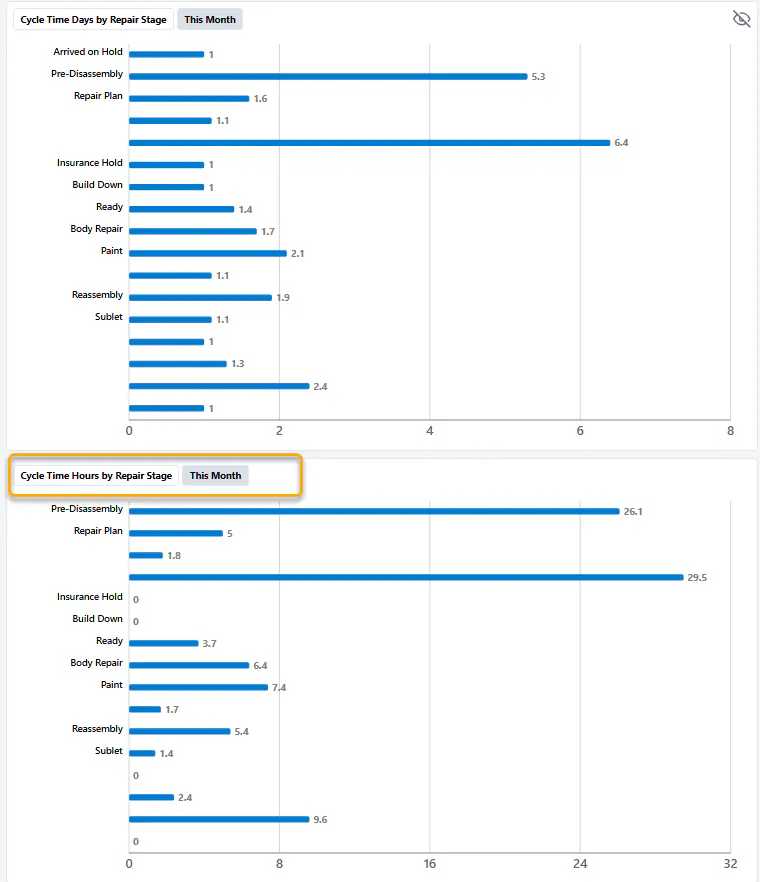
- Cycle Time Days by Repair Stage shows cycle time in days, the standard way.
- Cycle Time Hours by Repair Stage shows cycle time in hours, based on an 8 AM to 5 PM workday.
In this example, folders were in Pre-Disassembly for 5.3 days, but only 26.1 work hours.