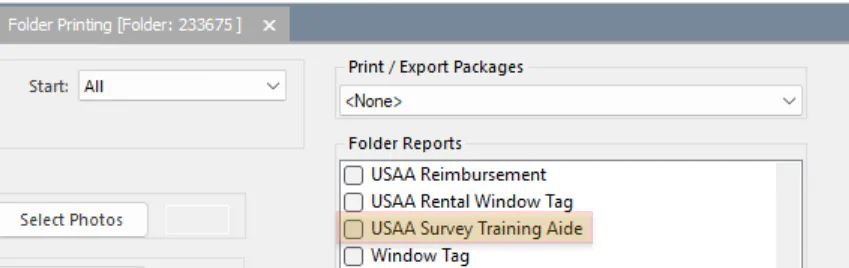
Add static folder documents
A static document is a PDF that can’t be edited and doesn’t need any information filled in from Nexsyis. You can print or email it from the folder, and include it in print packages and e-document sets.
Add a static document
Section titled “Add a static document”-
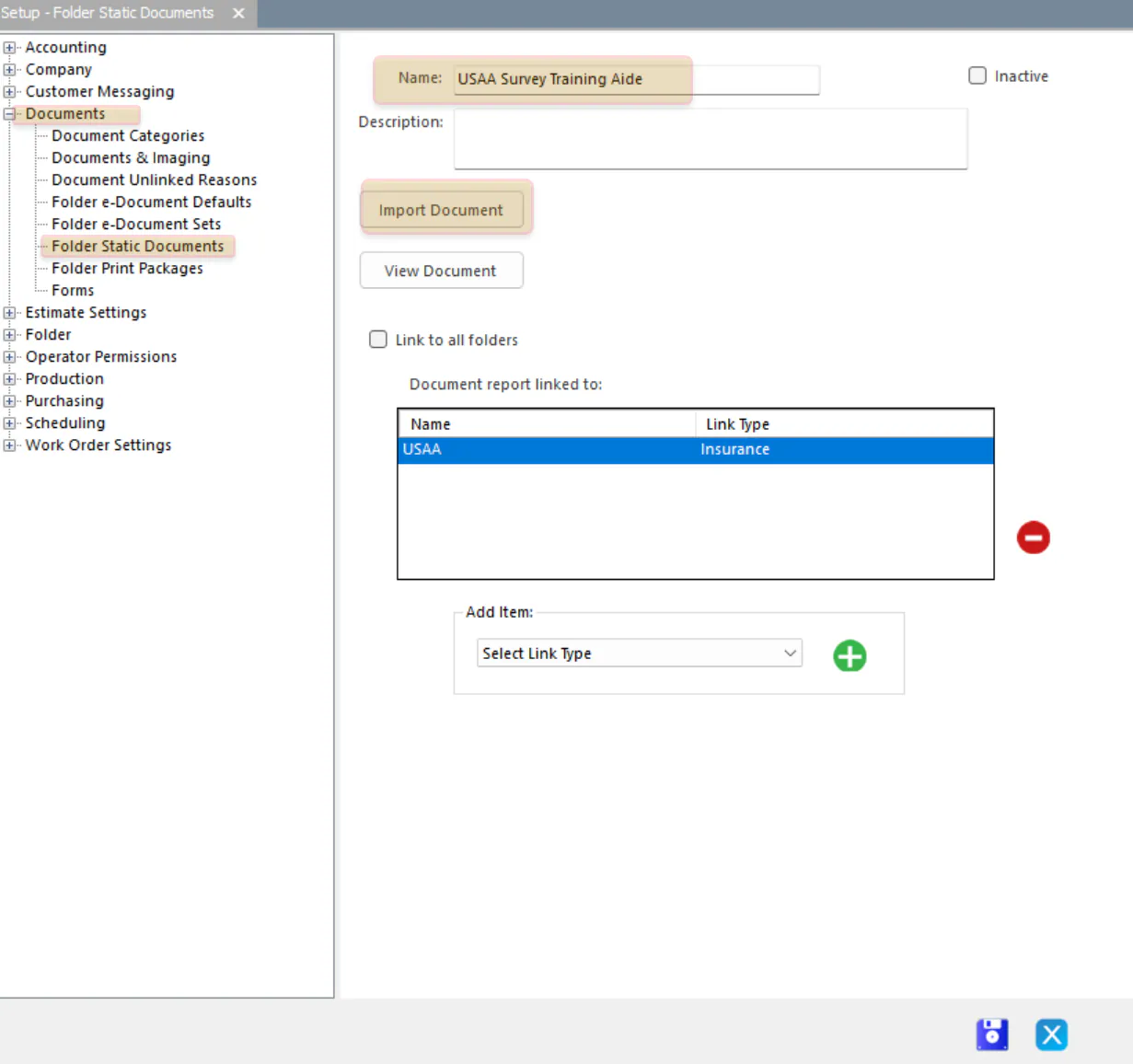
Go to Setup › Documents › Folder Static Documents.
-
Select New.
-
Type a Name for the document.
-
Select Import Document, then find the PDF on your computer.
-
Choose which folders show the document:
- To show it on every folder, select Link to all folders.
- To show it only on some folders, leave Link to all folders cleared and follow the steps in the next section.
-
Select Save.
Show the document only on some folders
Section titled “Show the document only on some folders”-
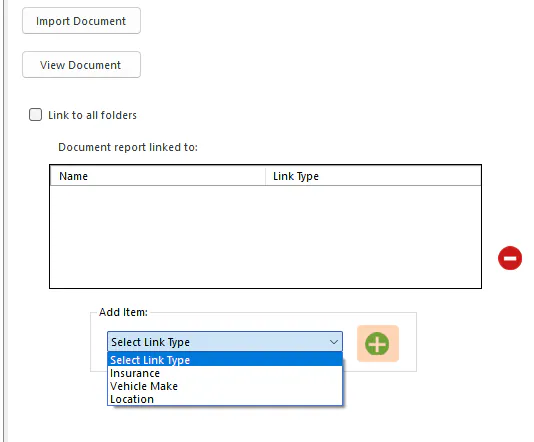
In Add Item, choose Insurance, Vehicle Make or Location.
-
Select the green + button.
-
In the list that opens, select the item or items. For Insurance, select the blue Refresh button first to load the list.
-
Select the green check mark at the bottom.
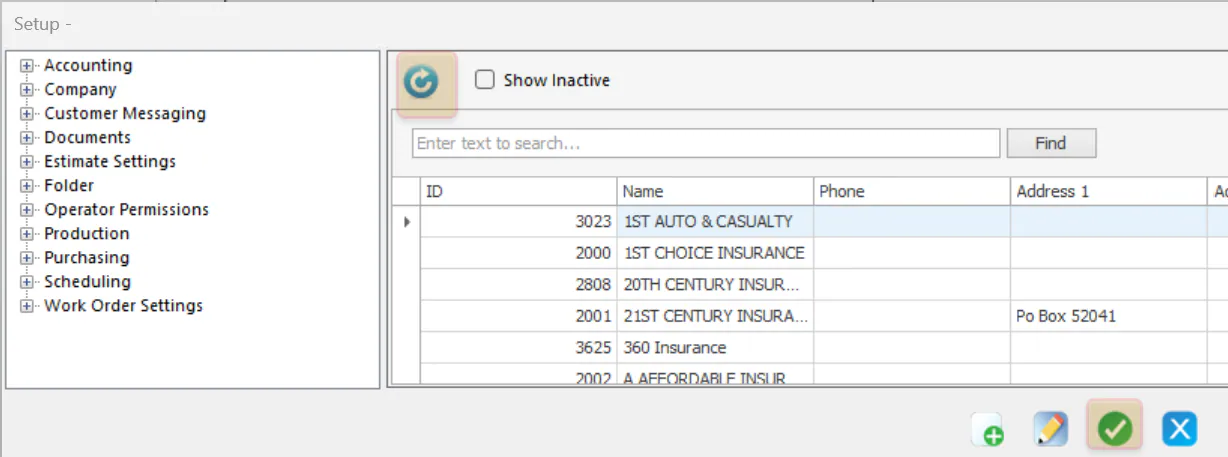
The items show under Document report linked to.
Add a static document to an e-document set
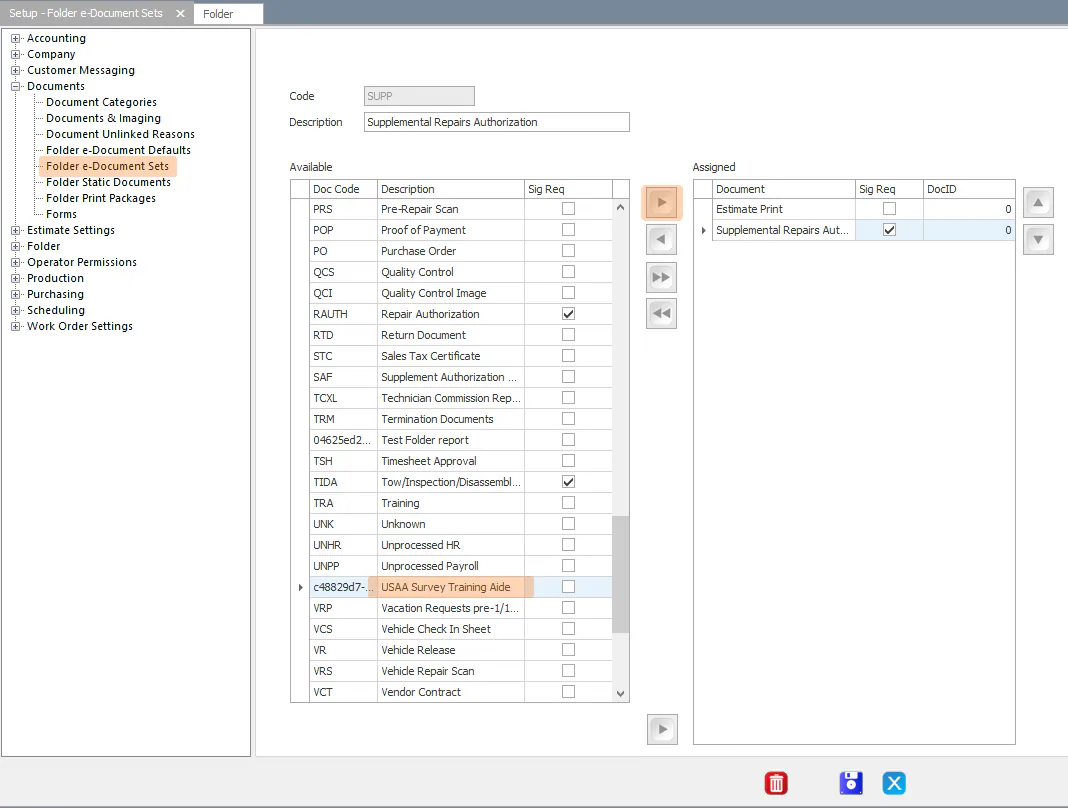
Section titled “Add a static document to an e-document set”- Go to Setup › Documents › Folder e-Document Sets.
- In the list on the left, find the static document by name.
- Select the arrow button to move it to the right side of the set.
For more about e-document sets, see Set up e-document sets.
Add a static document to a print package
Section titled “Add a static document to a print package”- Go to Setup › Documents › Folder Print Packages.
- Open the print package: select it and select Edit, or double-click it.
- Under Available Reports at the top, find the static document.
- Select the arrow button to move it to the right side of the print package.
For more about print packages, see Set up folder print packages.
Find the document on a folder
Section titled “Find the document on a folder”Static documents show with the folder’s reports.
- If you selected Link to all folders, the document shows on every folder.
- If you linked it to an insurance company, vehicle make or location, it shows only on folders that match.