
Run the customer communication report
The Customer Communication Notes report in NexsyisNow lists inbound and outbound customer communication messages for the dates and locations you choose. You can add columns, group the results and export them to Excel.
Run the report
Section titled “Run the report”-
In NexsyisNow, select the reports menu on the left.
-
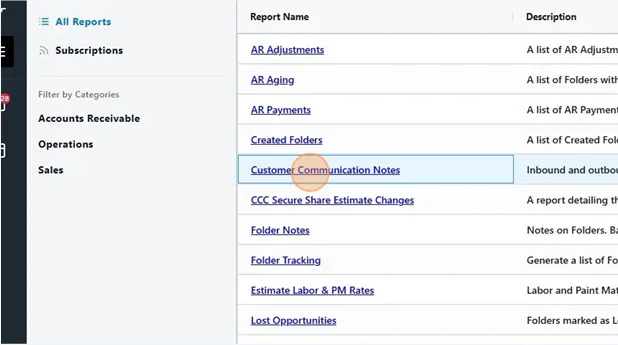
Select All Reports.
-
Select Customer Communication Notes.
-
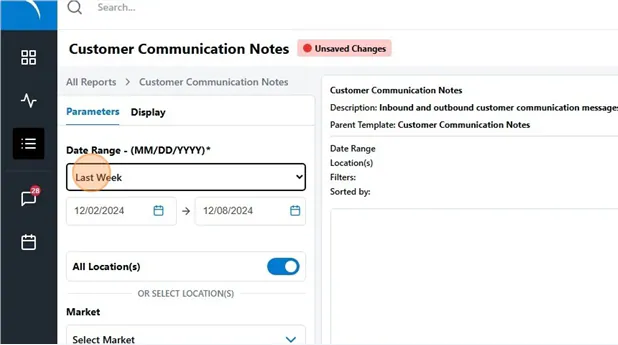
On the Parameters tab, choose a Date Range, for example Last Week.
-
Leave All Location(s) on, or choose a Market or Location(s).
-
Select Run Report.
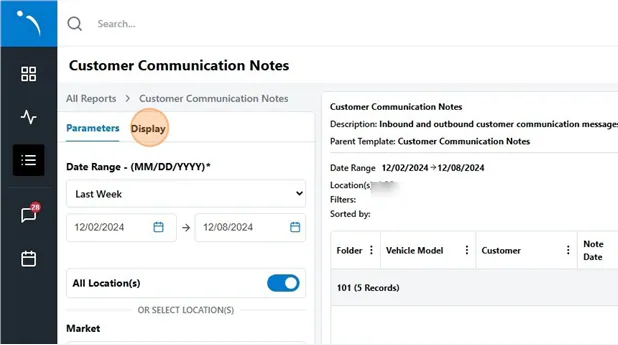
The report lists each message with its Folder, Vehicle Model, Customer, Note Date, Note and User.
Add, reorder and group columns
Section titled “Add, reorder and group columns”-
Select the Display tab.
-
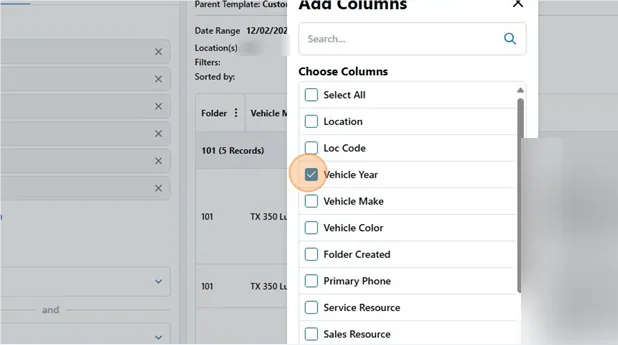
Select Add Column.
-
Select the checkbox for each column you want to add, for example Vehicle Year or Primary Phone.
-
Select Add Columns.
-
To change the column order, drag the columns in the list.
Use Group By on the Display tab to group the results, for example by Folder.
Export the report
Section titled “Export the report”-
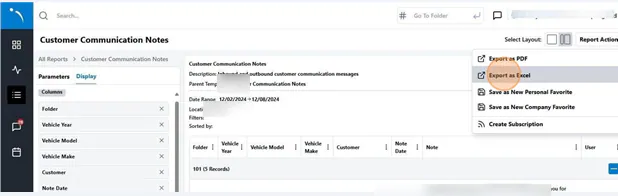
Select Report Actions.
-
Select Export as Excel.
-
For a large report, the export runs in the background and is emailed to you. Enter your email address and select Send Export as Email.
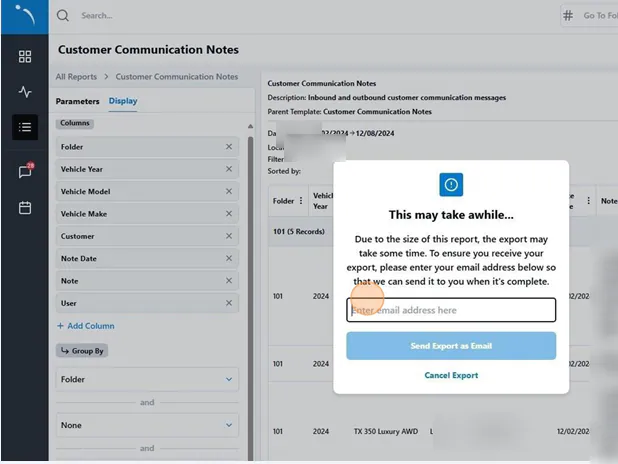
The report is emailed to you within 15 minutes.