
Use stock items
Mark items your shop keeps on hand, such as antifreeze, freon or pinstripe, as stock items so they aren’t ordered. Which items count as stock is up to your shop.
Mark an item as stock
Section titled “Mark an item as stock”Use any of these:
-
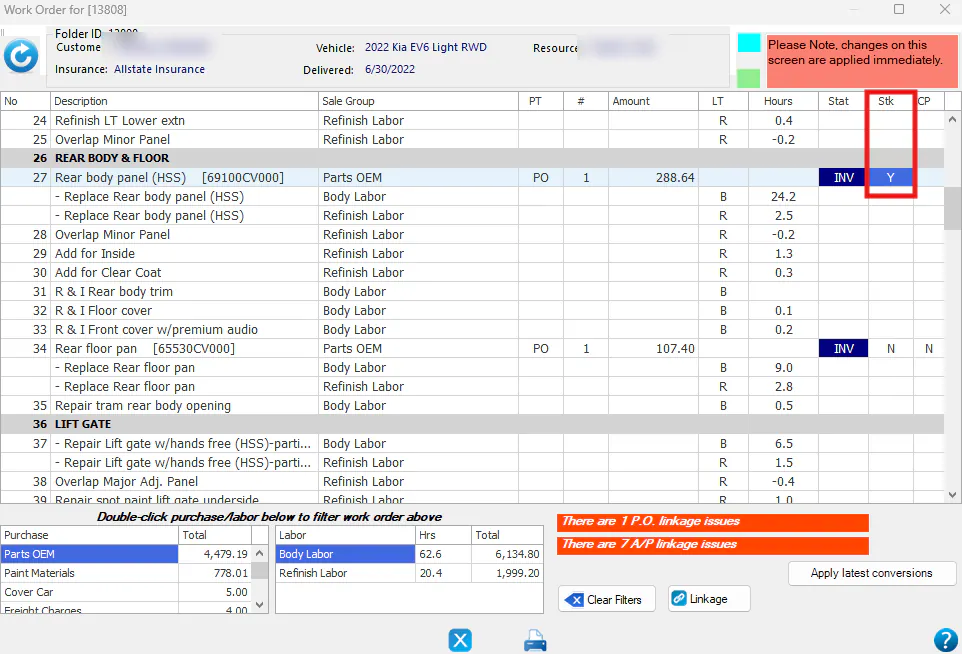
On the work order: double-click the N in the Stk column to change it to Y.
-
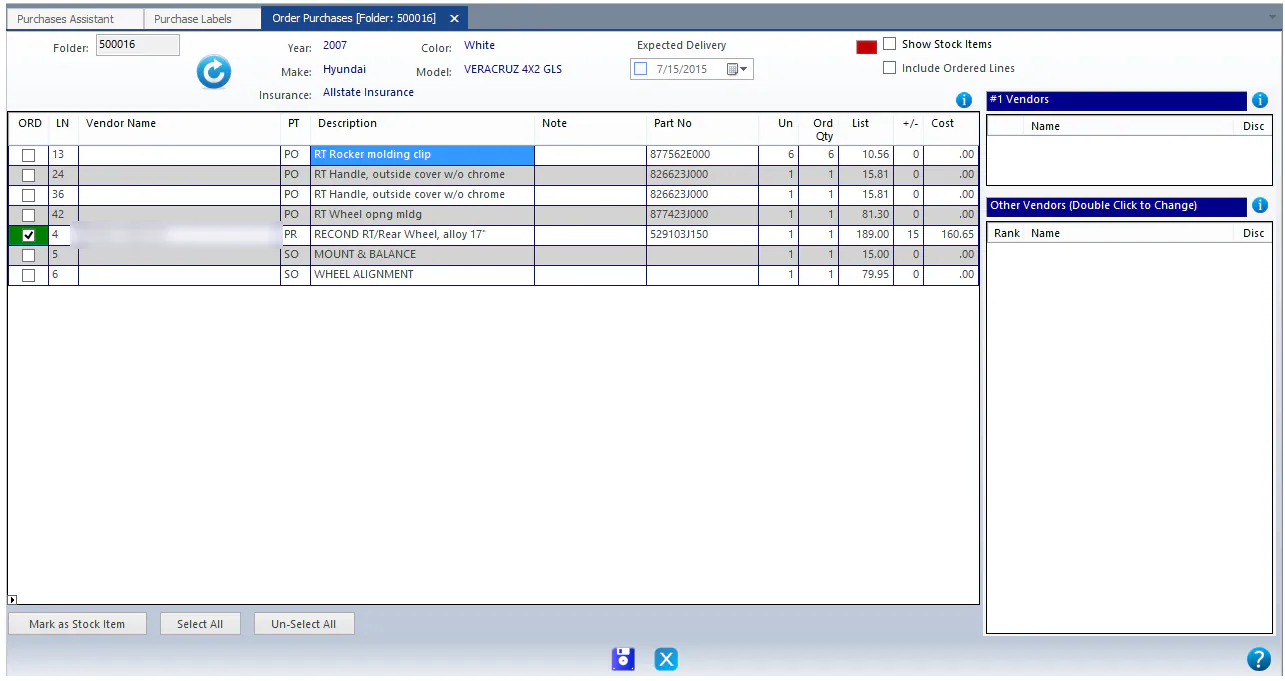
While ordering parts: select the line, then select Mark as Stock Item at the bottom of the screen.
-
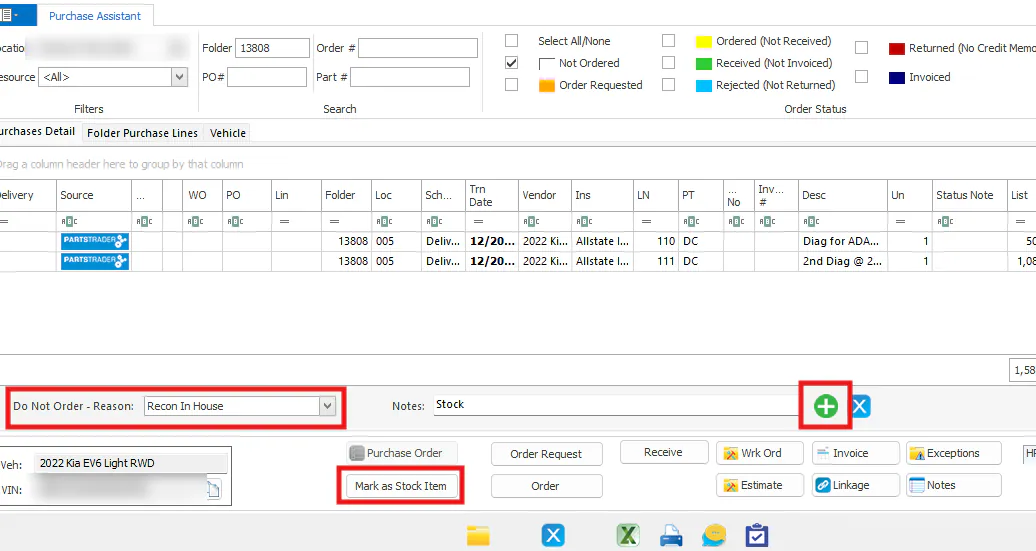
In the Purchase Assistant: select the line, then select Mark as Stock Item. Choose a Do Not Order Reason, enter a note, then select the green plus button.
Undo a stock item
Section titled “Undo a stock item”If an item was marked as stock by mistake, change the Y back to N in the Stk column of the work order.