Set up technician time and Technician Clock
Before technicians can clock time to repairs, turn on technician time, mark the stages they can clock to, and set up the reasons they choose when they stop work.
1. Turn on technician time
Section titled “1. Turn on technician time”- Open Setup › Company › Preferences.
- Set TechTimeVersion to 2.

2. Set up repair stages
Section titled “2. Set up repair stages”Open Setup › Production › Stages / Quality Control, and select a stage. For more on stage setup, see Set up repair plan stages.
Let technicians clock to a stage
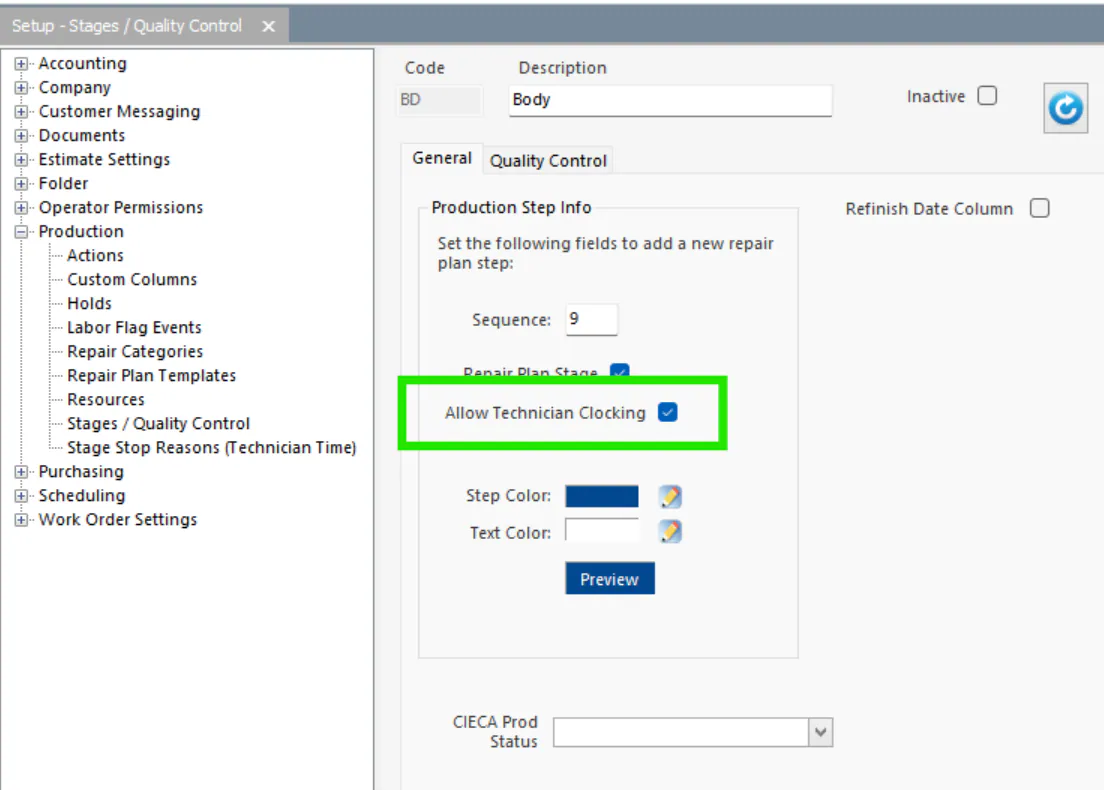
Section titled “Let technicians clock to a stage”Check Allow Technician Clocking. Time can be recorded only to stages with this checked.
Assign technicians by default
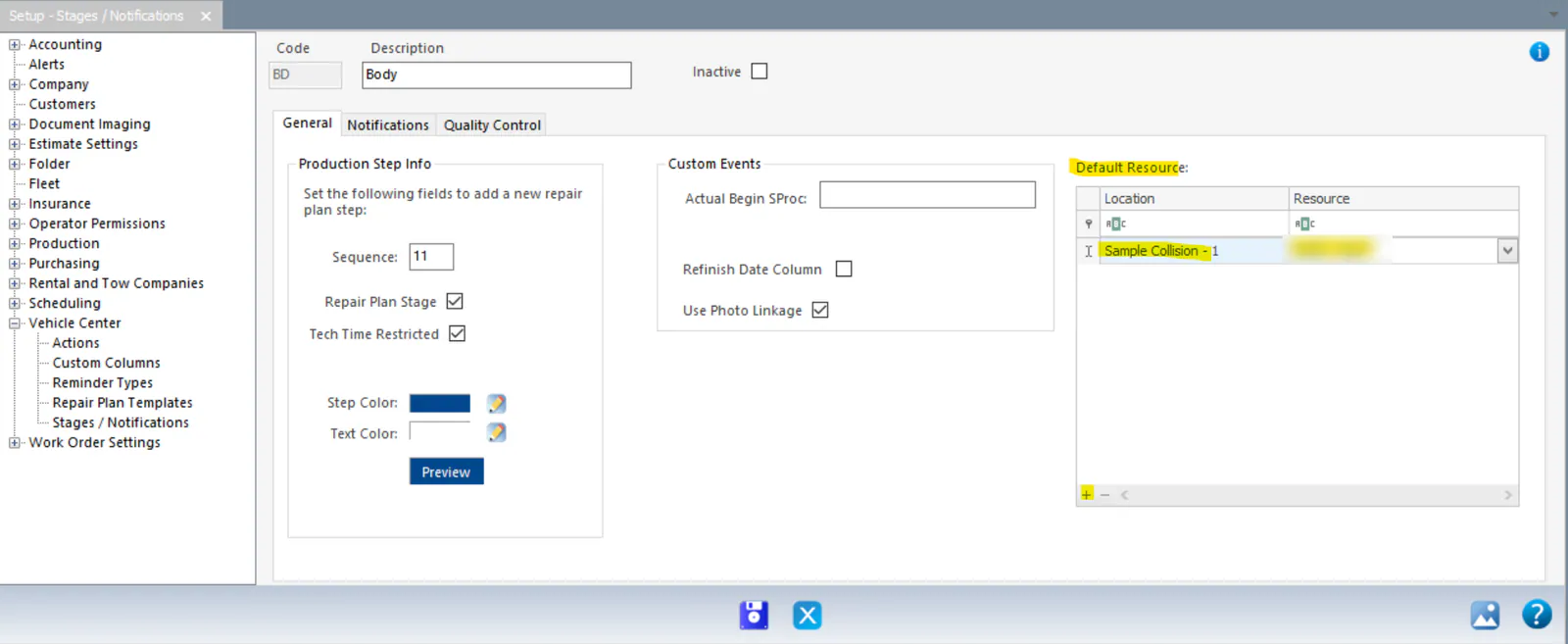
Section titled “Assign technicians by default”To have technicians assigned to the stage automatically, add them under Default Resource for each location. Select + at the bottom of the grid, and then choose the Location and Resource.
For example, if Chris Example is the default resource for the Body stage at Sample Collision – North, Chris is assigned to Body whenever a repair plan is created for a folder at that location.
You can always change the assignment on a folder’s repair plan.
Let technicians clock to another stage at the same time
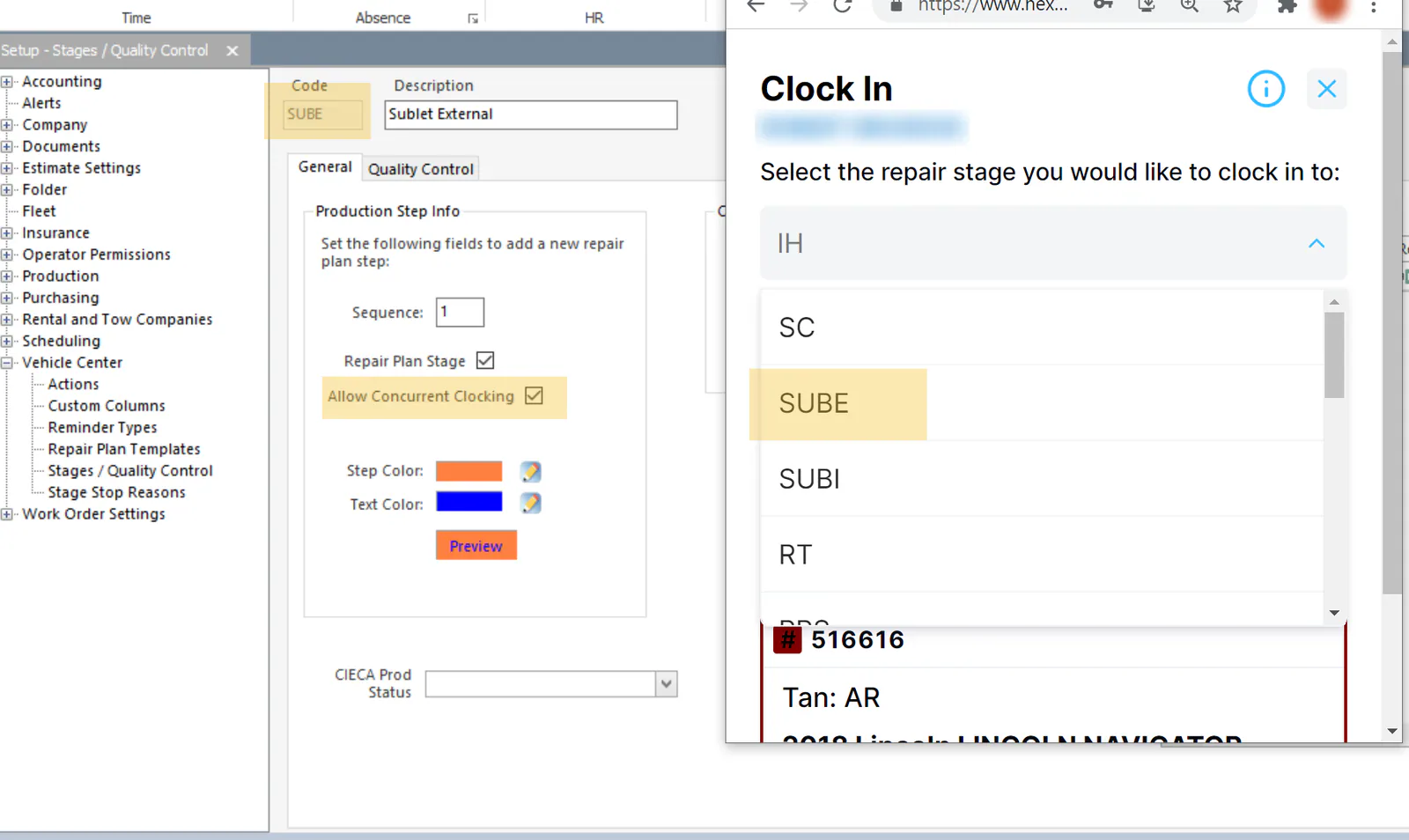
Section titled “Let technicians clock to another stage at the same time”To let technicians choose a stage as an alternate stage (a stage other than the one the vehicle is in) when they clock in, check Allow Concurrent Clocking on that stage.
3. Set up stage stop reasons
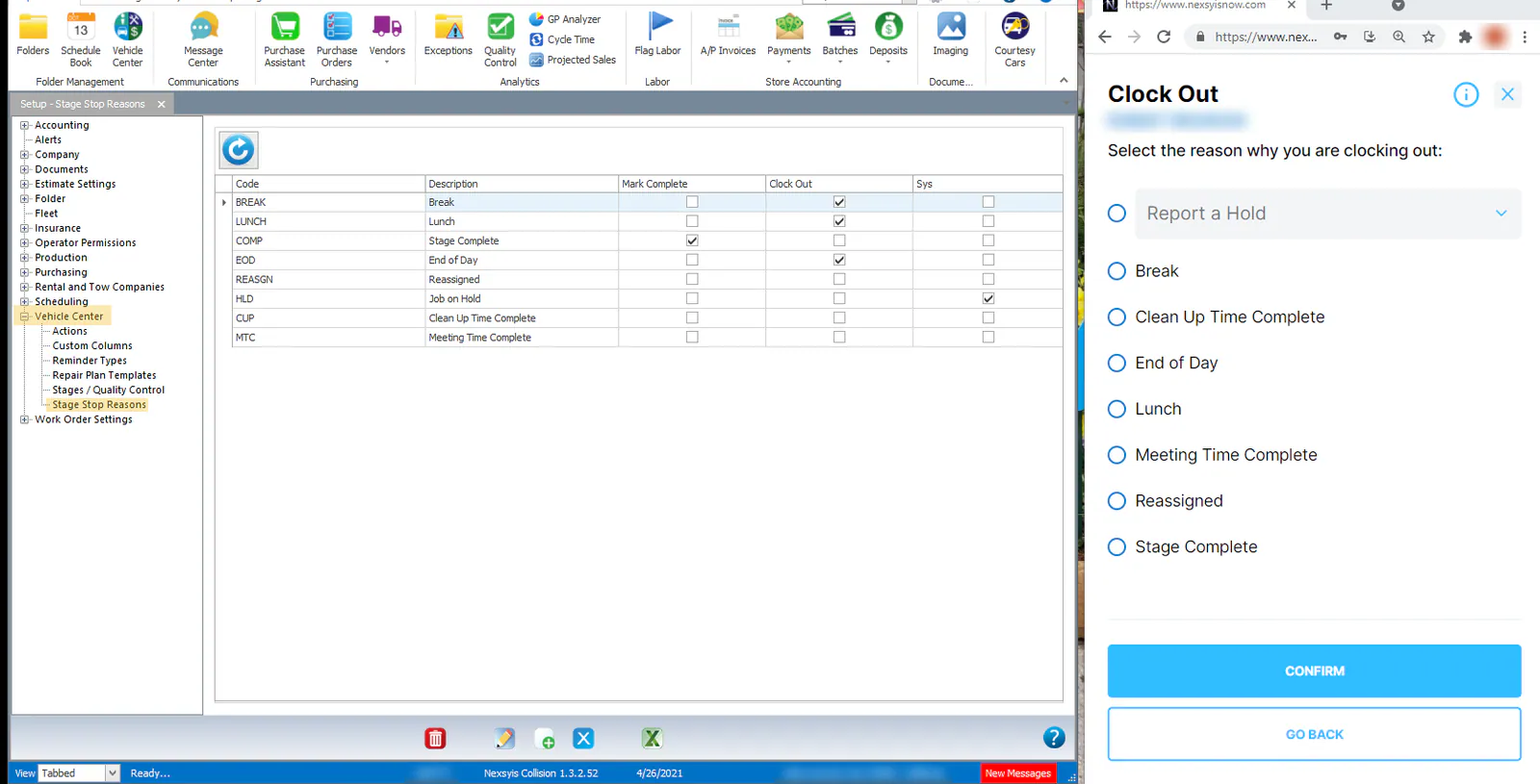
Section titled “3. Set up stage stop reasons”When technicians stop a stage, they choose a reason from a list. Open Setup › Production › Stage Stop Reasons, and use the button bar to add, edit or delete reasons.
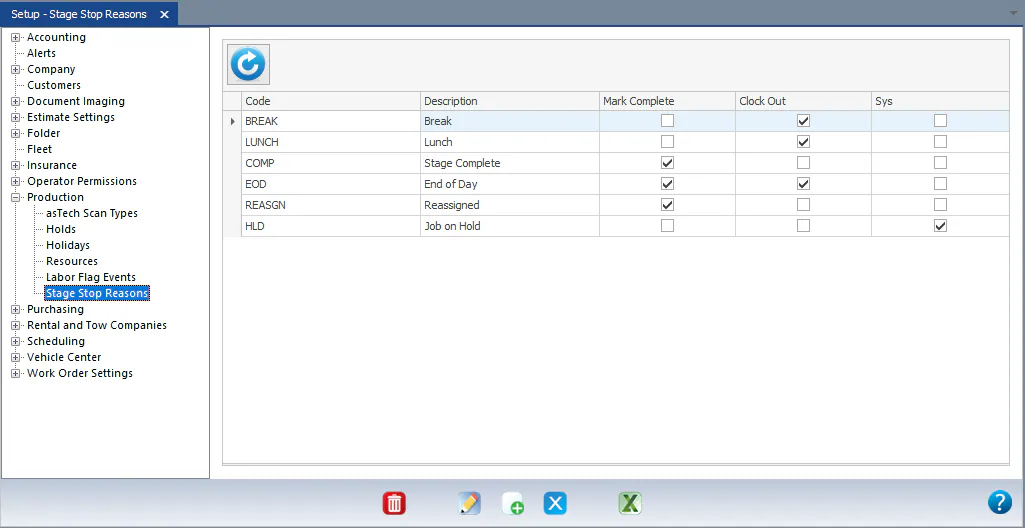
Each reason has two settings:
- Mark Complete: completes the stage when the technician stops with this reason. For example, Stage Complete.
- Clock Out: clocks the technician out of the time clock when they stop with this reason. For example, Lunch.
If neither is checked, the technician is clocked out of the stage, the stage isn’t completed, and they stay clocked in to the time clock.
The reasons you set up are the ones technicians see when they clock out in NexsyisNow.