
Enter an EFT payment
An EFT notice from an insurance company usually lists several claims. Enter it as one EFT payment with a distribution line for each folder.
Before you begin
Section titled “Before you begin”The payer must be set up for EFT, or it won’t appear in the Paid By list. See Turn on EFT.
Enter the EFT
Section titled “Enter the EFT”-
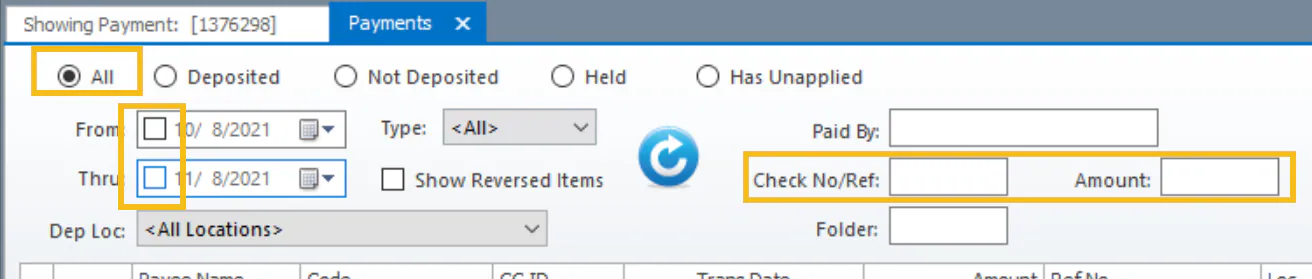
Open the Payments screen. Select All, clear the date checkboxes, and search by Check No/Ref or Amount to make sure the EFT hasn’t already been entered.
-
Select New on the bottom button bar.
-
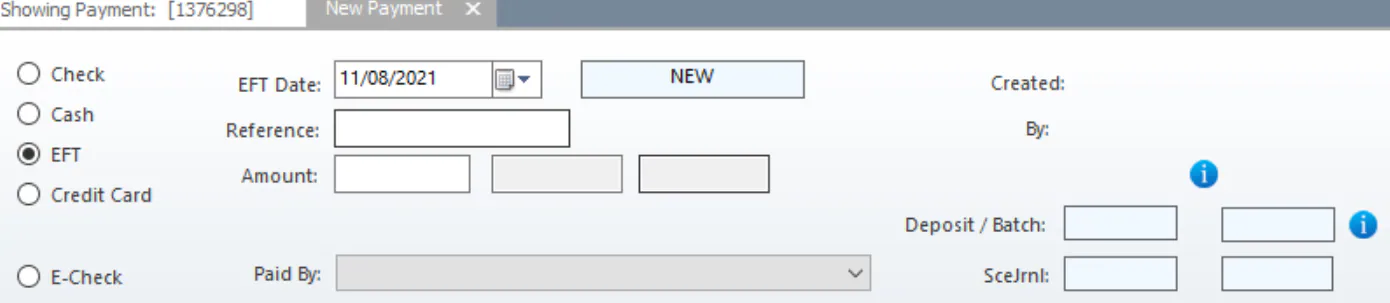
Select EFT.
-
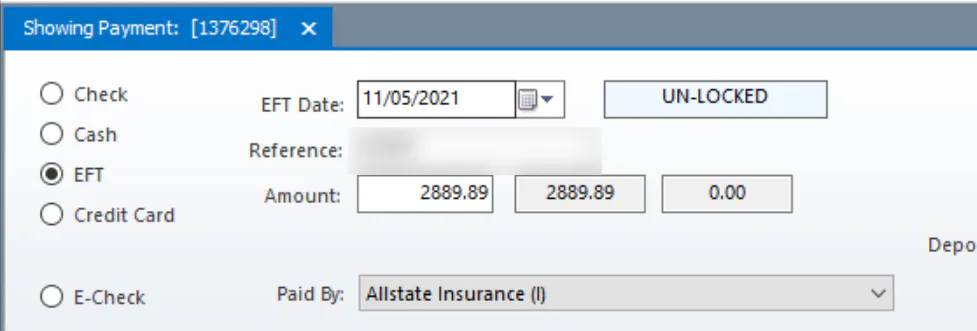
Fill in the EFT details: EFT Date, Reference, Amount and Paid By. Use the date on the EFT notice, not today’s date.
-
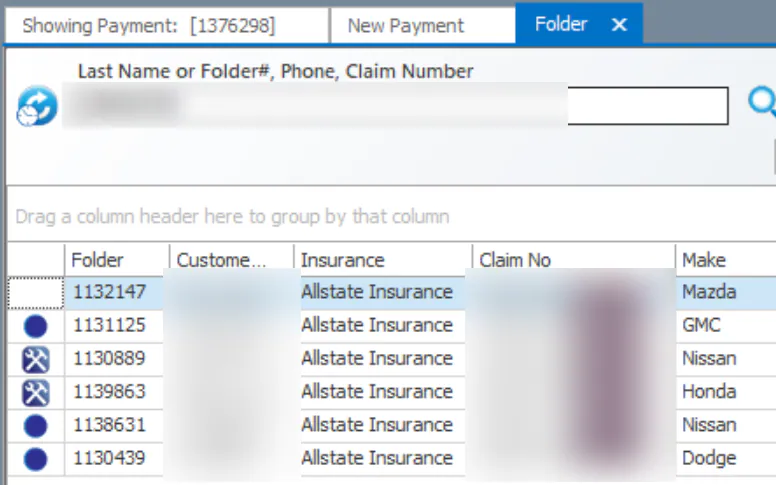
Add a line for each folder on the EFT. To find a folder by claim number, type two commas and then the claim number in Folder, for example
,,CLM-0000000.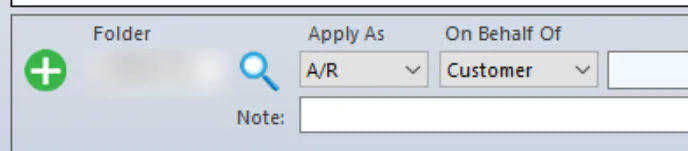
-
Double-click the right folder in the list.
-
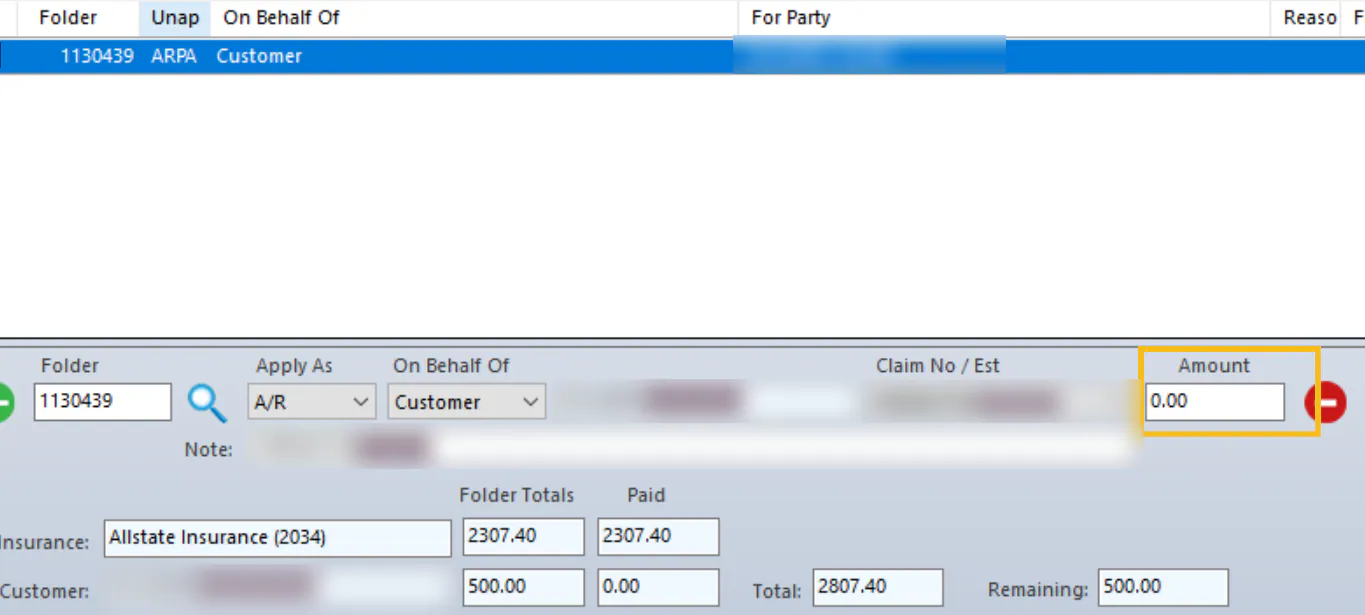
Enter the Amount for that folder.
-
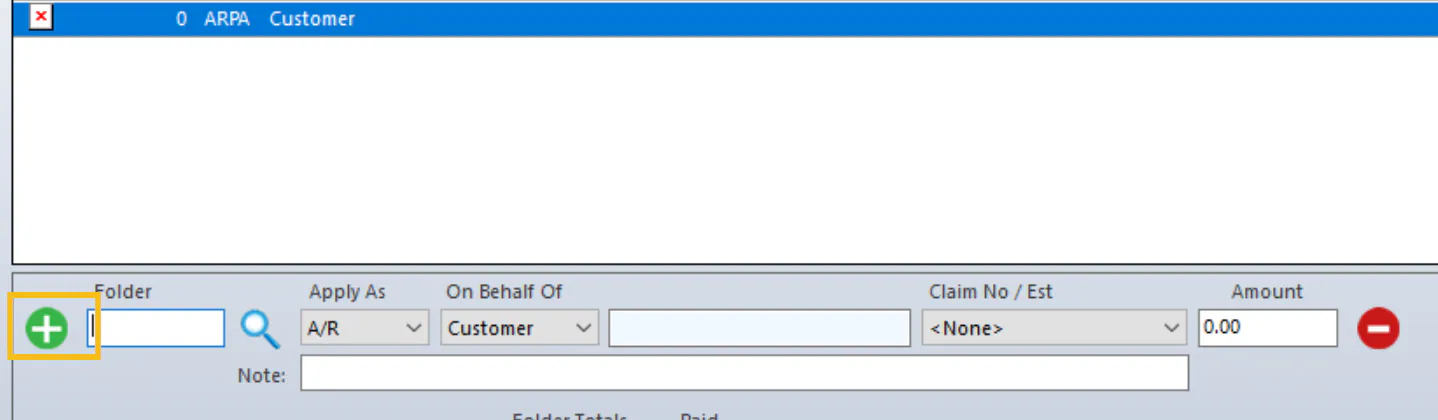
Select the green + button to add the next line, and repeat steps 5 to 7.
-
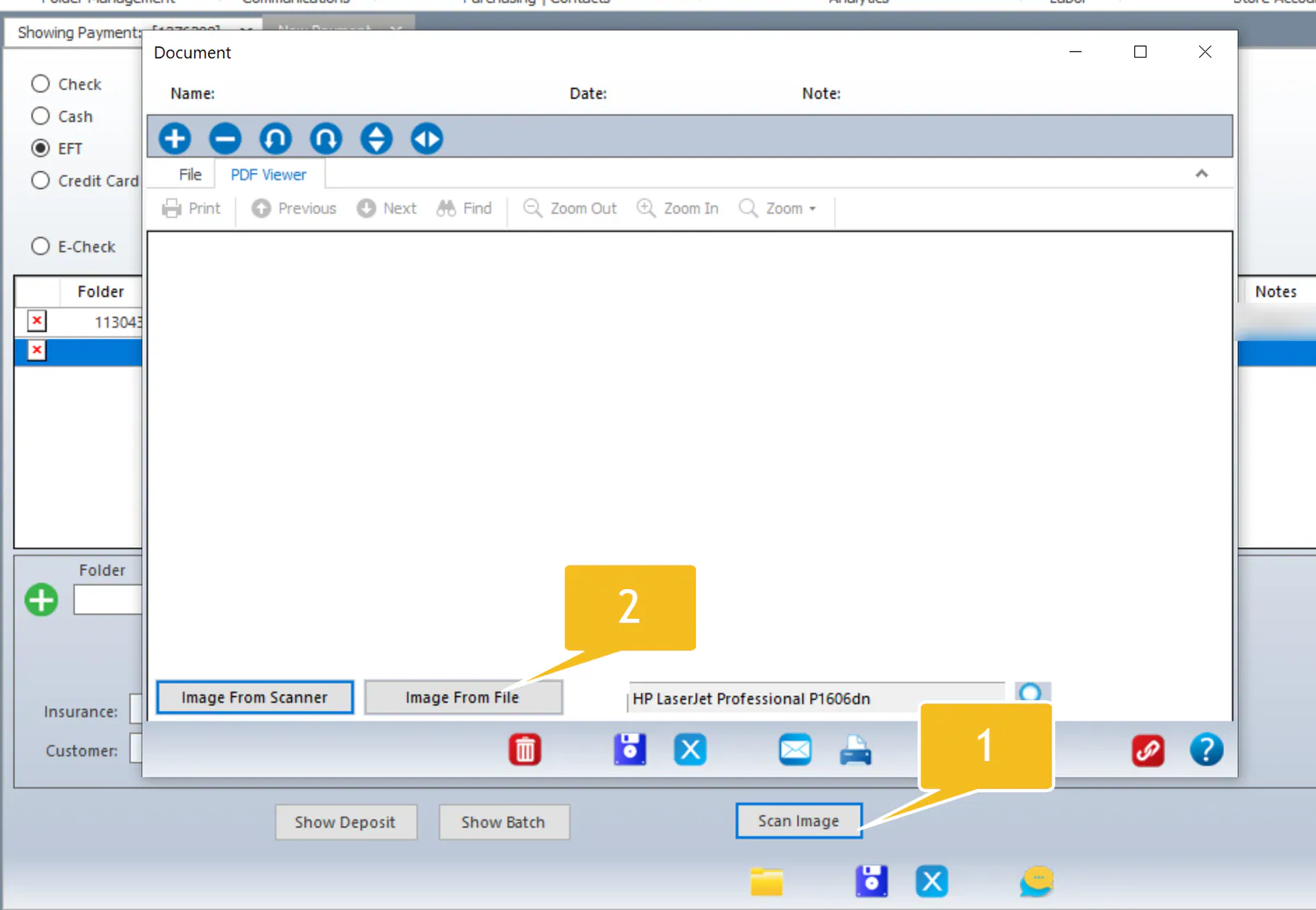
Select Scan Image to attach the EFT notice to the payment, then use Image From Scanner or Image From File.
-
Select Save.