
Invoice freight, restocking fees and discounts
Vendors often add freight, charge a restocking fee or give a discount. How you enter these depends on whether the cost is billed to the insurer or absorbed by the shop.
Freight billed to the insurer
Section titled “Freight billed to the insurer”- Add a freight line to the estimate, and receive the freight line when you receive the parts.
- If the freight isn’t on the estimate, add a purchase line for the freight to the PO.
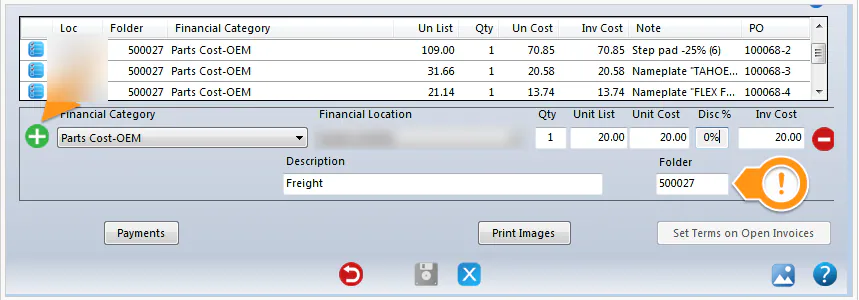
- If you skipped both steps, add a line for the freight on the AP invoice against the folder number: select the green plus button, enter the freight cost, a Description and the Folder.
Freight the shop absorbs
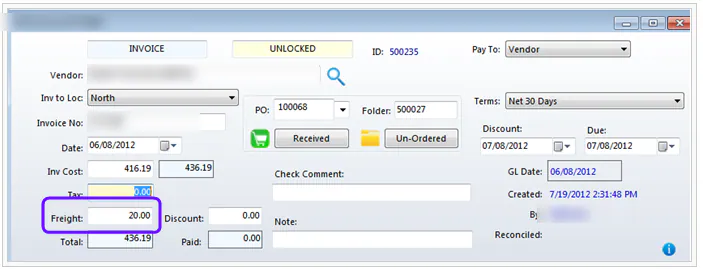
Section titled “Freight the shop absorbs”Don’t add the freight to the estimate or the PO. When you enter the invoice, type the freight cost in Freight at the top of the AP invoice screen.
Restocking fees and discounts
Section titled “Restocking fees and discounts”This works the same way on an invoice or a credit memo, and for credit differences.
-
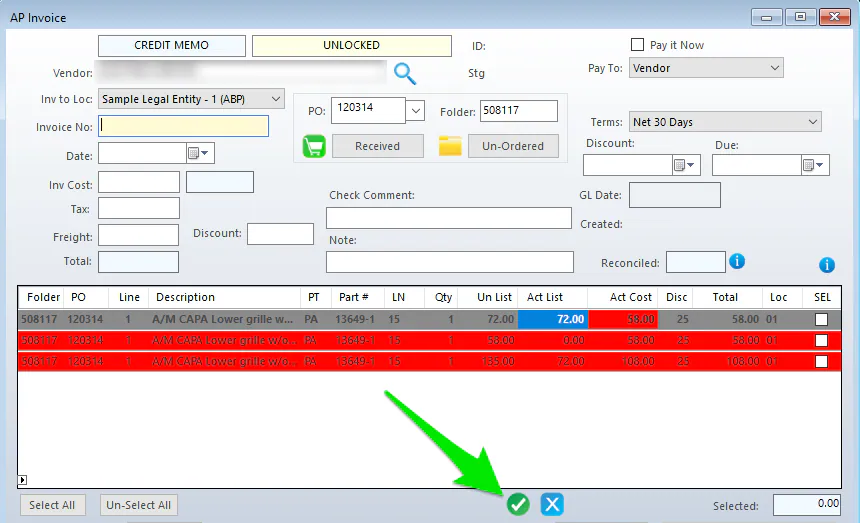
Start the invoice as usual. After you select the green check mark, the distribution lines show.
-
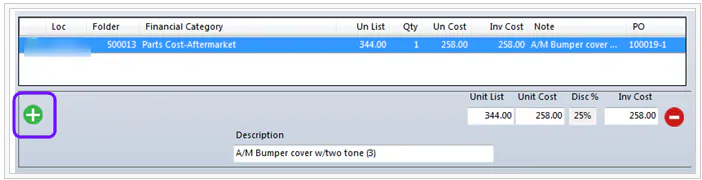
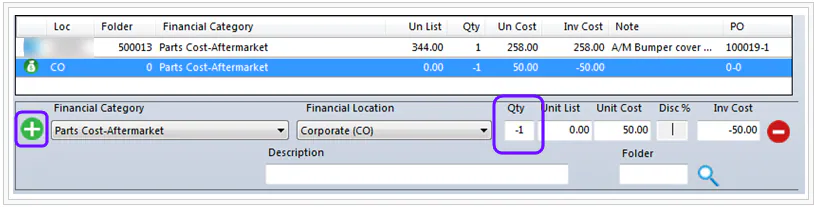
Select the green plus button.
-
Enter the Financial Category and Financial Location. For Qty, enter -1, then enter the fee or discount amount (in this example, 50.00).
-
Enter a short Description and the Folder, then select the green plus button.
-
Select Save.