Set your computer's regional date and time format
Nexsyis uses the American date and time format in its date fields, for both operations and reporting. If your computer uses a different format, for example in Canada, set it to English (United States) so dates are easier to use throughout Nexsyis.
Do this on each computer that runs Nexsyis.
-
Open Control Panel. You can search for it from the Start menu.
-
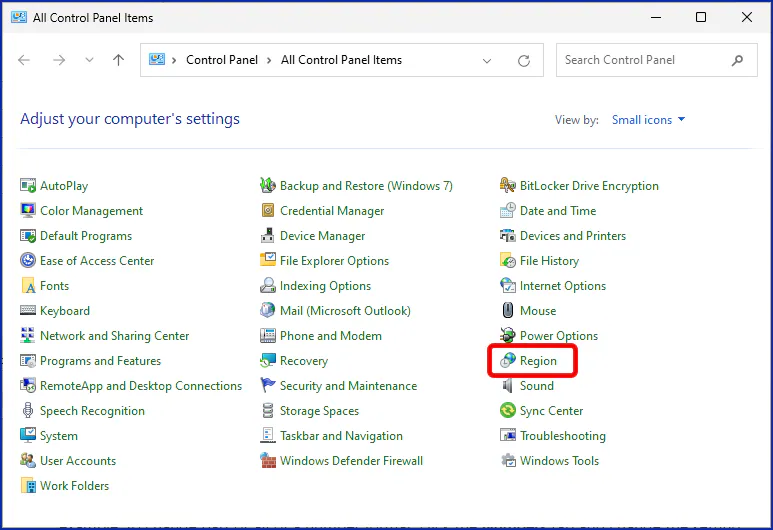
Select Region.
-
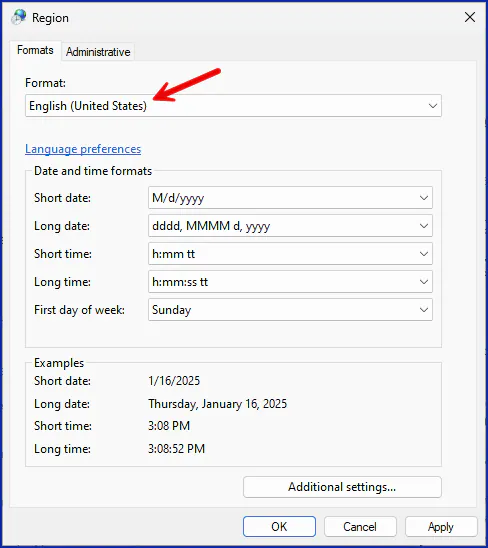
In the Region window, open the Format drop-down and select English (United States).
-
Select Apply, then OK.