
Return a part
When the vendor picks up a rejected part, mark it as returned. Have the vendor sign the return slip; see Print return documents.
-
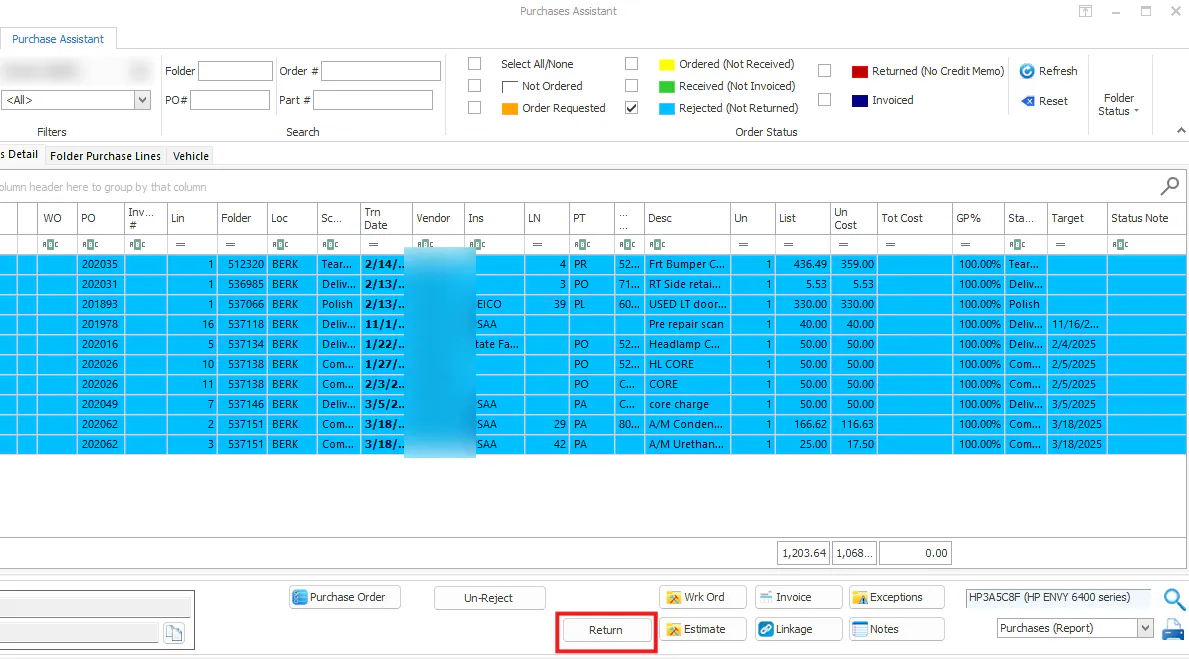
In the Purchase Assistant, select the cyan Rejected (Not Returned) line and select Return.
-
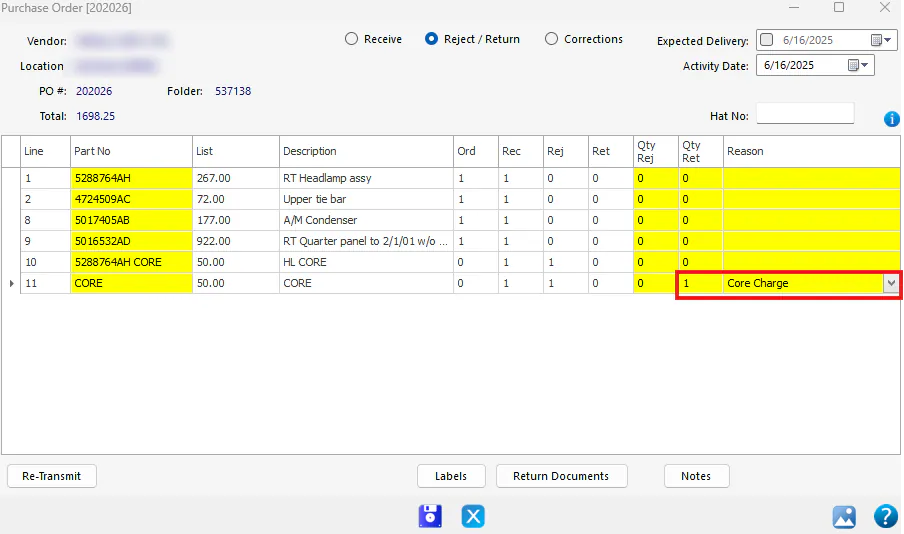
The purchase order opens with 1 in the Qty Ret column. Check that it’s correct.
-
Choose a reason.
-
Select Save.
The line turns red: Returned (No Credit Memo). It turns navy when the vendor’s credit memo is entered.
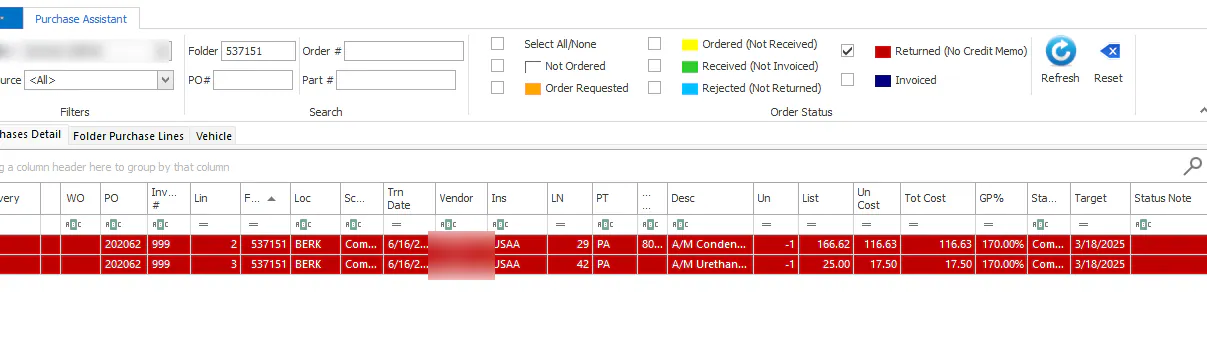
Then link the signed return slip to the red line.