
Order through PartsTrader
Nexsyis works with PartsTrader for ordering parts. Each user who orders through PartsTrader needs their credentials in Nexsyis.
Set up your PartsTrader credentials
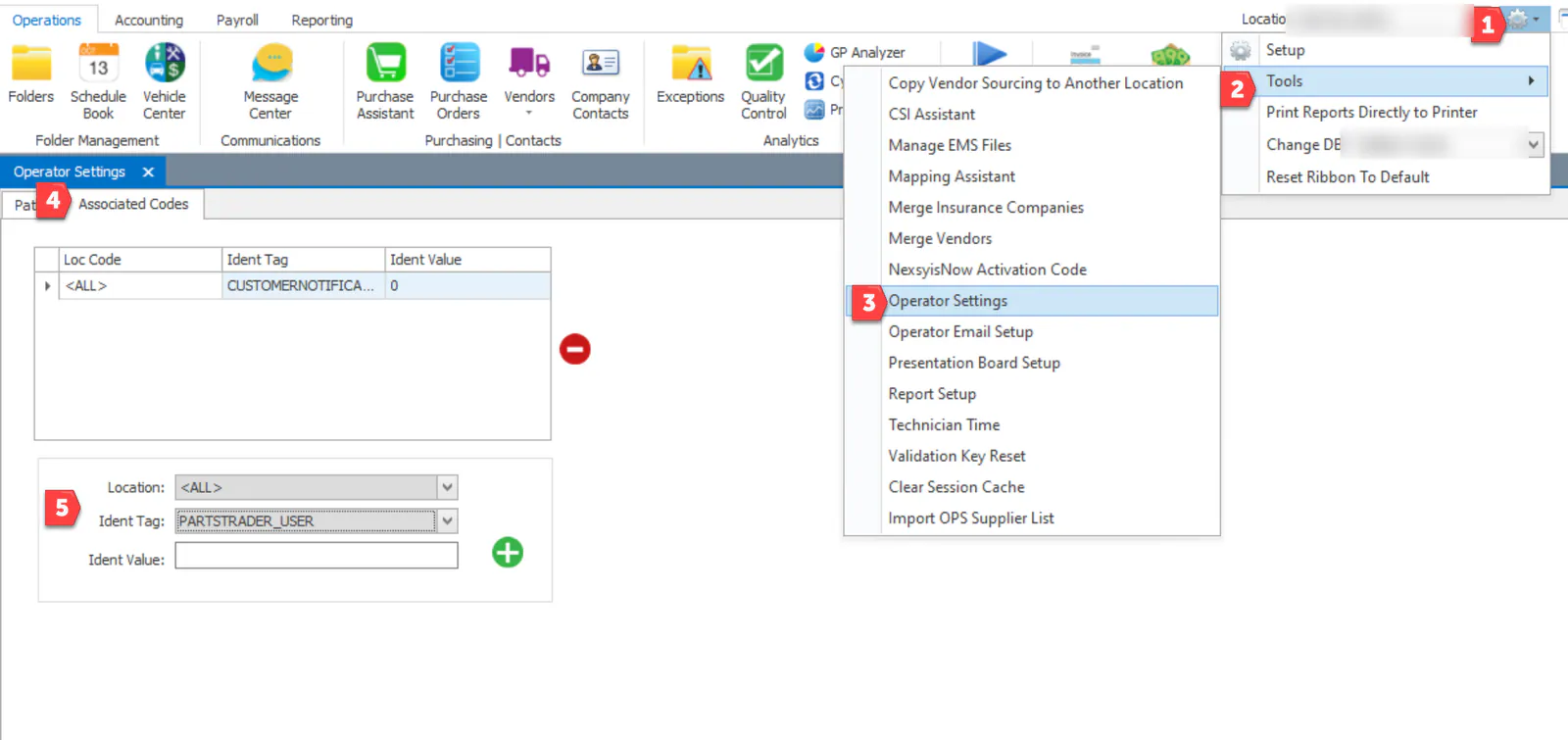
Section titled “Set up your PartsTrader credentials”- Open System › Tools › Operator Settings.
- Select the Associated Codes tab.
- Add your user name:
- Choose your Location.
- Choose the Ident Tag PARTSTRADER_USER.
- Enter your PartsTrader user name.
- Select the green plus button.
- Add your password:
- Choose your Location.
- Choose the Ident Tag PARTSTRADER_PASS.
- Enter your PartsTrader password.
- Select the green plus button.
- Select Save.
How the order number works
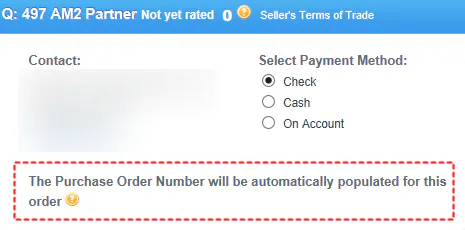
Section titled “How the order number works”Each PartsTrader order has an order number that you use to receive and invoice the parts.

-
Ordered in Nexsyis: when you order a part in Nexsyis, it’s disconnected from PartsTrader and its order number matches the PO number.

-
Ordered in PartsTrader: PartsTrader generates the order number. When the suppliers confirm, each order number shows in Nexsyis.

Receive by order number
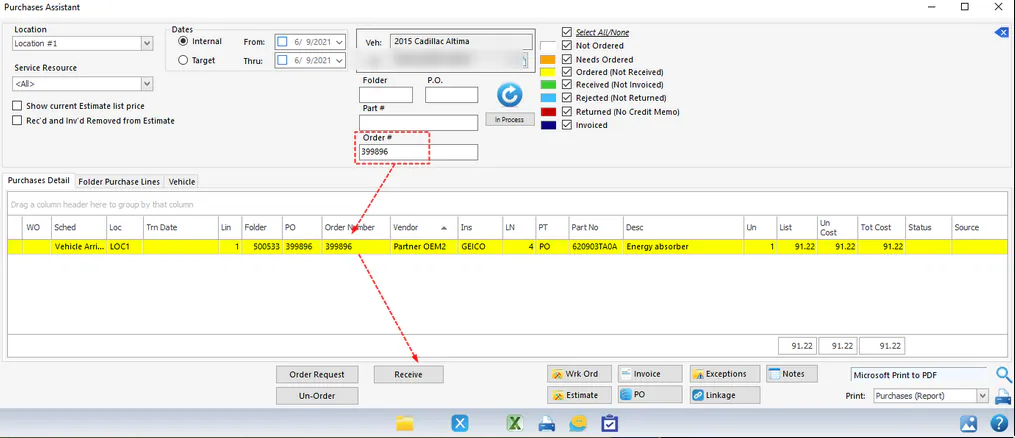
Section titled “Receive by order number”Whether the part was ordered in Nexsyis or in PartsTrader, search the Purchase Assistant by Order #, then receive the parts as usual.

Invoice by order number
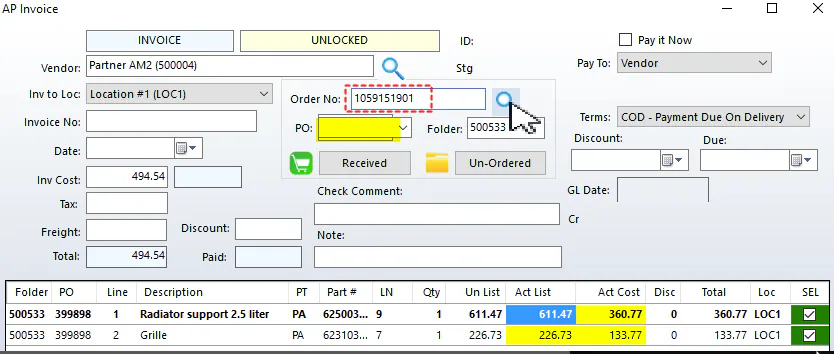
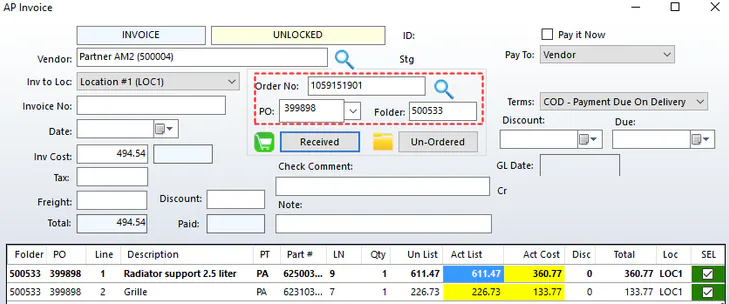
Section titled “Invoice by order number”On the AP invoice, enter the order number in Order No. The PO and folder fill in automatically.
Get help from PartsTrader
Section titled “Get help from PartsTrader”For questions about PartsTrader itself, contact PartsTrader Customer Care at 855-932-7278 (Monday to Friday 7:00 a.m. to 7:00 p.m. CT, Saturday 8:00 a.m. to 3:00 p.m. CT) or NexsyisSupport@partstrader.us.com.