
Reconcile an account manually
In manual mode you don’t import the bank statement. Instead, you mark check register transactions as cleared until the reconciled balance matches the ending balance on your statement.
Before you begin
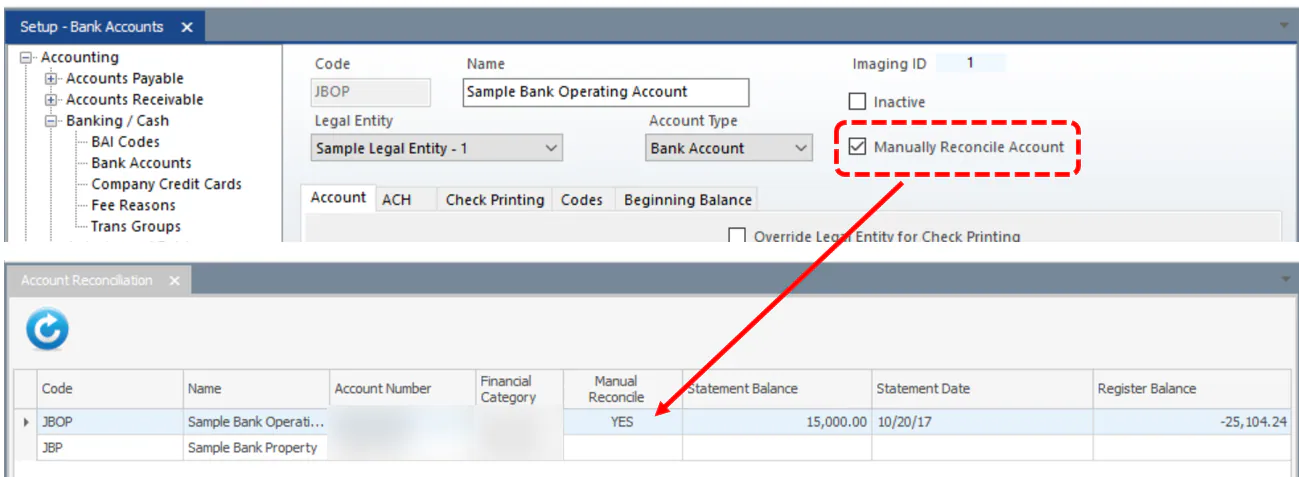
Section titled “Before you begin”The bank account must have Manually Reconcile Account selected in Setup › Accounting › Banking / Cash › Bank Accounts. Accounts set up this way show YES in the Manual Reconcile column of the reconciliation list.
Reconcile a statement
Section titled “Reconcile a statement”-
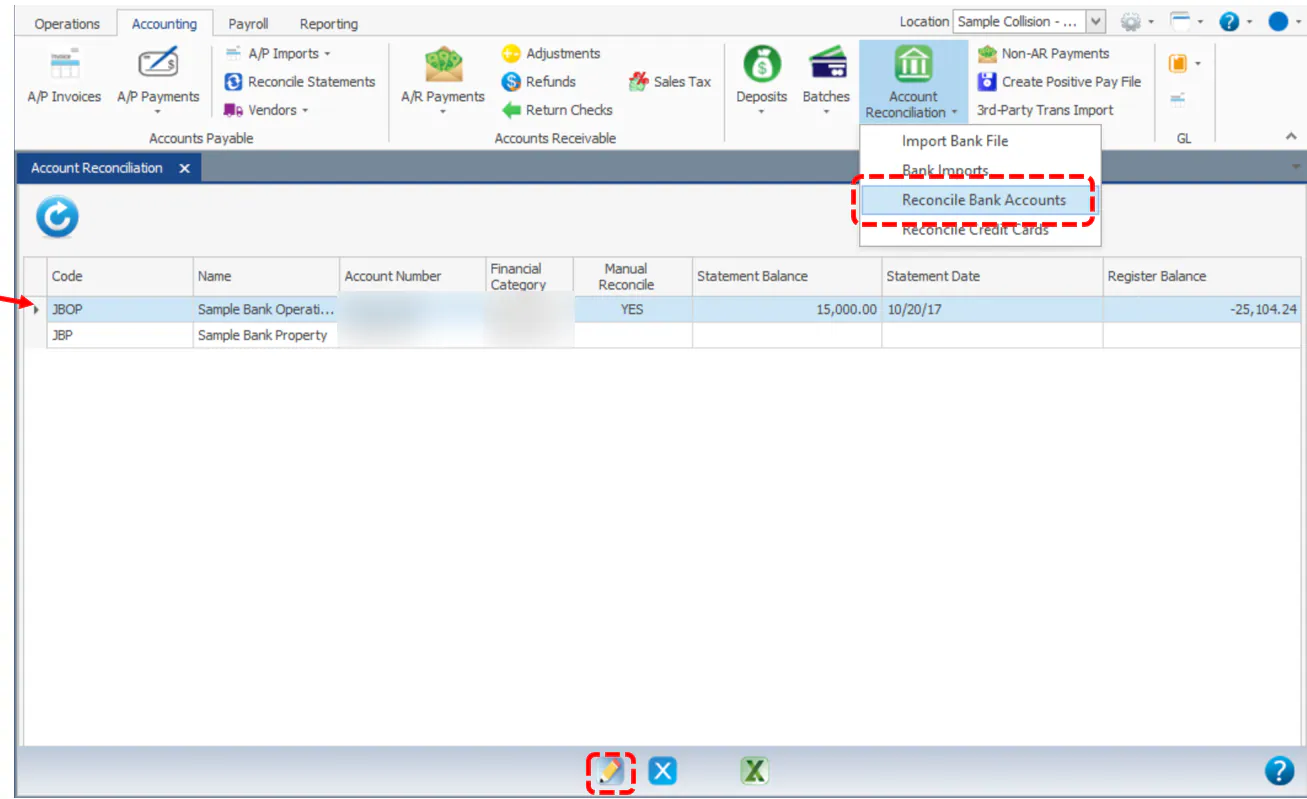
On the Accounting tab, select Account Reconciliation, then Reconcile Bank Accounts.
-
Double-click the account, or select it and then the edit button.
-
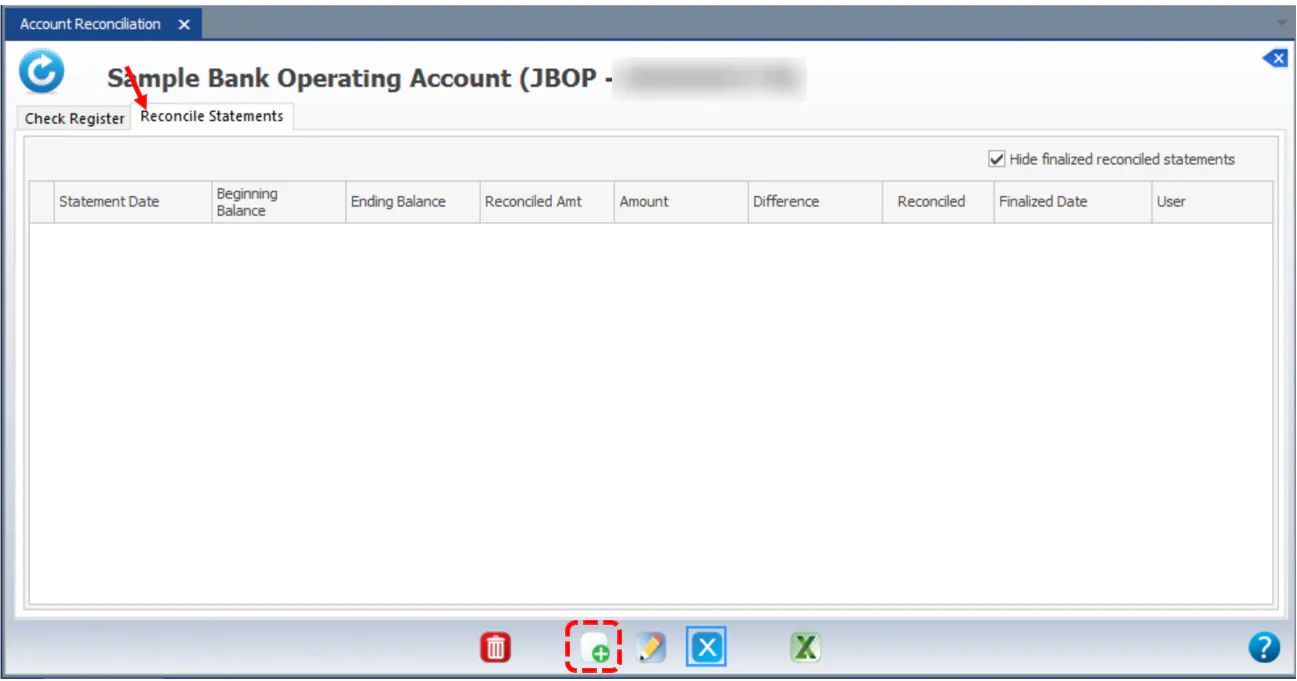
Select the Reconcile Statements tab, then select the new button.
-
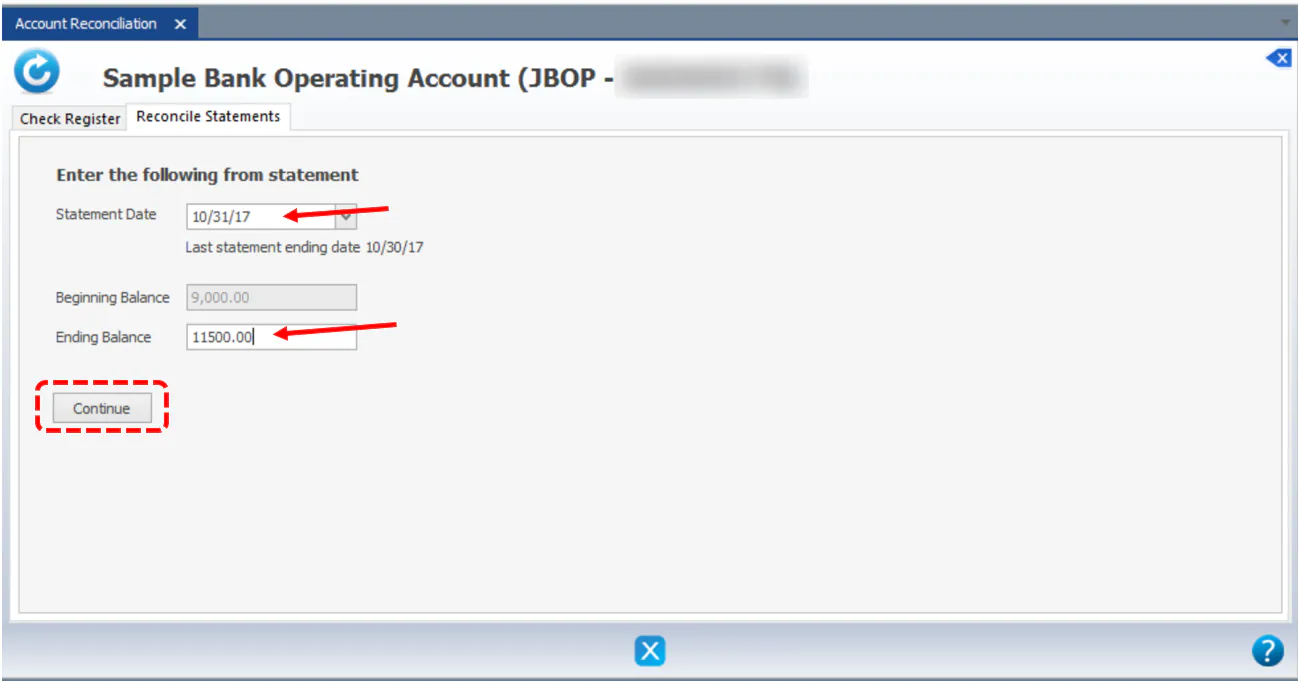
From your bank statement, enter the Statement Date and Ending Balance, then select Continue.
Every unreconciled check register item shows: checks and payments on the left, deposits and other credits on the right.
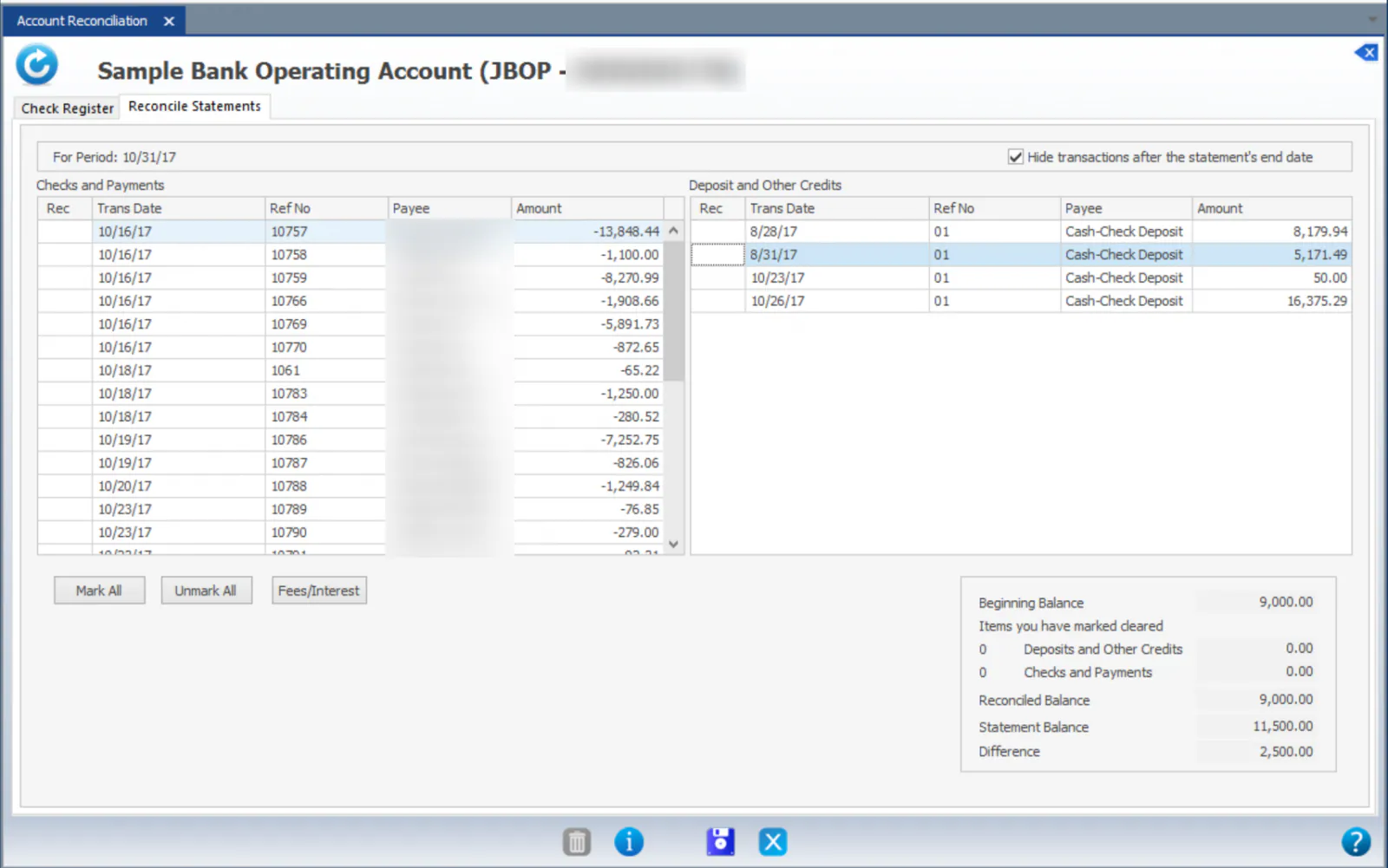
-
Mark each item that’s on your bank statement as cleared: double-click its Rec column to show C, or select Mark All. The totals at the bottom right update as you go.
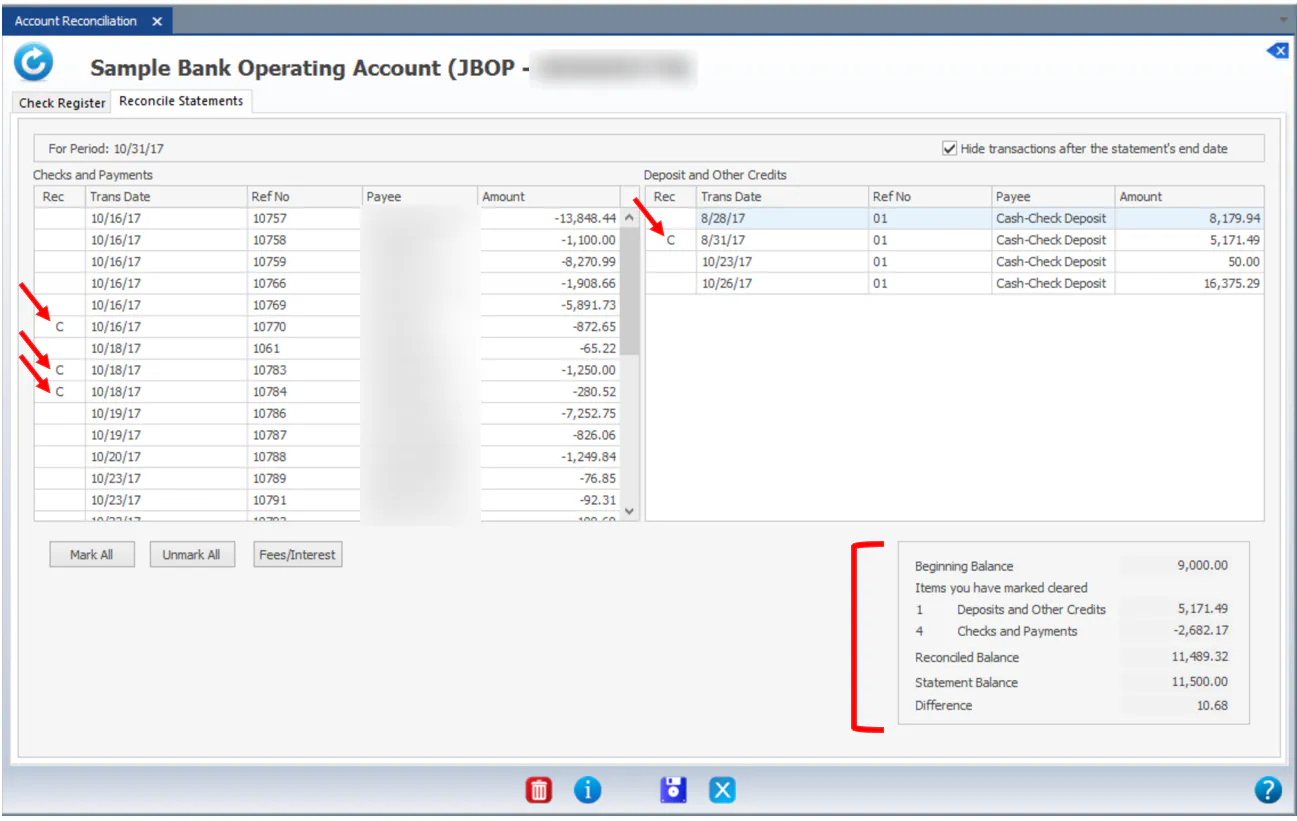
-
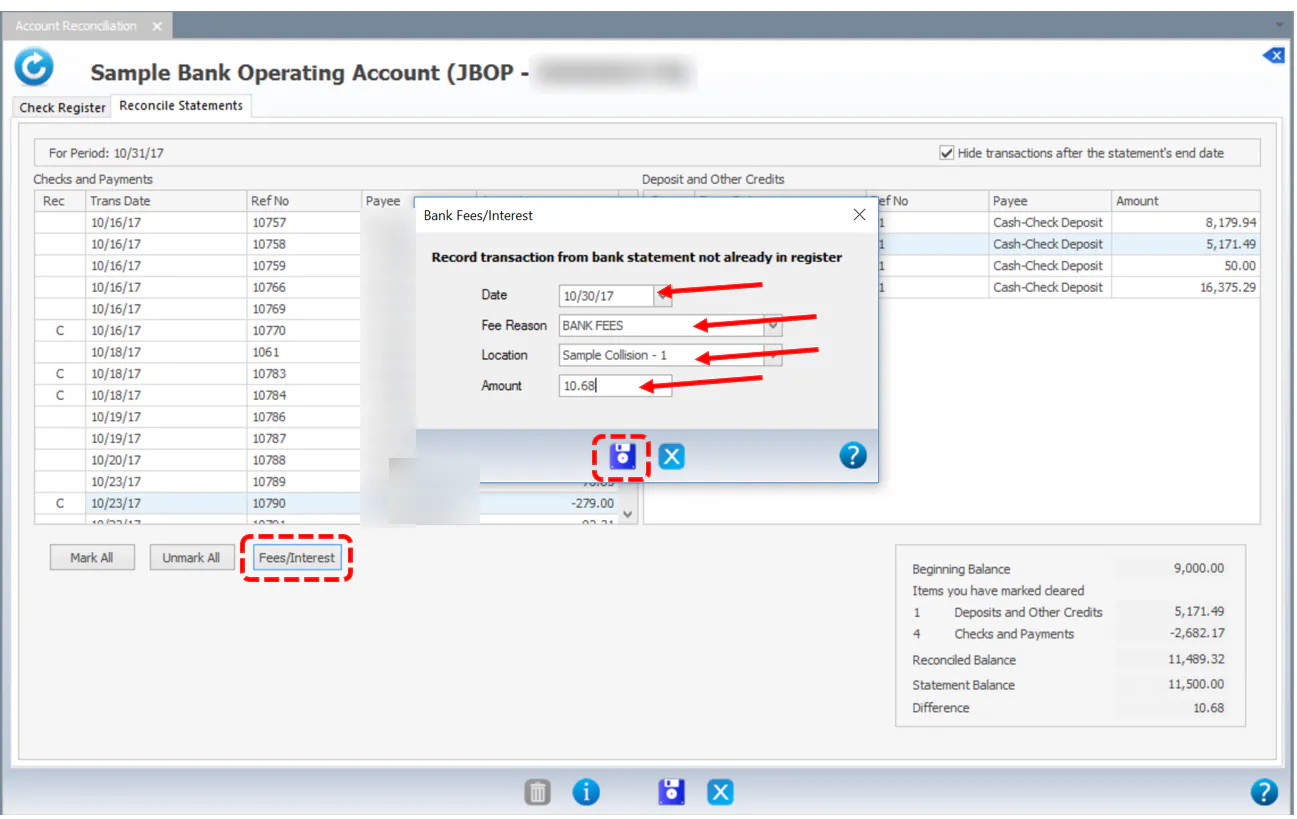
To add a fee or interest line from the statement, select Fees/Interest:
- Select the Date.
- Select the Fee Reason. Fee reasons are set up under Setup › Accounting › Banking / Cash › Fee Reasons.
- If the fee reason has a default location, it’s filled in. If not, select the Location.
- Enter the Amount.
- Select Save. The fee is added to the bottom of the list. Mark it C to clear it.
-
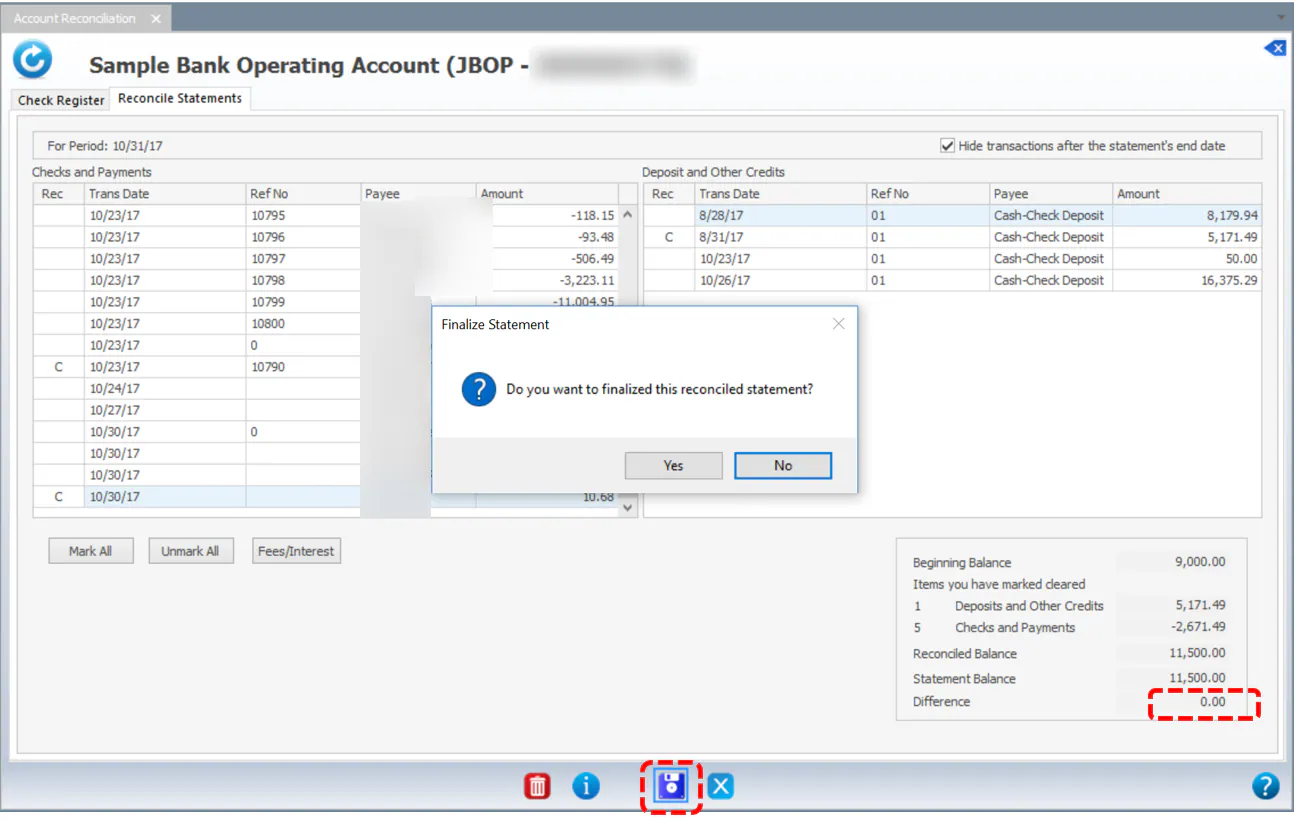
When the Difference is 0.00, select Save. When asked whether to finalize the statement, select Yes.
Edit a finalized statement
Section titled “Edit a finalized statement”If you need to add or remove a transaction on a finalized statement:
-
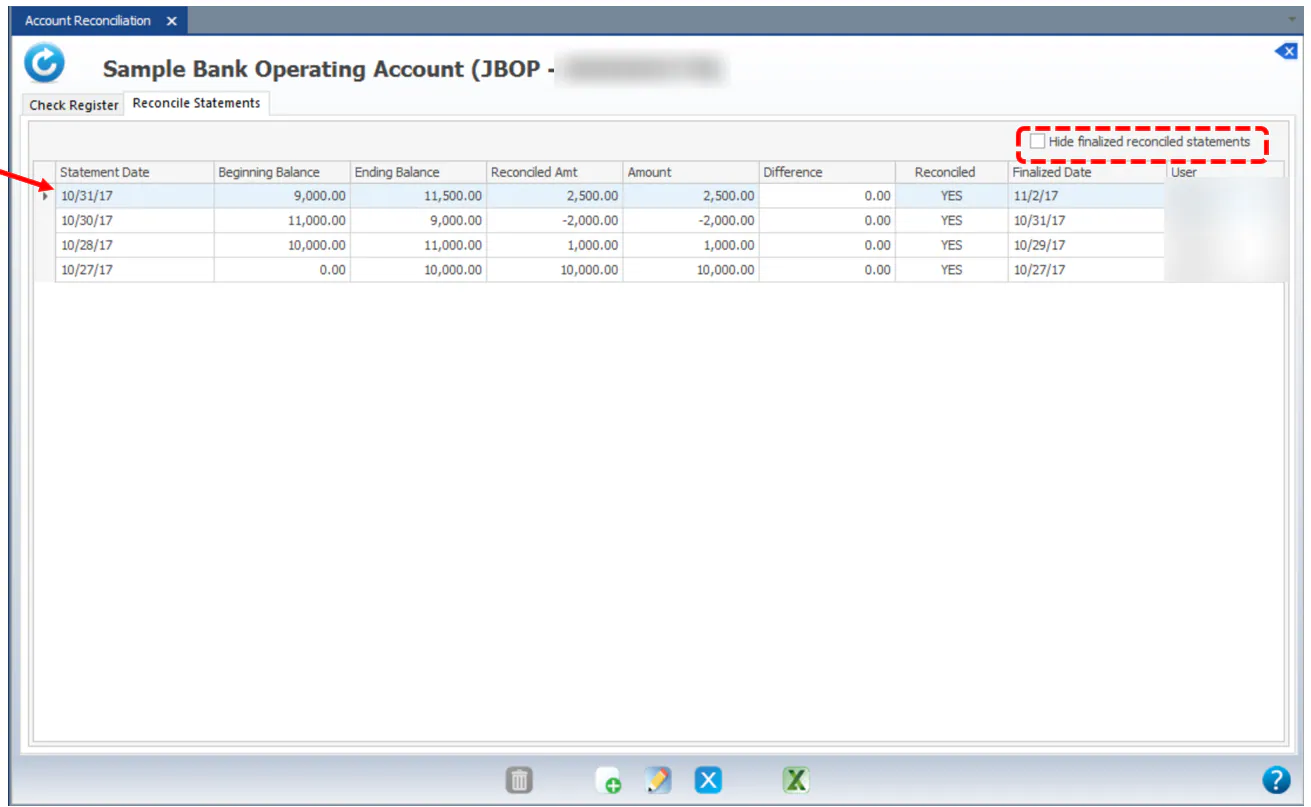
On the Reconcile Statements tab, clear Hide finalized reconciled statements, then open the statement.
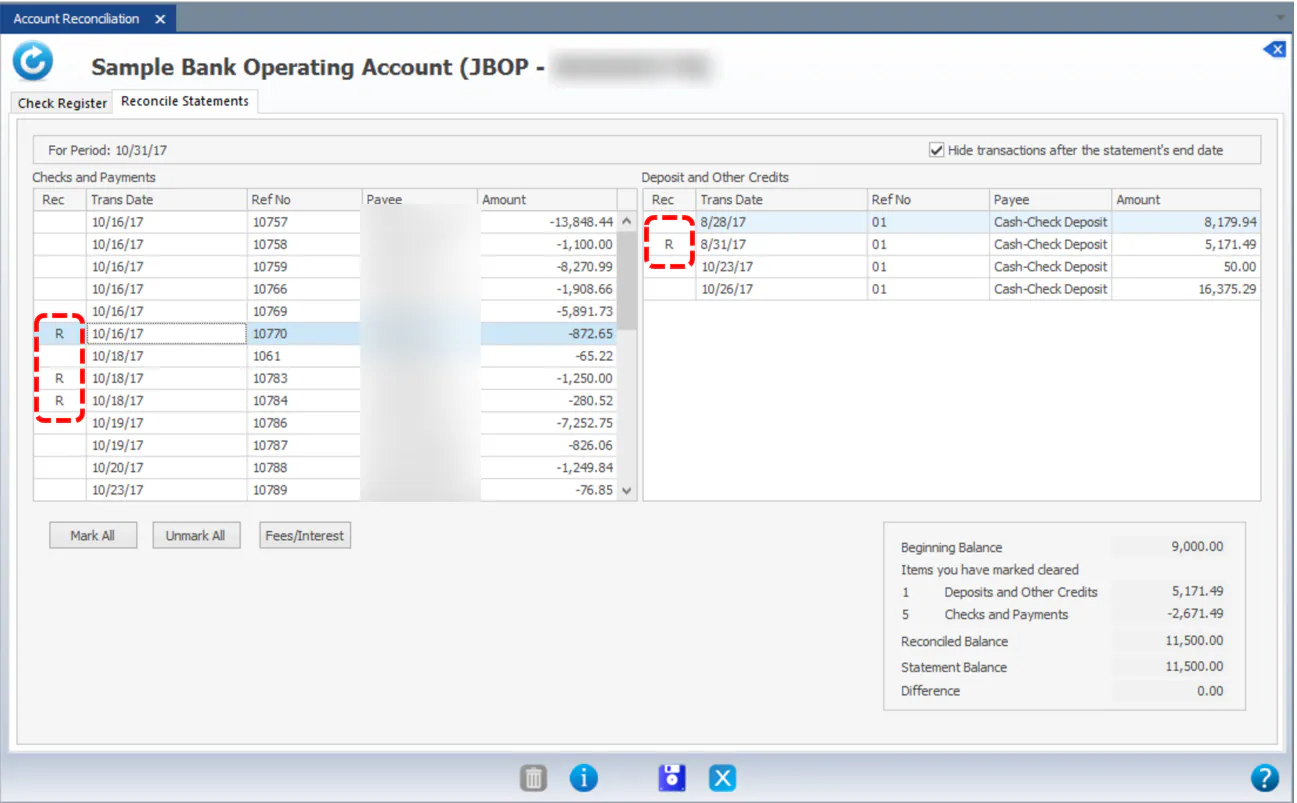
Transactions reconciled on that statement show R in the Rec column.
-
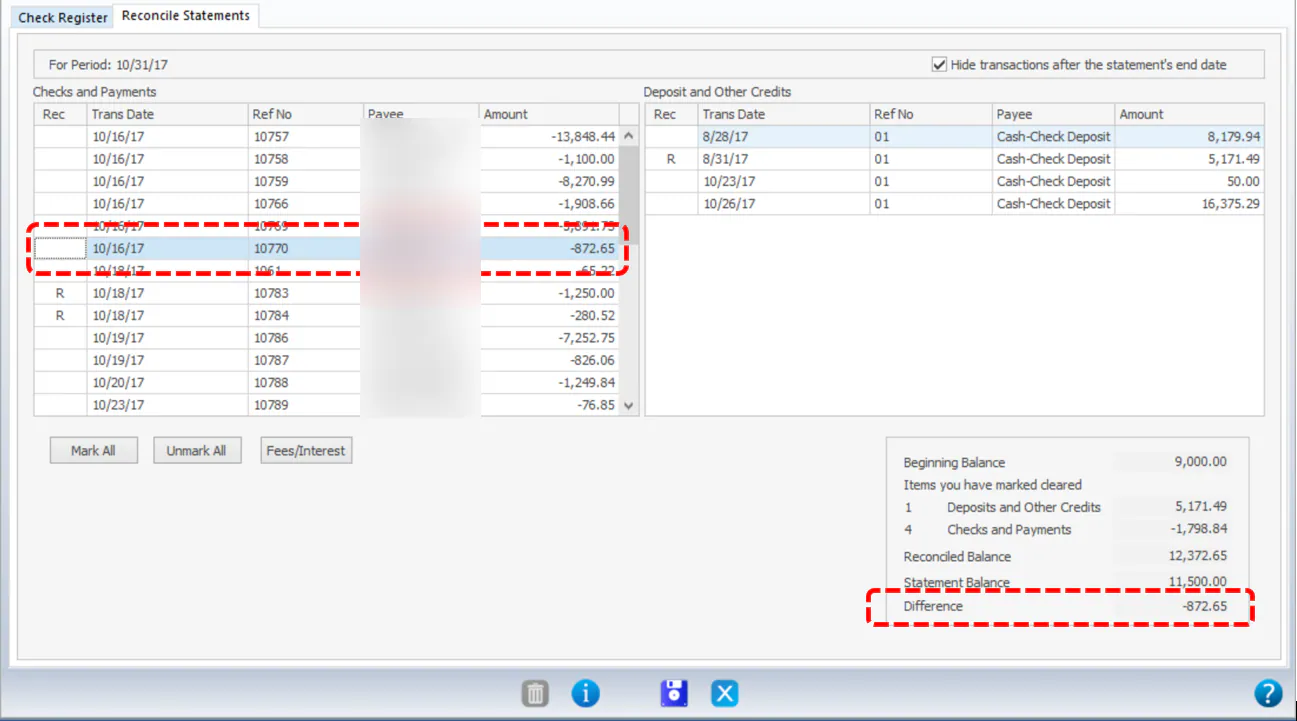
To remove a transaction, double-click its R. The Difference at the bottom right shows the amount you removed.
-
Mark the right transaction to balance the statement, then select Save.
If you leave the statement out of balance, it shows an amount in Difference and NO under Reconciled. You can come back at any time to balance and finalize it again.
