
Work the Opportunities tab
The Opportunities tab lists folders that haven’t been captured yet: they have no arrival date and no drop appointment, and they aren’t marked as a lost opportunity or total loss. Use it to follow up on estimates that haven’t turned into repairs.
Find past estimate appointments
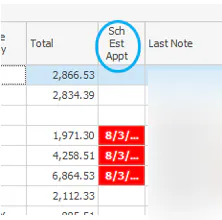
Section titled “Find past estimate appointments”Past estimate appointments show in red in the Sch Est Appt column.
See the last note
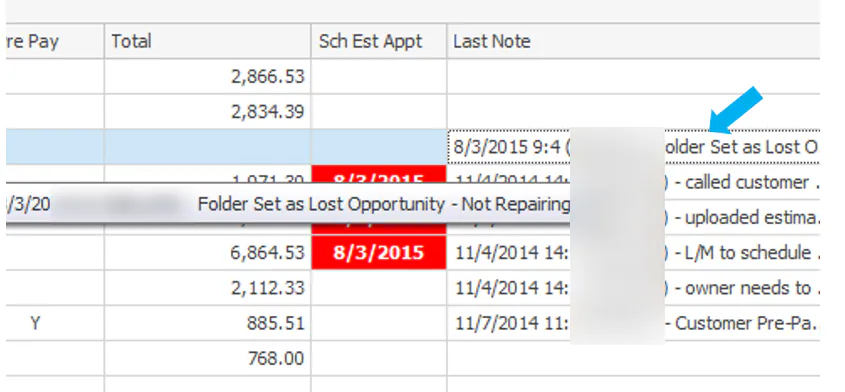
Section titled “See the last note”The Last Note column shows the last note left on the folder. Point to the note to see all of it.
See pre-ordered parts
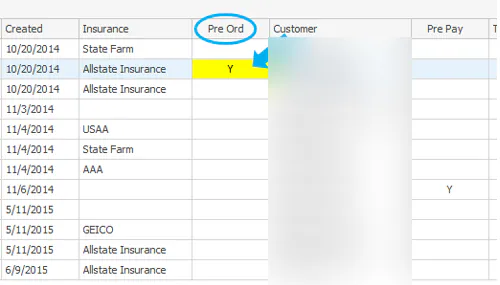
Section titled “See pre-ordered parts”When parts have been pre-ordered for the vehicle, the Pre Ord column shows a yellow box with a Y. Double-click the box to open the Purchase Assistant.
Open the folder
Section titled “Open the folder”Double-click the folder’s row, or select the row and then select the folder icon on the bottom button bar.