
Add custom report footers
You can add your own text to the footer of the Nexsyis customer statement, invoice, estimate and purchase order. Use it for important information about your shop, disclaimers or a customer signature line.
Before you begin
Section titled “Before you begin”You need the Preferences Form transaction permission.
Add footer text
Section titled “Add footer text”- Go to Setup › Company › Preferences, then select the Reporting Disclaimers & Text tab.
- In Report Field, select the report.
- Type or paste your text in the Report Text box.
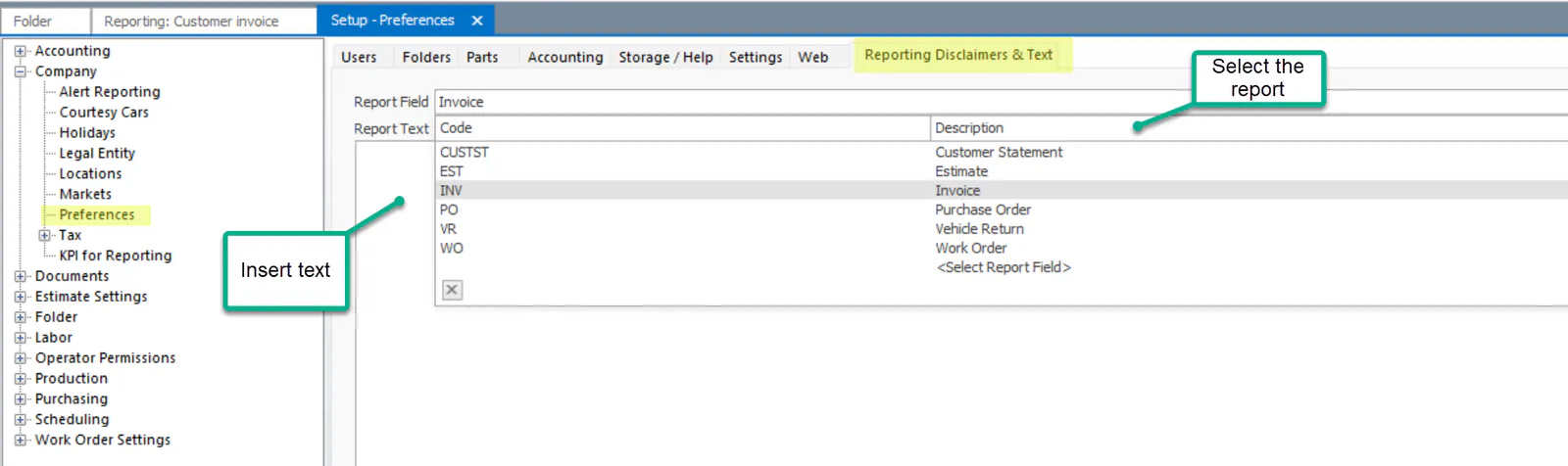
The text appears in the report footer exactly as you typed and spaced it.