
Set up automatic line conversion rules
Auto line conversion rules convert work order lines for you. For example, a rule can convert any Body Labor line whose description contains “ColorTint” to Body Labor to Refinish, so nobody has to convert it by hand.
Add a rule
Section titled “Add a rule”-
Go to Setup › Work Order Settings › Auto Line Conversion Rules.
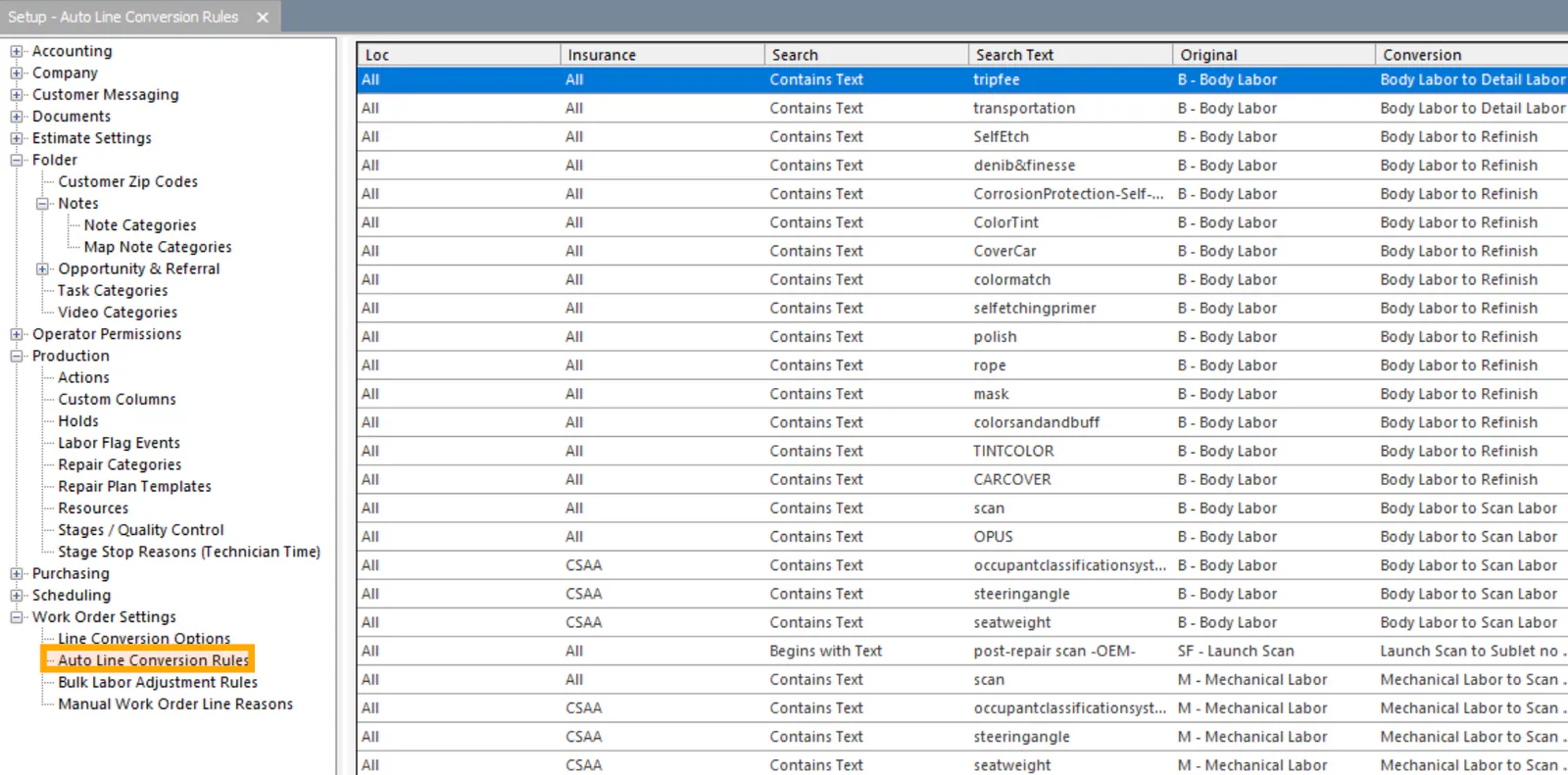
-
Select New on the bottom button bar.
-
If the rule applies only to one location or insurance company, choose it in When the Folder Location is or …and the Folder Insurance Co is. Leave
to apply the rule everywhere. -
In …and the Estimate Line Description, choose begins with the text or contains the text.
-
Type the text exactly as it shows on the work order, including capital letters and spaces.
-
In …and the Estimate Line has a, choose the sales classification you’re converting from.
-
In …then convert line using, choose the conversion.
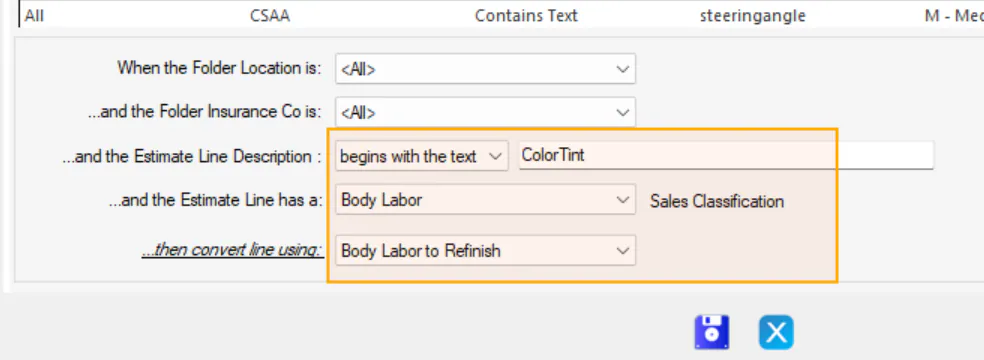
-
Select the save button on the bottom button bar.
In NexsyisNow, you can also create a rule while converting a line, by selecting Save as new auto-conversion rule. See Convert work order labor lines.