
Partially pay an AP invoice
You can pay part of an AP invoice now and the rest later. You set the amount while you create the check batch.
Pay part of an invoice
Section titled “Pay part of an invoice”-
Create a check batch and move the invoice into it. See Print a check batch.
-
On the payment processing screen, change the yellow Amt to Pay to the amount you’re paying now.
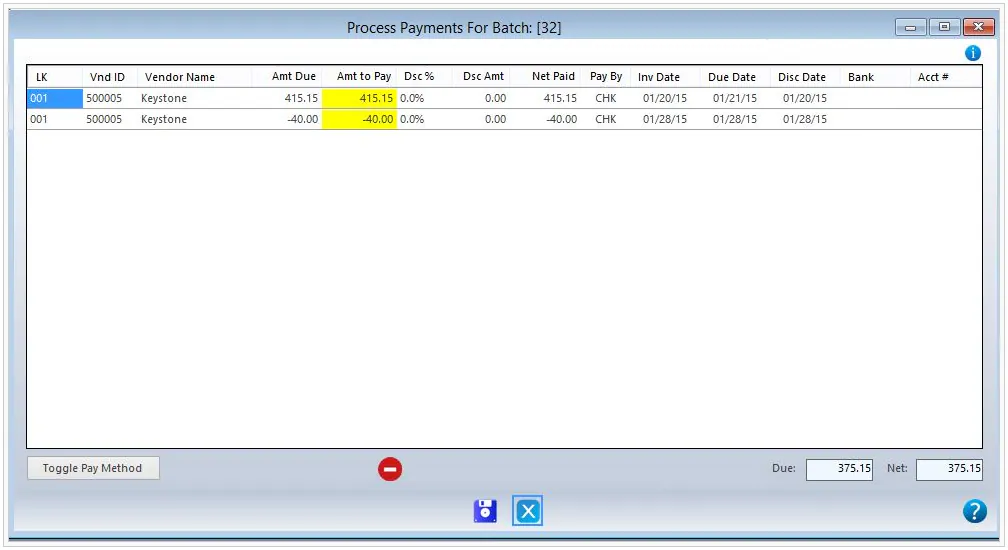
-
Finish processing the batch.
The remaining balance stays open. Create another check batch to pay it, by any payment method.
To pay part of an invoice with a credit card, select the credit card as the bank when you create the check batch. See Pay AP invoices by credit card.