Set up Nexsyis estimate attributes
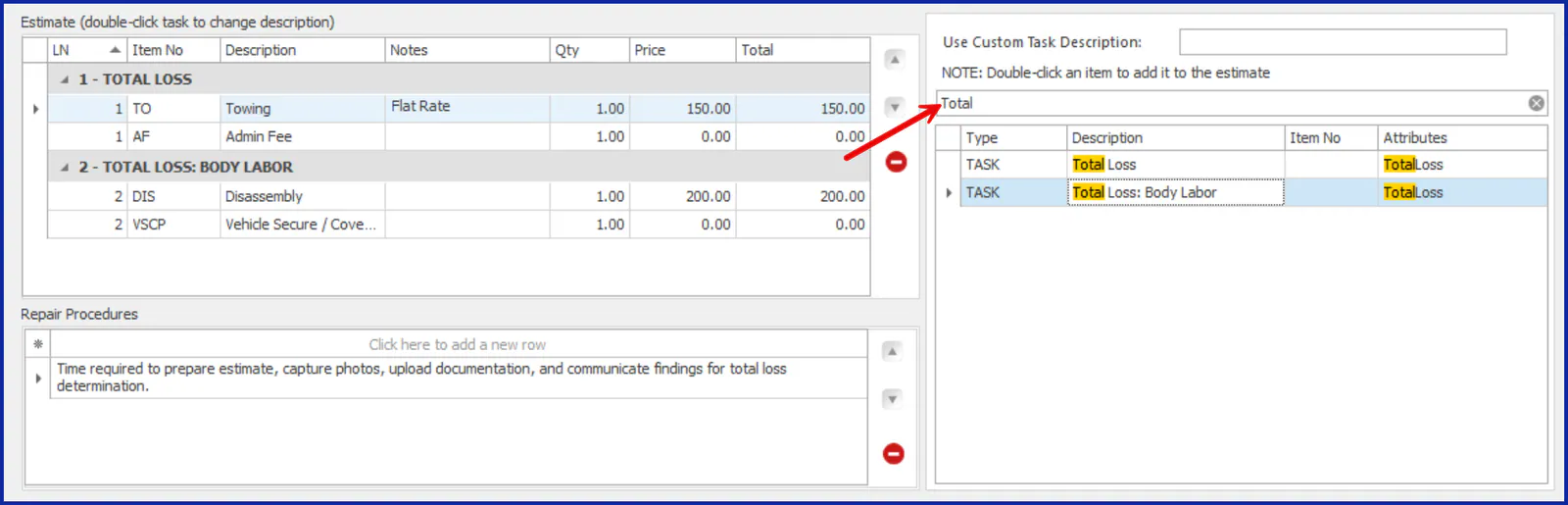
Attributes are tags you add to estimate tasks, such as location names, collision repair terms or insurance companies. When estimators build a Nexsyis estimate, they can filter the task list by attribute to find the right tasks quickly, for example tasks for a total loss.
Add an attribute
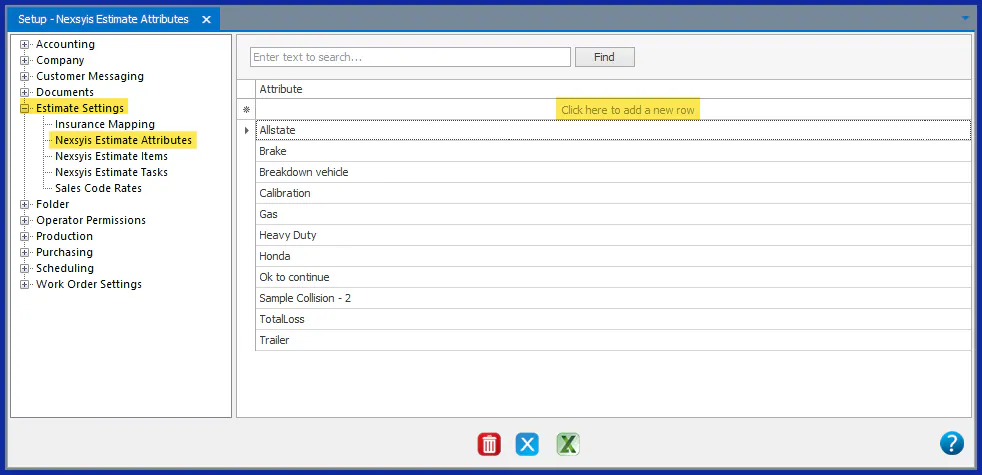
Section titled “Add an attribute”- Go to Setup › Estimate Settings › Nexsyis Estimate Attributes.
- Select Click here to add a new row.
- Type the attribute name.
- Press Enter or Tab to save it.
Tag a task with attributes
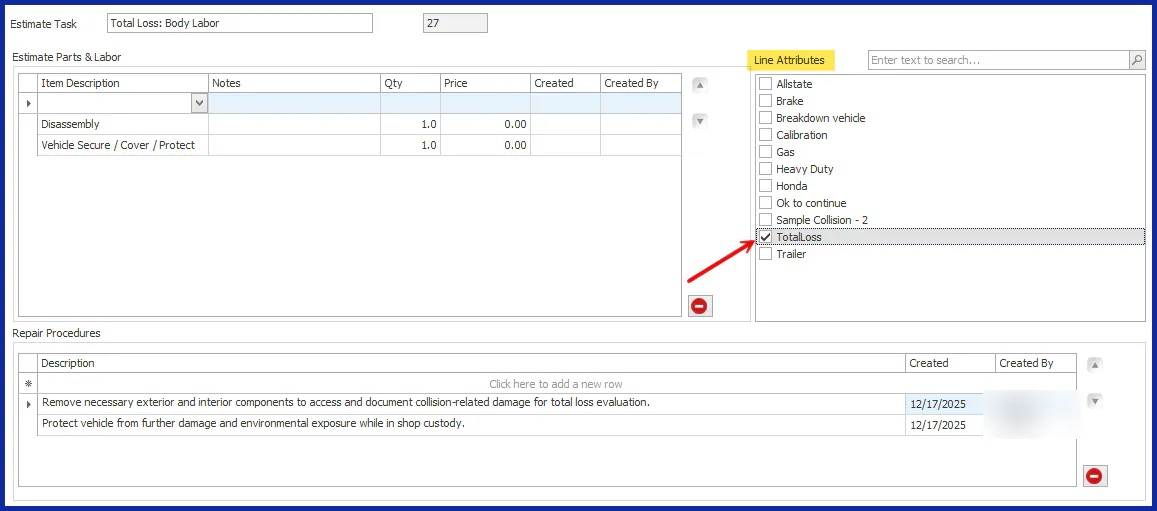
Section titled “Tag a task with attributes”- Go to Setup › Estimate Settings › Nexsyis Estimate Tasks and open the task.
- Under Line Attributes, select one or more attributes.
For the rest of the task setup, see Set up Nexsyis estimate tasks.
Filter tasks by attribute on an estimate
Section titled “Filter tasks by attribute on an estimate”On the Nexsyis estimate screen, type the attribute in the Line Attributes search box. The task list shows the tasks with that attribute, so you can find tasks for a location, a procedure such as a total loss, or an insurance company.