
View a folder's audit log
The folder’s Audit Log tab keeps a record of every change made to the folder.
View the audit log
Section titled “View the audit log”- Open the folder and select the Audit Log tab.
- To see changes to one field only, choose it from the Field/Description drop-down.
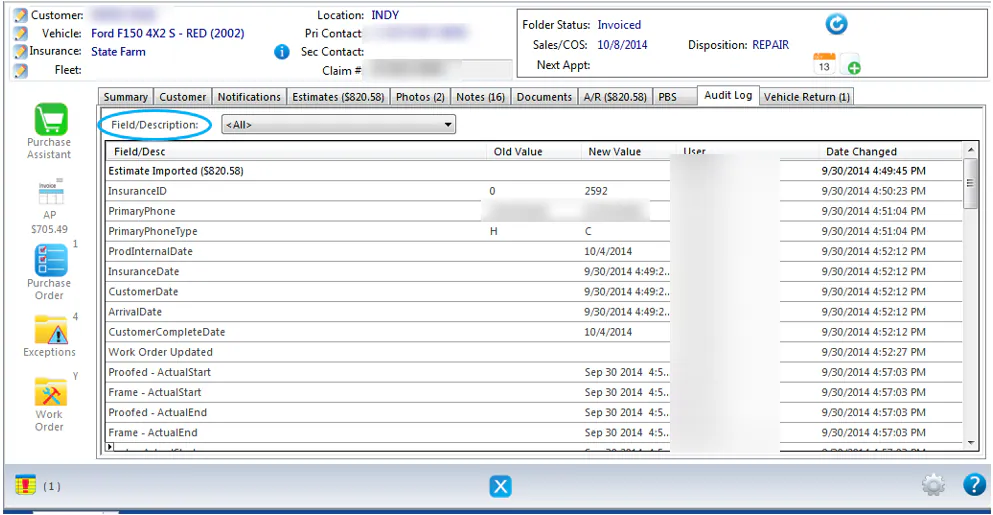
The grid shows:
- Field/Desc: the field that changed.
- Old Value: the value before the change.
- New Value: the value after the change.
- User: who made the change.
- Date Changed: when the change was made.