
Request a Hertz rental and send repair updates
With the Hertz integration, you send a rental reservation request to Hertz from the folder, and Nexsyis keeps Hertz up to date on the repair.
Before you begin
Section titled “Before you begin”To turn on the Hertz integration, email Nexsyis Support at nexsupport@nexsyis.com.
Send a rental reservation request
Section titled “Send a rental reservation request”-
On the folder’s Summary tab, select Rent Req.
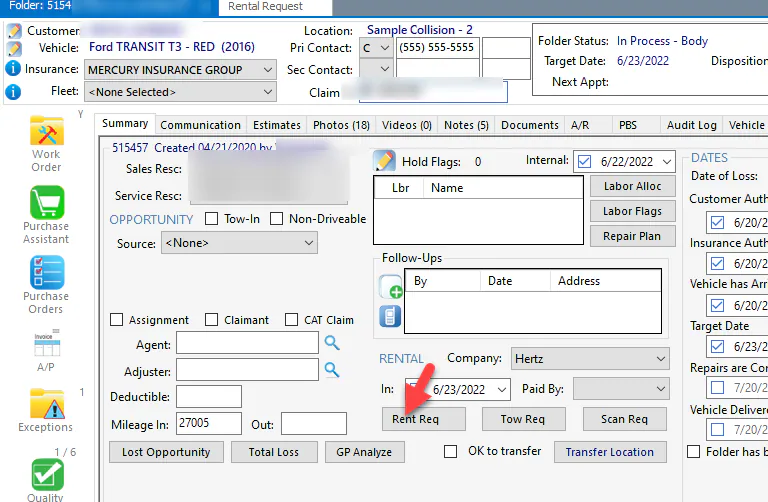
-
In Rental Company, choose Hertz, and enter the requested rental date and time.
-
Enter any special requests or notes.
-
Select Save.
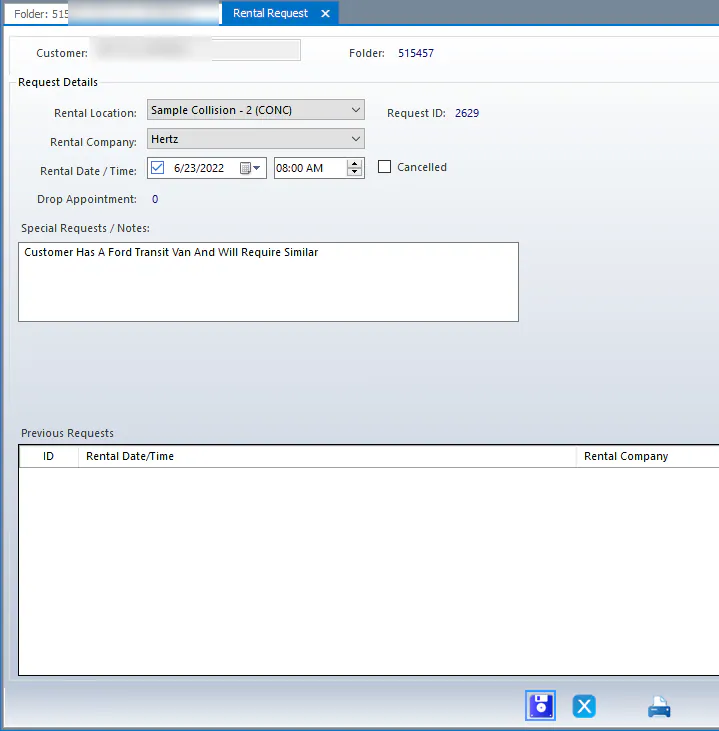
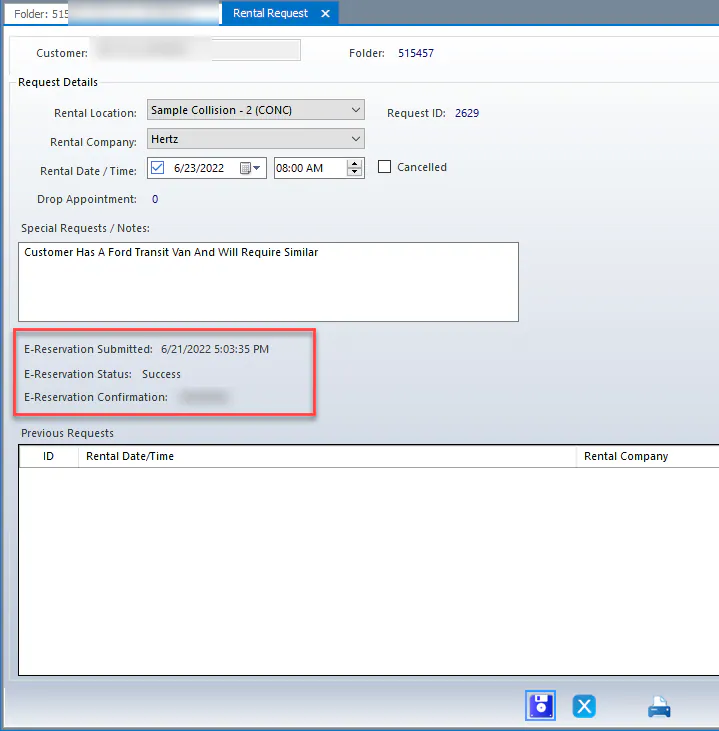
The request is sent to Hertz electronically. When you open the request again, it shows that the request was sent.
What Hertz receives
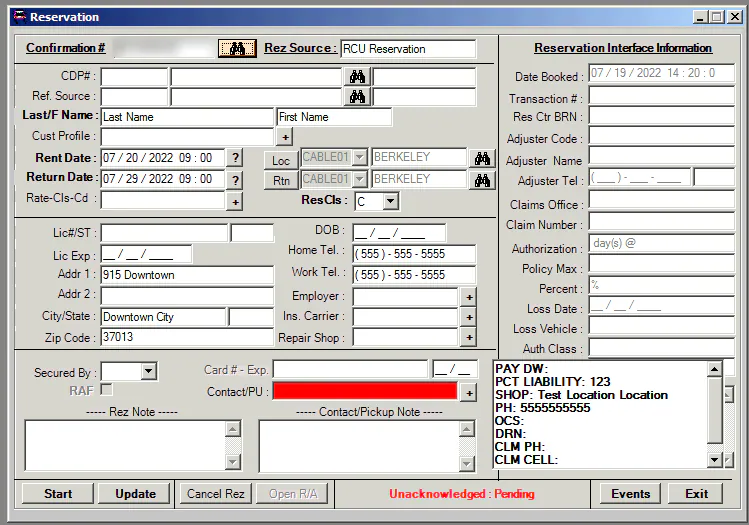
Section titled “What Hertz receives”The assigned Hertz branch receives the rental request with the customer’s contact information from the folder, and contacts the customer to set up the rental.
Repair information and updates sent to Hertz
Section titled “Repair information and updates sent to Hertz”Nexsyis sends this repair information to Hertz:
- Folder number
- Customer name, address and phone
- Total labor hours
- Claim number
- Whether the vehicle is drivable
- Vehicle year, make, model and color
- Arrival date
- Target date
- Repairs completed date
- Repair status
Nexsyis also sends Hertz an update when:
- The repair stage changes.
- The target date changes. The reason for the delay is included.
- Nothing has changed on the repair for 7 days.
This information shows automatically in Hertz’s own systems.
Hertz One
Section titled “Hertz One”The Nexsyis integration works alongside Hertz One. Hertz One offers scheduling of upcoming rentals, self-serve reporting and automated repair updates. The integration sends some of the information to Hertz automatically, so there’s less to enter. To request a Hertz One login, email your shop details and contact email to HertzOne@Hertz.com.