Use the Hat No field
Use the Hat No (number) field to record which bin a folder’s parts are stored in.
Enter the Hat No
Section titled “Enter the Hat No”-
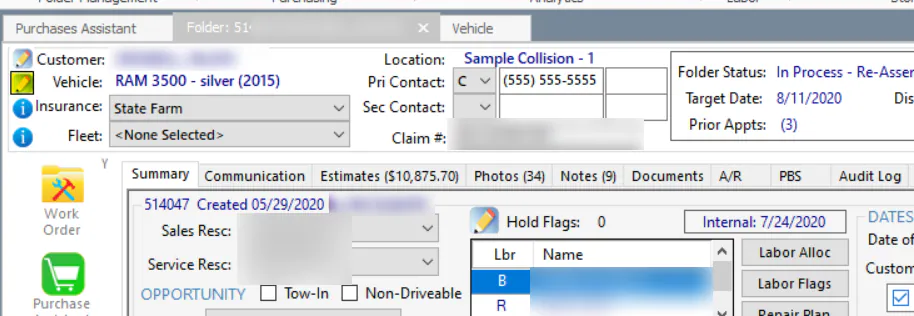
Open the folder and select the edit button next to the vehicle description.
-
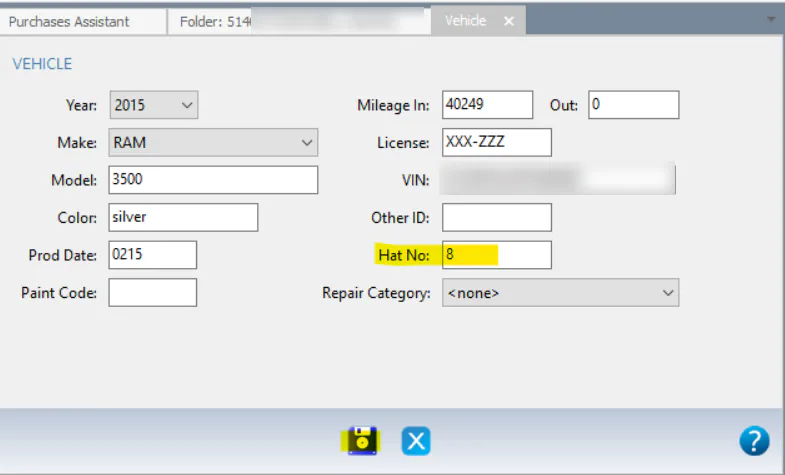
Enter the Hat No. If the parts are in more than one bin, separate the bin numbers with commas, for example 8,9,10.
-
Select Save.
Show the Hat No column in the Purchase Assistant
Section titled “Show the Hat No column in the Purchase Assistant”The Hat No column isn’t in the Purchase Assistant grid by default.
-
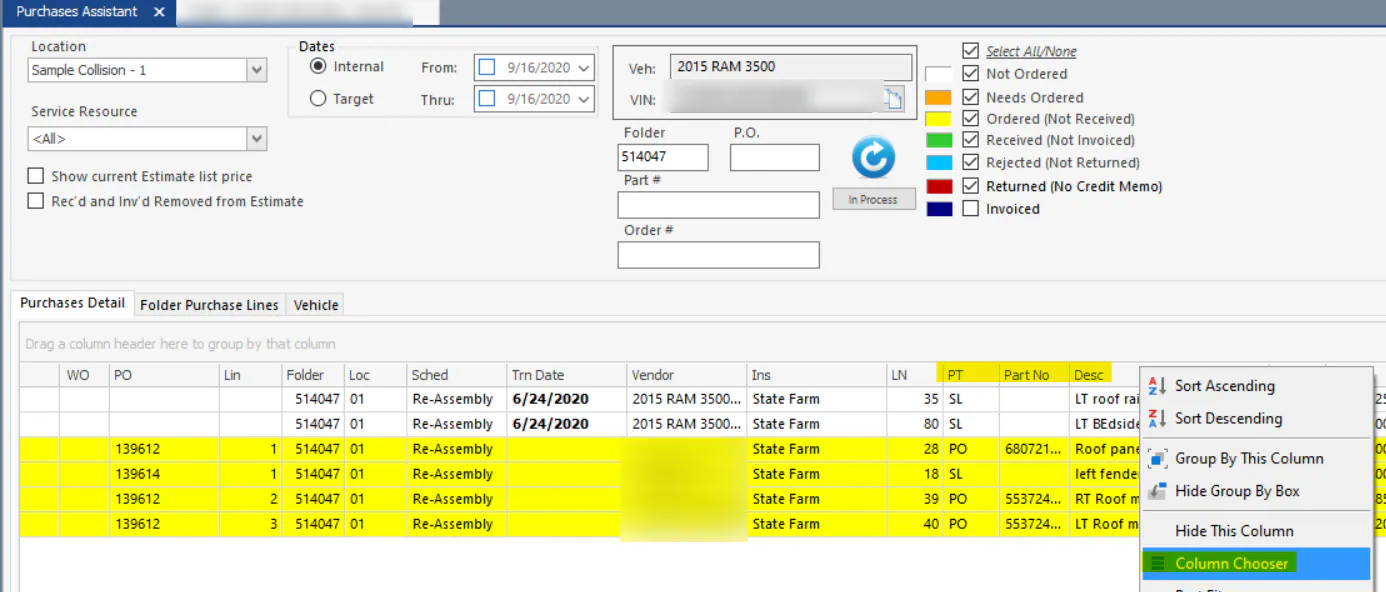
Right-click the grid’s column headers and select Column Chooser.
-
Double-click Hat No to add it to the grid.
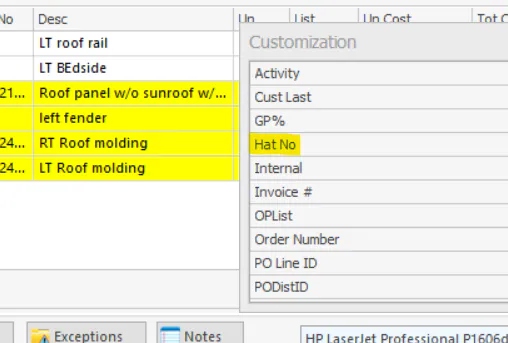
-
Drag the column to where you want it.
-
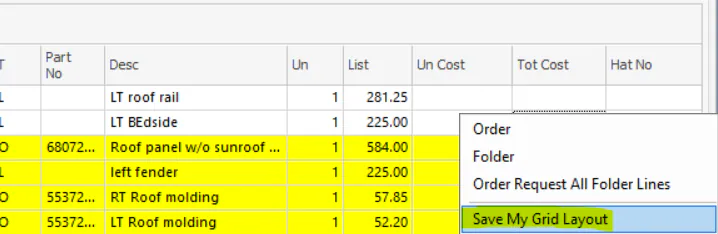
Right-click the grid rows and select Save My Grid Layout.