
NexsyisNow: PBS Screen
Released May 29, 2026
You can now manage repair payments in NexsyisNow with the PBS tab in the customer folder. Enter the payment amounts for each line item based on who is paying and when. Once your entries balance against the total estimate (a difference of $0.00), approve the sheet to confirm the final amount to collect from the customer at delivery.
Overview
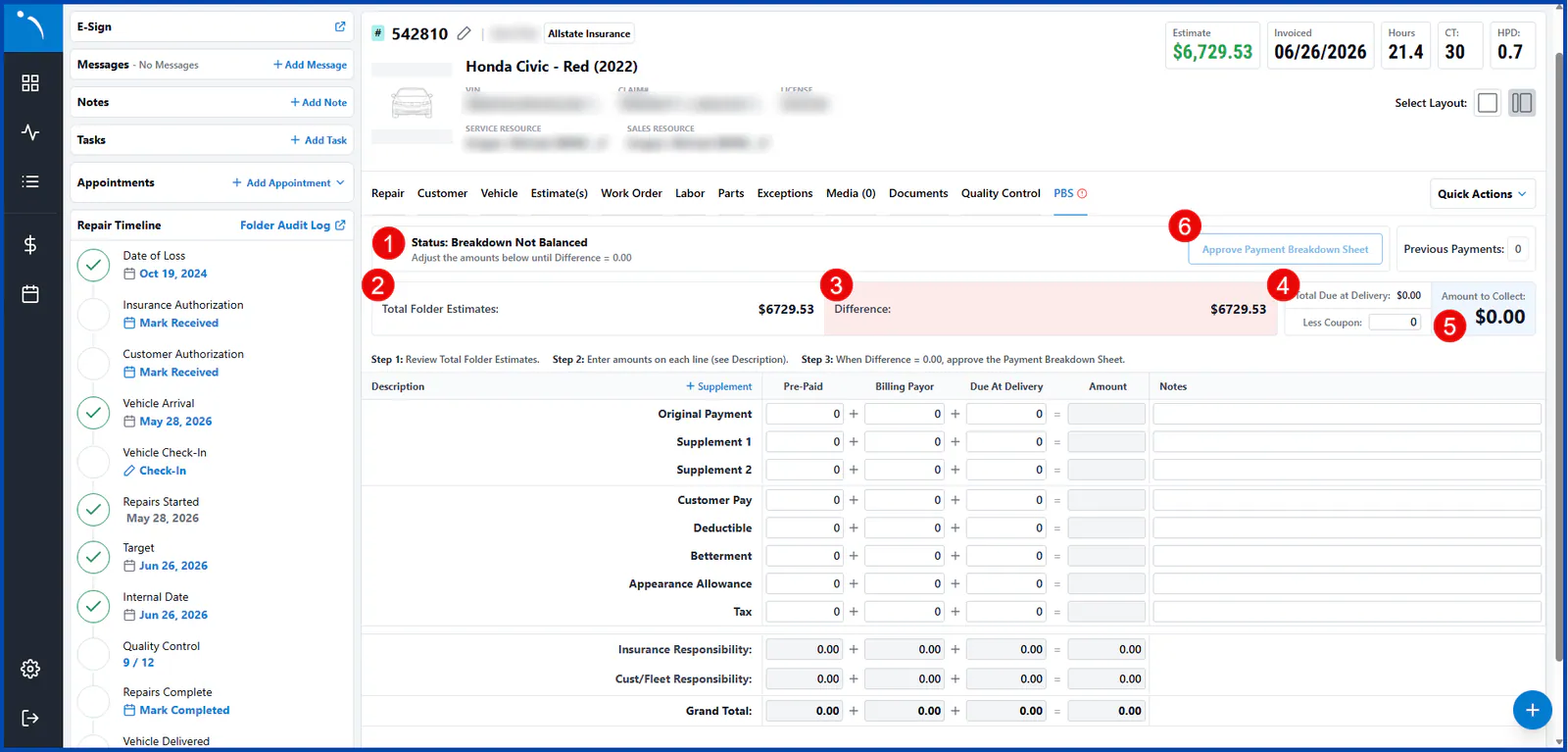
Section titled “Overview”- Payment breakdown status indicator
- The total dollar amount of all active estimates on the folder
- The difference between the total folder estimates and the combined allocated payments (Pre-Paid, Billing Payor and Due At Delivery)
- The total due at delivery, before any discounts or coupons
- The final amount the customer owes at pickup, after all coupons and discounts are applied
- Payment breakdown approval
Add more supplement lines
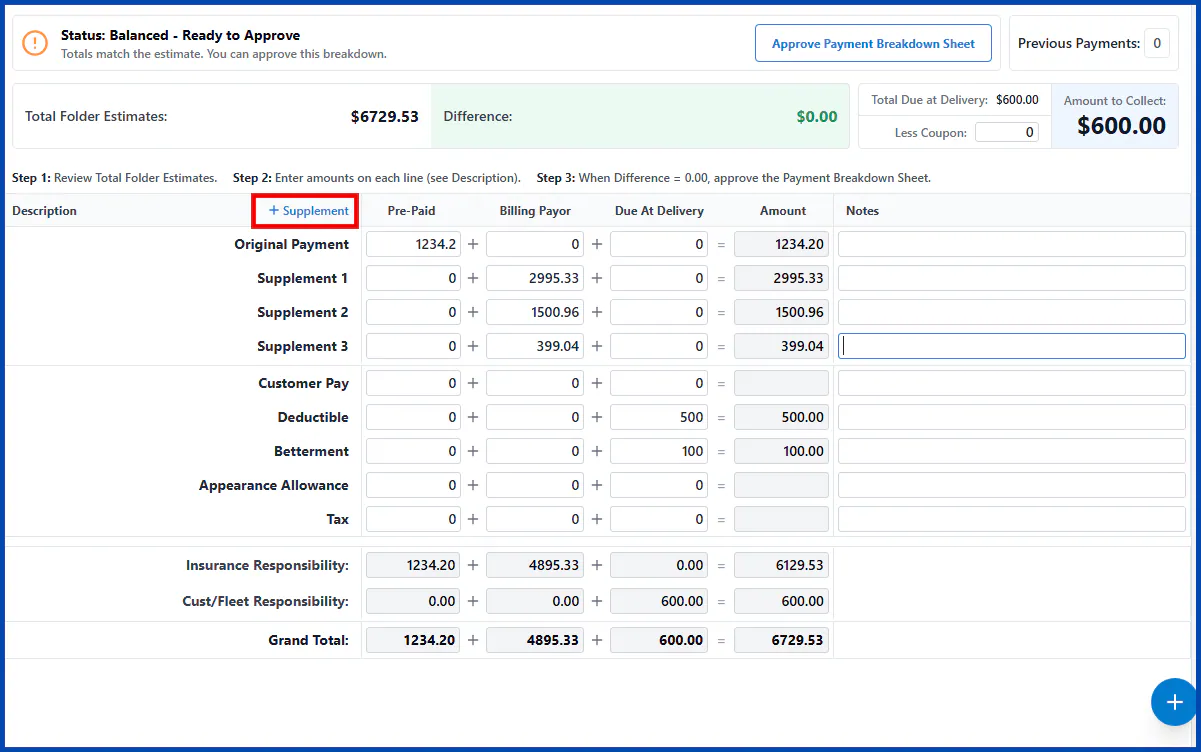
Section titled “Add more supplement lines”NexsyisNow now lets you add supplement lines. Select + Supplement at the top of the Description column to add rows as needed.
Balance and approve the PBS
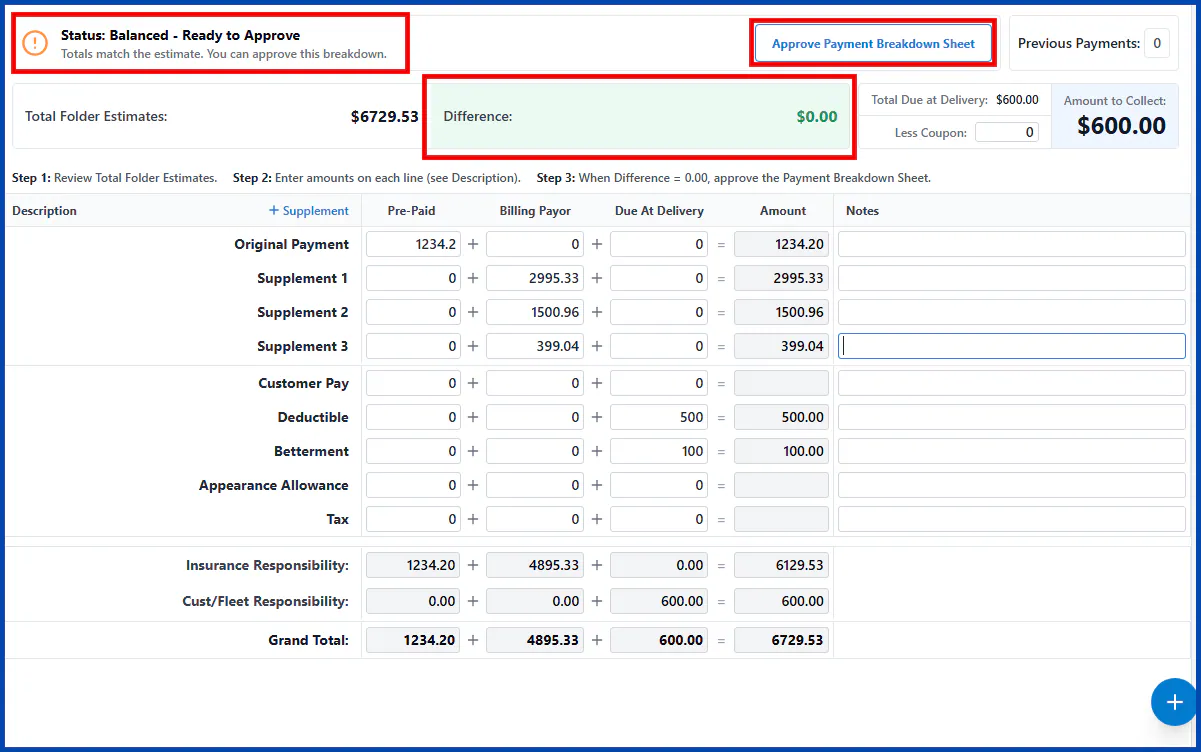
Section titled “Balance and approve the PBS”The Difference field is at the top of the PBS. When the difference reaches $0.00 and is highlighted in green, the status shows the PBS is ready to approve, and the Approve Payment Breakdown Sheet button is turned on.
When the PBS is balanced:
- The difference shows $0.00 in green.
- The Approve Payment Breakdown Sheet button is available.
- The status reads Balanced - Ready to Approve.
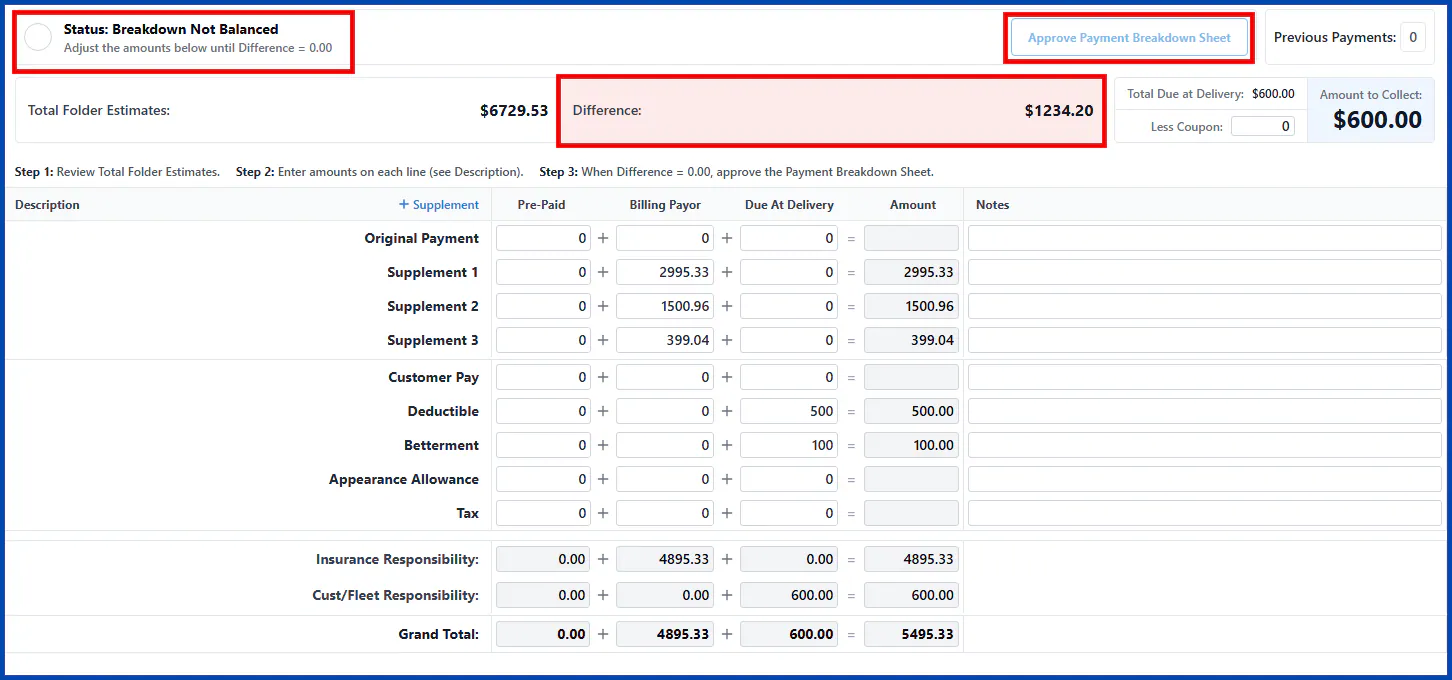
If there’s a Difference between the distributed payment amounts and the total folder estimates:
- The difference box shows the total difference in red.
- The Approve Payment Breakdown Sheet button is unavailable.
- The status reads Breakdown Not Balanced.
For more information, see PBS in NexsyisNow. If you have questions about this feature, log a ticket by emailing nexsupport@nexsyis.com.