
Set up email with Outlook
Before you can email from Nexsyis, set up your operator email profile. With the Outlook Mail Client service type, Nexsyis builds each message and opens it in Outlook on your computer, where you finish and send it.
Before you begin
Section titled “Before you begin”Outlook must be installed on your computer and set as the default email program in Windows. To check, see Microsoft’s instructions to make Outlook the default program for email.
Set up your email profile
Section titled “Set up your email profile”-
Sign in to Nexsyis with your user ID and password.
-
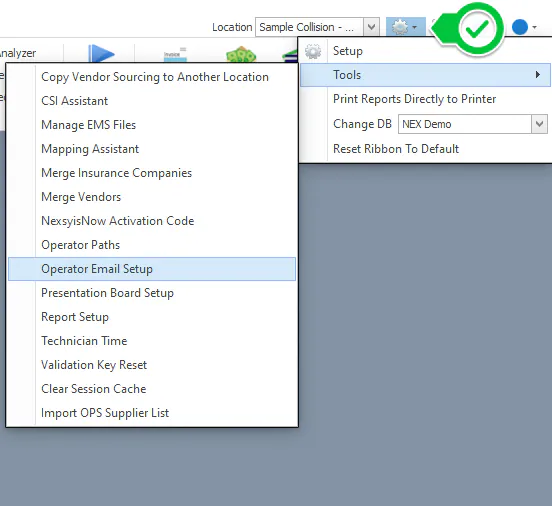
Select the settings (gear) icon, then Tools › Operator Email Setup.
-
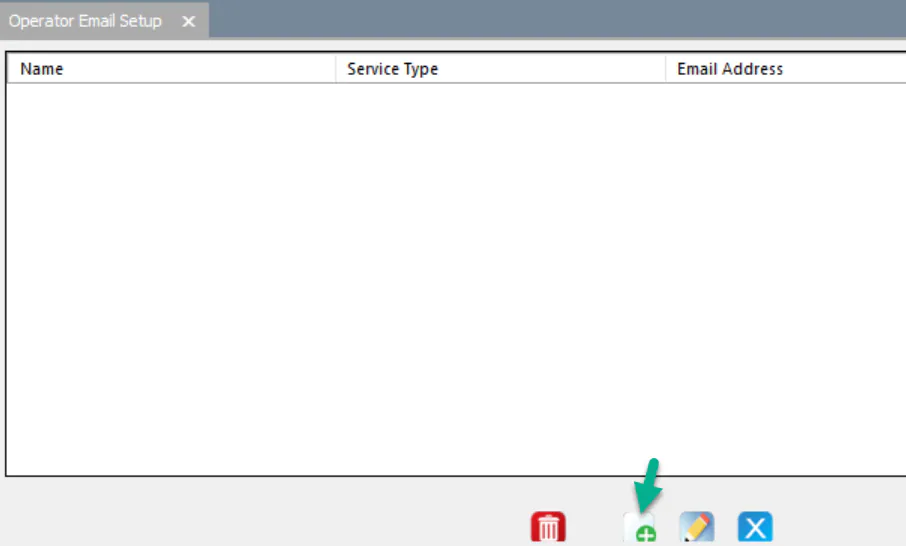
Select New.
-
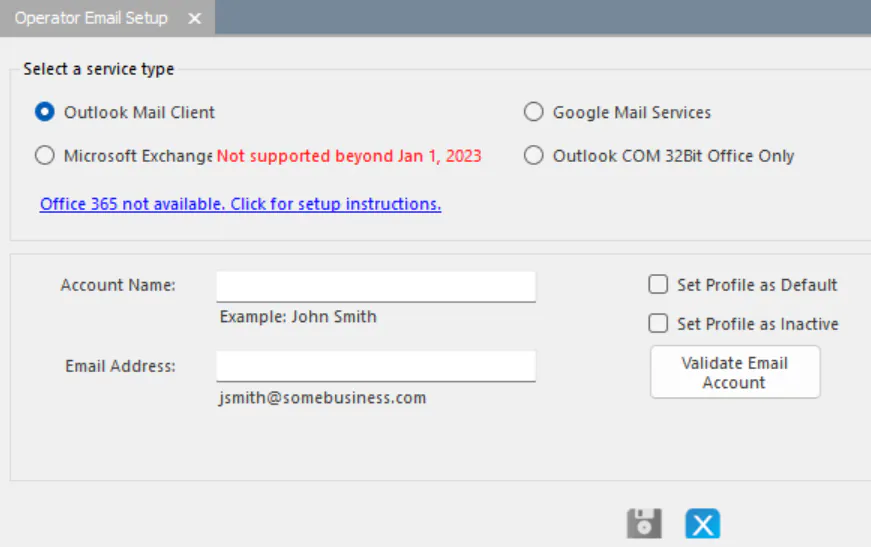
Under Select a service type, select Outlook Mail Client.
-
Enter your email information:
- Account Name: your name.
- Email Address: your company email address.
-
Select Validate Email Account.
What happens when you send email
Section titled “What happens when you send email”When you email from Nexsyis, it saves the message on your computer and asks Windows to open it in your default email program. Address the message, add your signature and make any other changes in Outlook, then select Send in Outlook.
If the message doesn’t open in Outlook, set Outlook as your default email program (see Before you begin).