
Set up insurance companies, agents and adjusters
Insurance companies, agents and adjusters are kept on the Company Contacts screen, so they can be chosen on future repairs.
Open Company Contacts
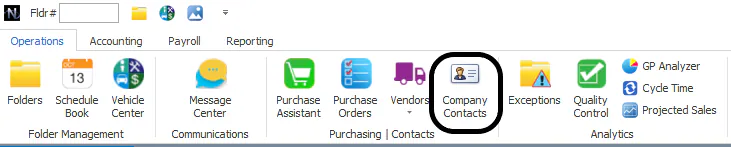
Section titled “Open Company Contacts”On the Operations tab, select Company Contacts.
Find an insurance company
Section titled “Find an insurance company”-
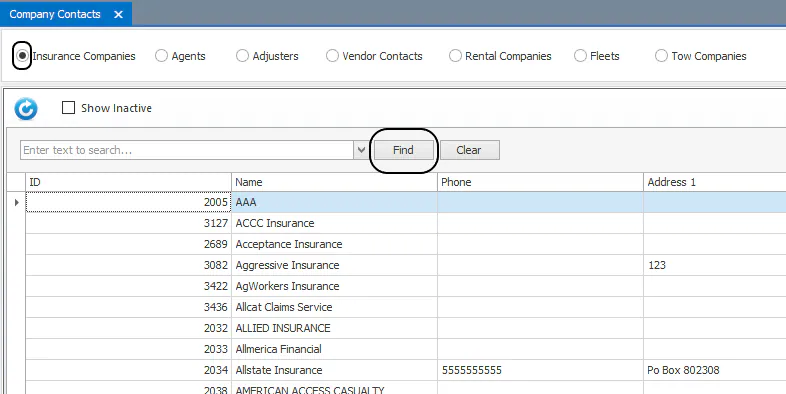
Select Insurance Companies.
-
Type the company name in the search box, then select Find.
-
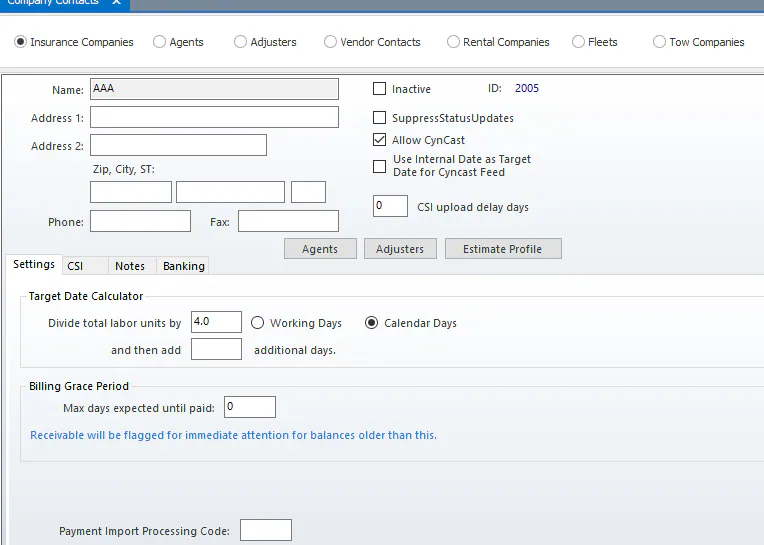
To see the company’s details, double-click its line in the grid.
Set the target date calculator
Section titled “Set the target date calculator”On the Settings tab of the insurance company, the Target Date Calculator sets how the target date is calculated for this company’s repairs. Enter the number to Divide total labor units by, choose Working Days or Calendar Days, and enter how many additional days to add.
These settings fill in automatically as the calculator rules for that insurance company when you use the target date calculator on a folder.

Activate an insurance company
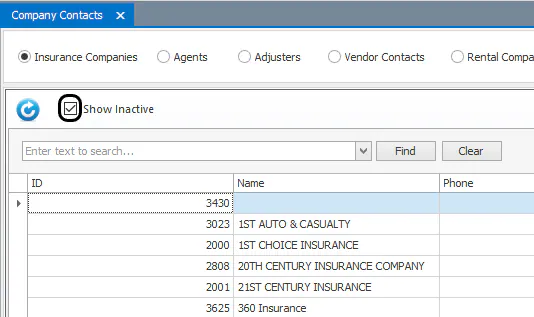
Section titled “Activate an insurance company”If the company you need isn’t in the list, it may be inactive.
-
Select Show Inactive, then search for the company.
-
Double-click the company to open it.
-
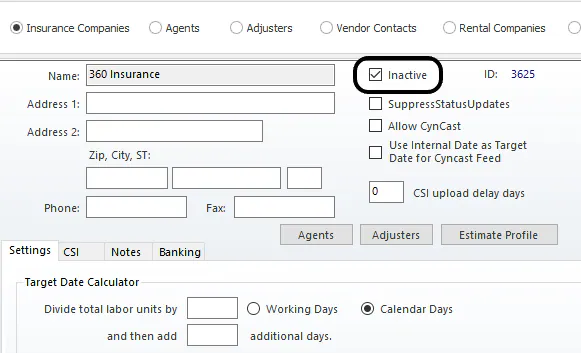
Clear the Inactive checkbox.
-
Select Save.
Add an insurance company
Section titled “Add an insurance company”-
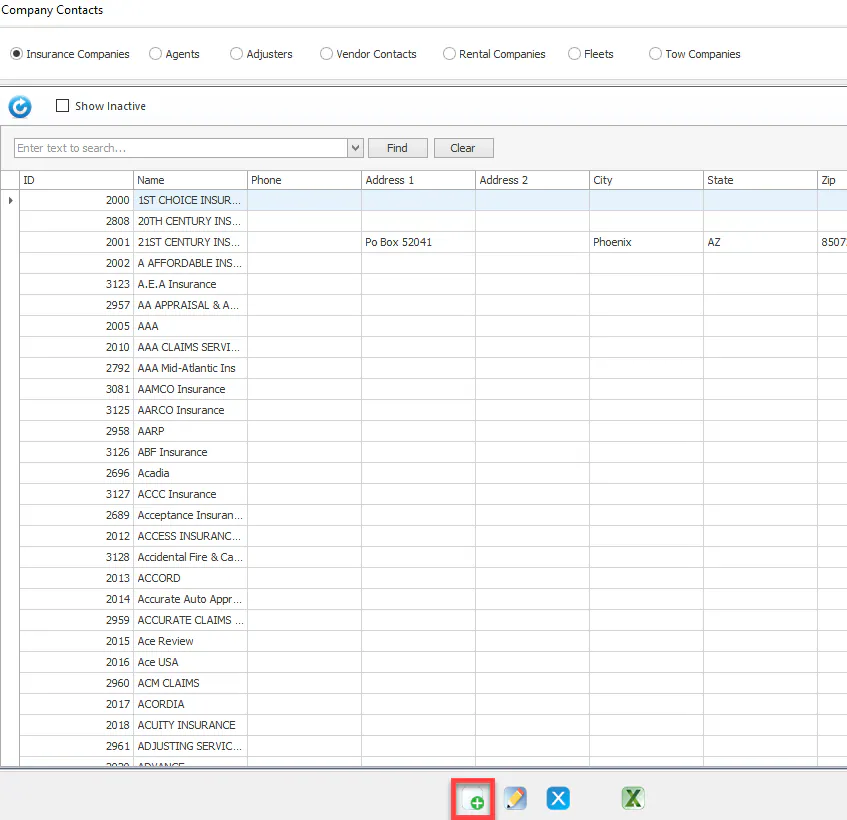
Select New at the bottom of the screen.
-
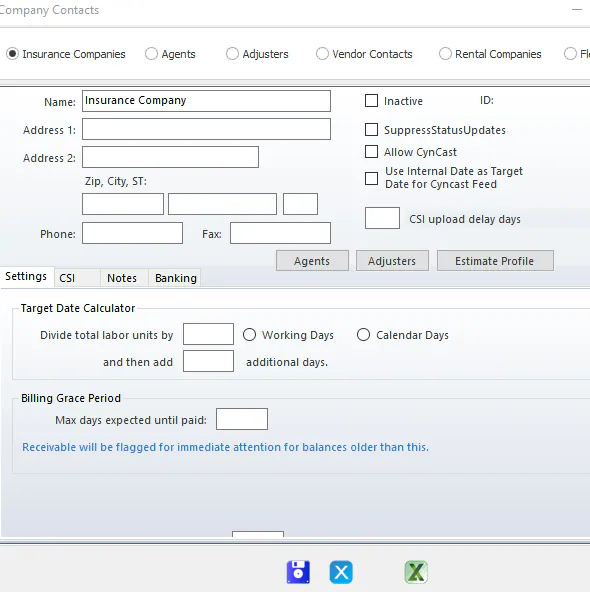
Fill in the company’s information.
-
Select Save.
Add an agent or adjuster
Section titled “Add an agent or adjuster”-
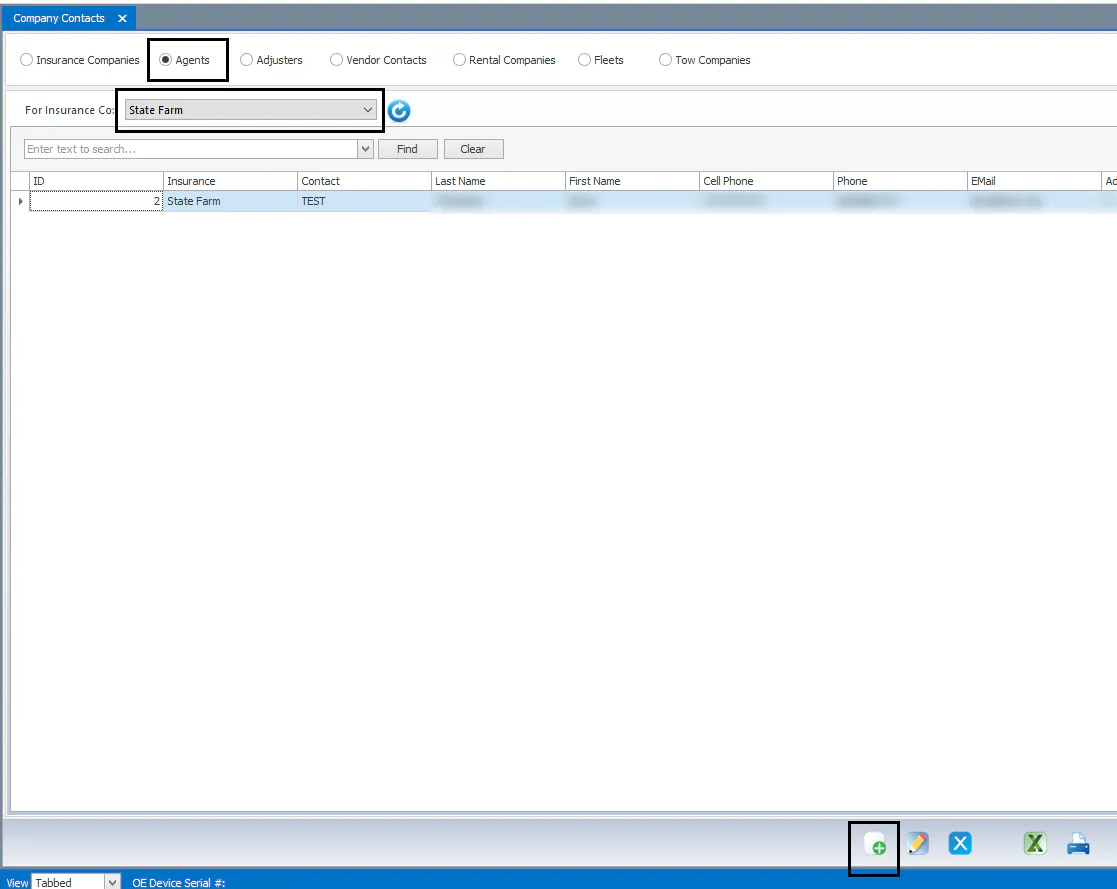
On Company Contacts, select Agents or Adjusters.
-
Check whether the person already exists. Choose the insurance company in For Insurance Co, then search by name. To list every agent or adjuster for the selected company, select the magnifying glass next to the name box without typing anything.
-
If the person isn’t listed, select New.
-
Fill in the person’s details.
-
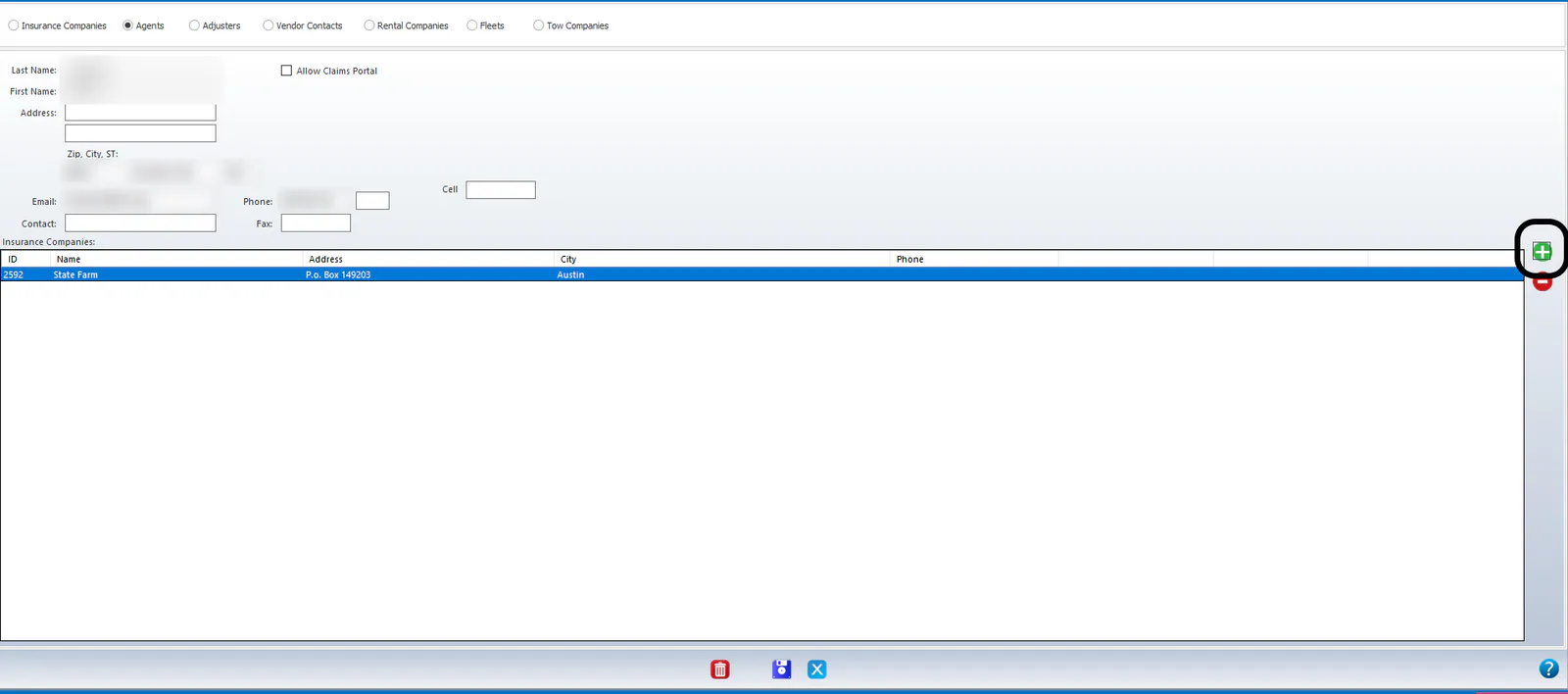
To add an insurance company the agent represents, select the green plus icon on the right side of the screen.
-
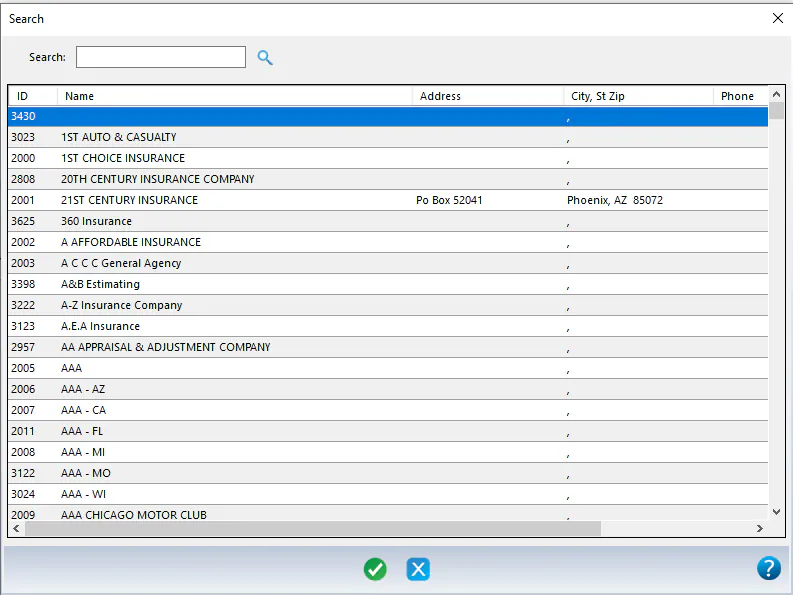
Select the insurance company, then select the green Select/Process icon.
-
Repeat steps 5 and 6 for each insurance company the agent represents.
-
Select Save.