
View tax rates
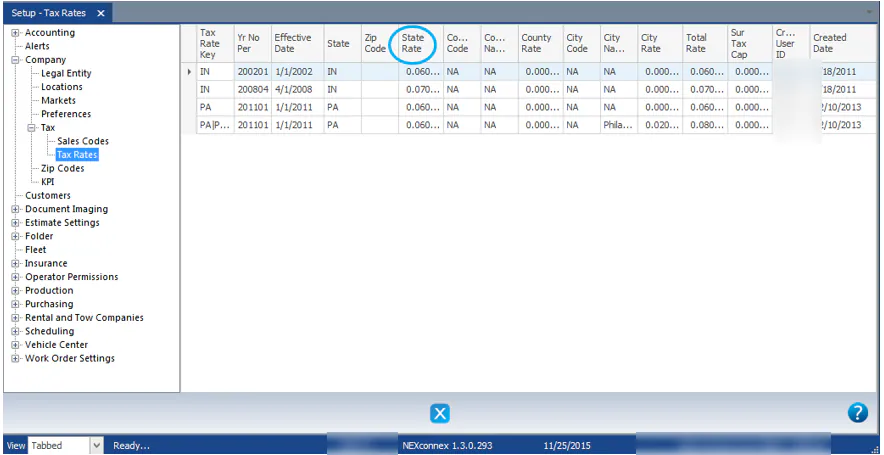
The Tax Rates screen shows the effective sales tax rates for each state. It’s for information only.
View tax rates
Section titled “View tax rates”- Go to Setup › Company › Tax › Tax Rates.
- Review the rates. Each row shows a Tax Rate Key, its Effective Date and State, and the State Rate, County Rate, City Rate and Total Rate.
How tax is applied
Section titled “How tax is applied”Nexsyis doesn’t calculate tax on imported estimates. The tax comes from your estimating system. Nexsyis checks each estimate line against which sales codes you’ve set as taxable and flags lines that look wrong. See Sales tax on estimates.
Which sales codes are taxable is set on the sales codes themselves. See Set up sales codes and financial categories.