
Activate and log in to the mobile app
Before you can use the Nexsyis mobile app, activate it for your shop and log in with your Nexsyis user account. You activate the app only once on each device.
Before you begin
Section titled “Before you begin”You need:
- An active Nexsyis user account.
- Your shop’s activation key, from your shop administrator or Nexsyis Support.
Activate the app
Section titled “Activate the app”-
Download the Nexsyis app from the Apple App Store, and then open it.
-
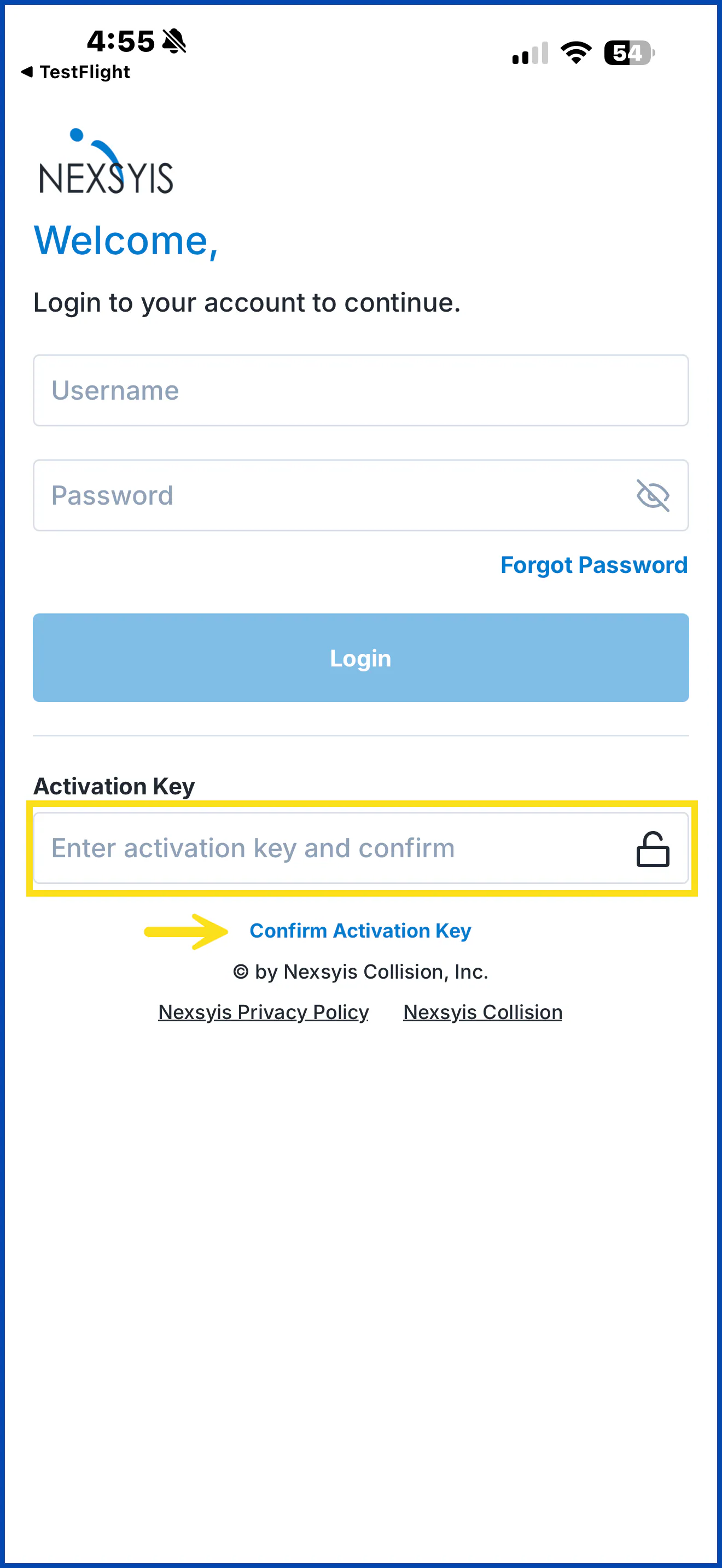
Under Activation Key, enter your shop’s activation key.
-
Select Confirm Activation Key.
Log in
Section titled “Log in”-
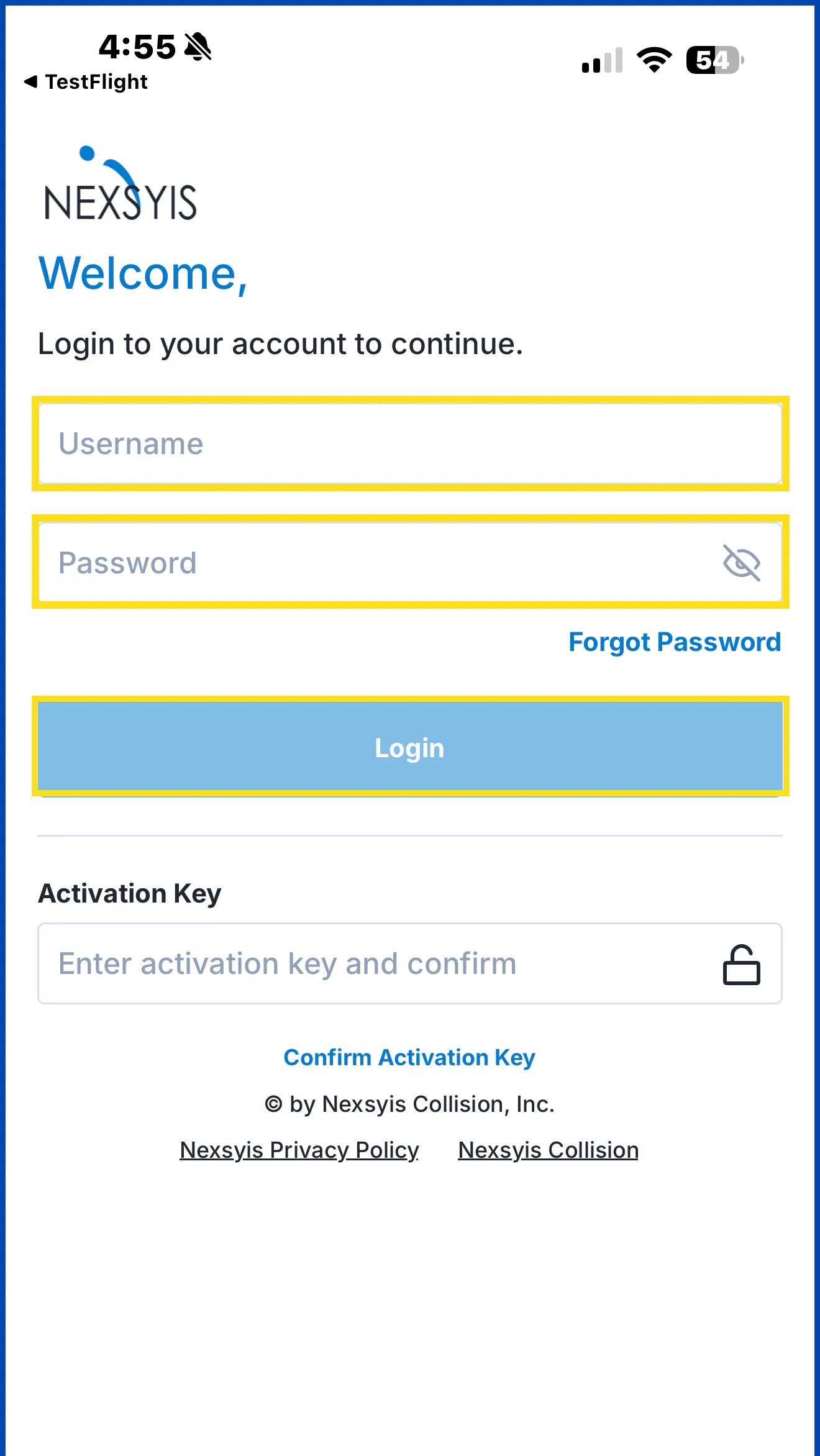
Enter your Nexsyis username in Username and your password in Password.
-
Select Login.
Your repair list opens. See Use your repair list.
Reset a forgotten password
Section titled “Reset a forgotten password”-
On the login screen, select Forgot Password.
-
Choose where to send the reset link: Email or Text.
-
Enter your username, and then select Send Email.
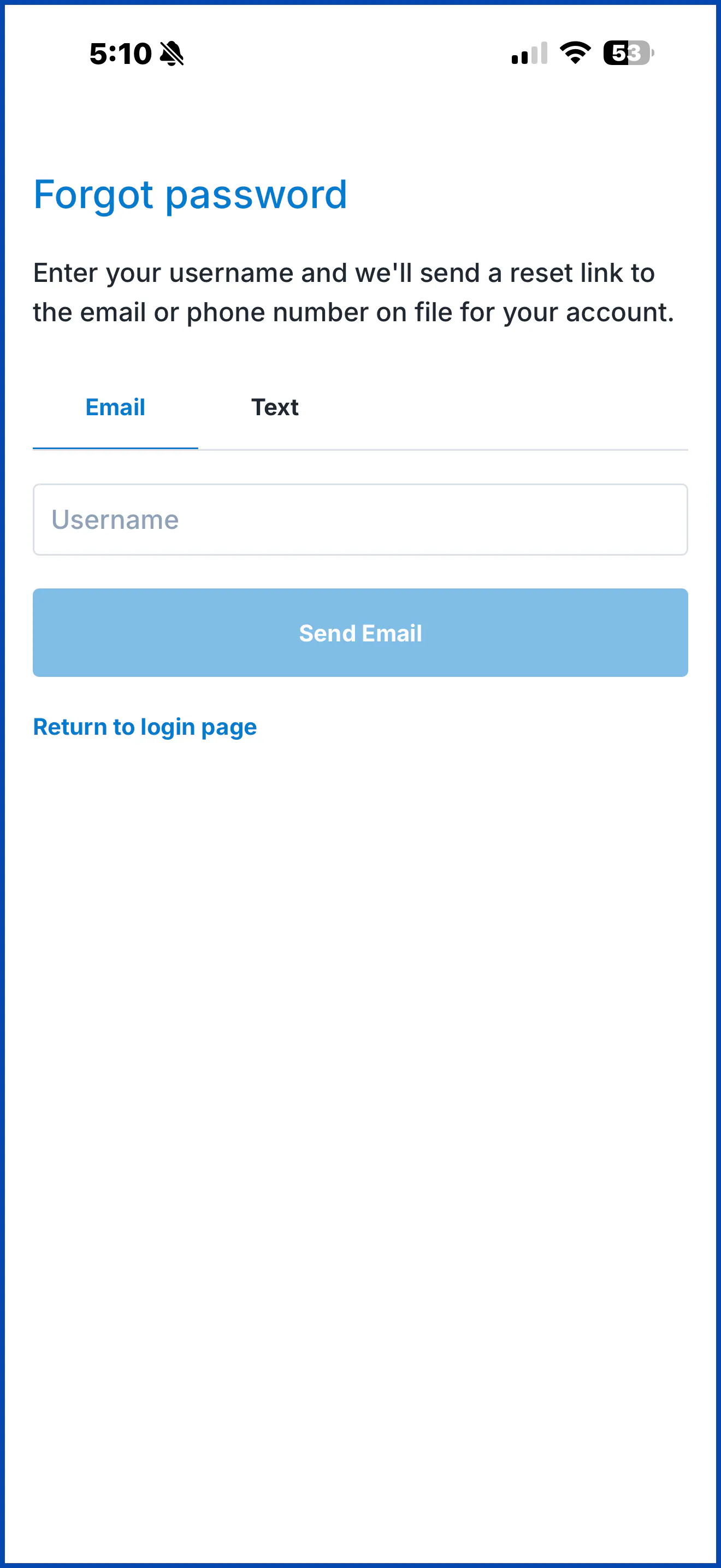
The reset link is sent to the email address or mobile number on your Nexsyis user (operator) record. Select Return to login page to go back.
Change your password
Section titled “Change your password”-
After you log in, select Profile at the bottom of the screen.
-
Under Reset Password, enter your Current Password, your New Password, and the new password again in Confirm New Password.
-
Select Save.
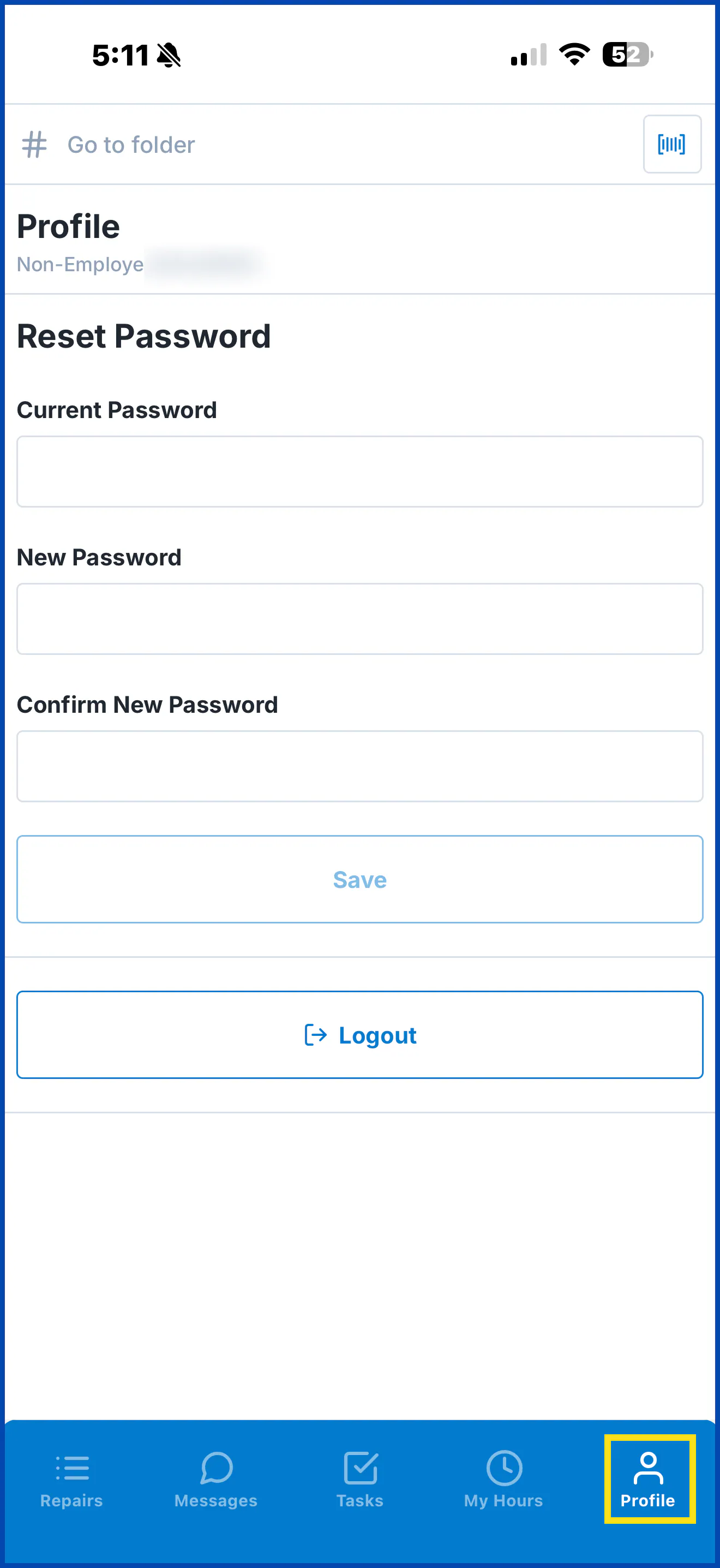
To log out of the app, select Logout on the Profile tab.