
View a PO line's audit log
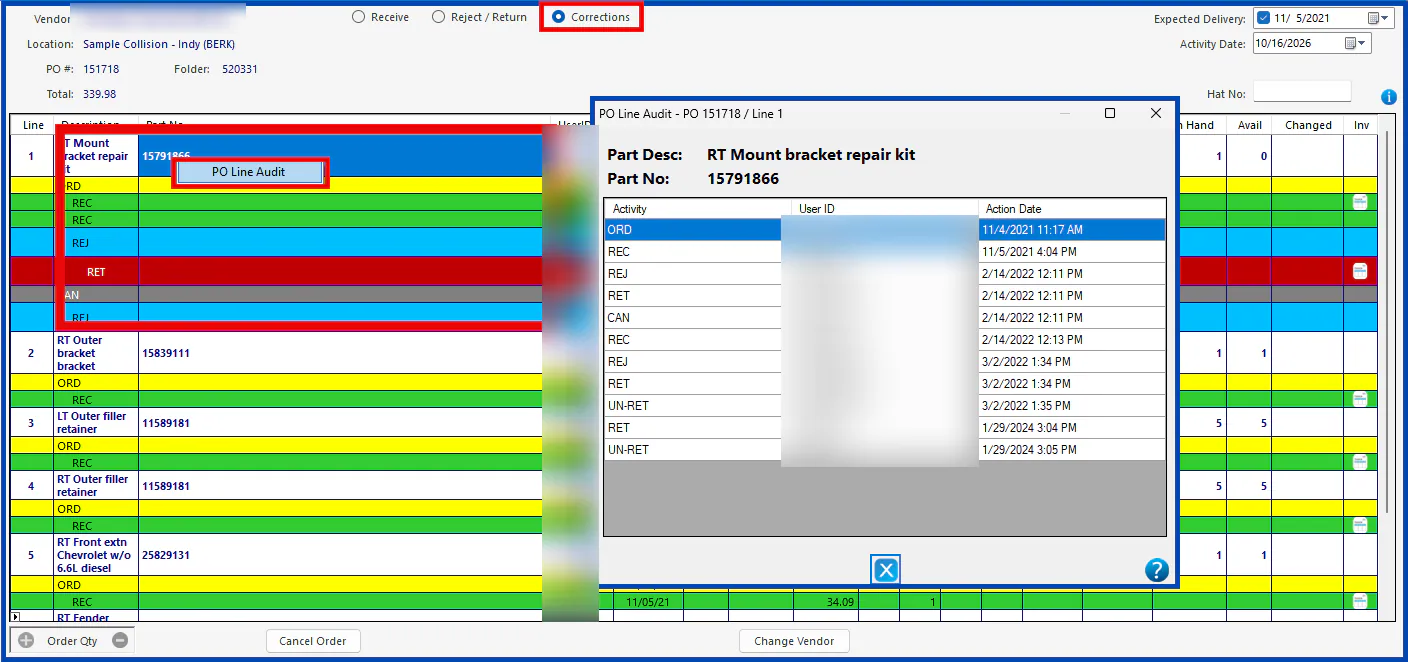
The PO line audit shows everything that’s happened to a purchase order line, with the date, time and user for each change.
- Open the purchase order.
- Select Corrections.
- Right-click the purchase line.
- Select PO Line Audit.
The PO line audit shows everything that’s happened to a purchase order line, with the date, time and user for each change.