
Put a vehicle on hold
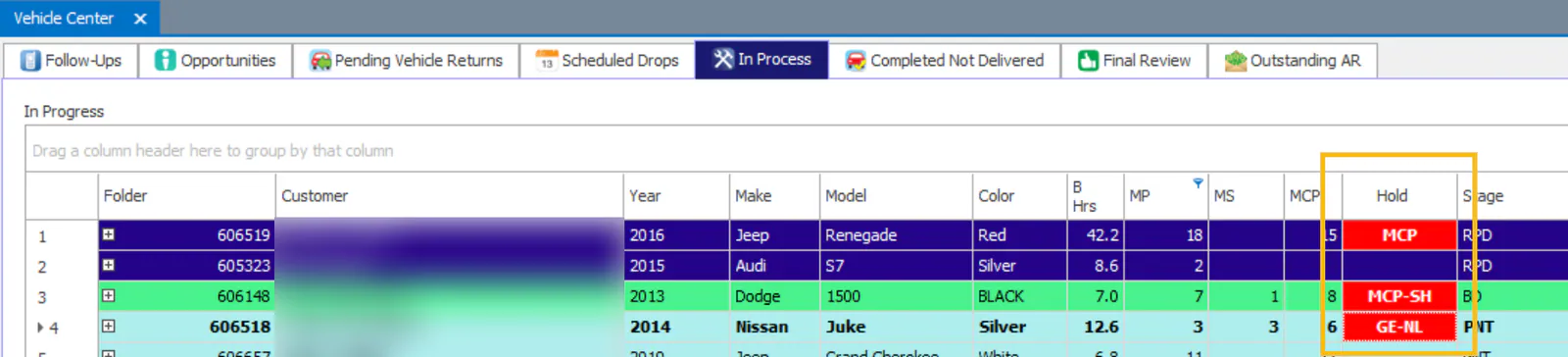
Production holds are flags that tell everyone what’s delaying a vehicle’s repair. Holds show in the Hold column of the Vehicle Center and on the folder.
System holds
Section titled “System holds”Nexsyis turns these holds on automatically:
- CA: Need customer authorization. Turns on when the Customer Authorization Received date isn’t checked on the folder.
- IA: Need insurance authorization. Turns on when the Insurance Authorization Received date isn’t checked on the folder.
- TL: Total loss. Turns on when the folder is marked as a total loss.
- MCP: Missing critical purchases. Turns on when critical purchases haven’t been received. See Mark critical purchases.
If you don’t want Nexsyis to turn on one of these holds, set it to Inactive. Your company can also add its own holds.
Set up a hold
Section titled “Set up a hold”-
Select Setup › Production › Holds.
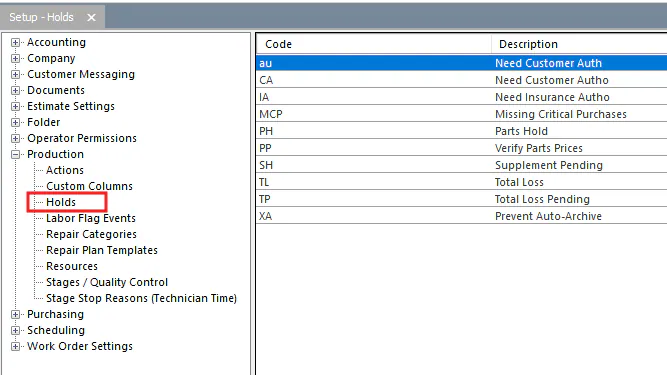
-
Select the new button (green +) at the bottom of the screen.
-
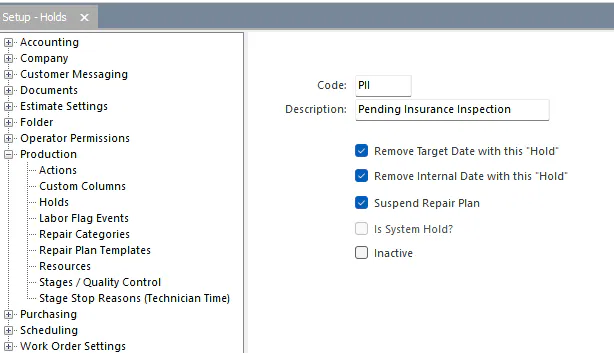
Enter a Code and Description.
-
Choose what the hold does when it’s on:
- Remove Target Date with this “Hold”: removes the target date from the folder.
- Remove Internal Date with this “Hold”: removes the internal date from the folder.
- Suspend Repair Plan: hides the stage start and stop buttons on the Repair Plan screen, so no one can change the repair stage until the hold has been removed.
-
Select the save button at the bottom of the screen.
Turn a hold on or off
Section titled “Turn a hold on or off”-
Open the holds for the folder in one of these ways:
-
In the Vehicle Center, double-click the folder’s Hold cell.
-
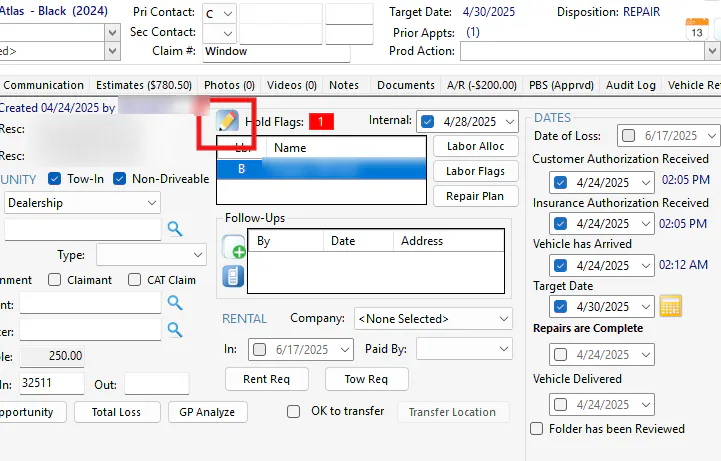
On the folder Summary tab, select the edit button next to Hold Flags.
-
-
In the Production Holds window, check the hold you want to turn on, or uncheck it to turn it off.
-
Select the save button.
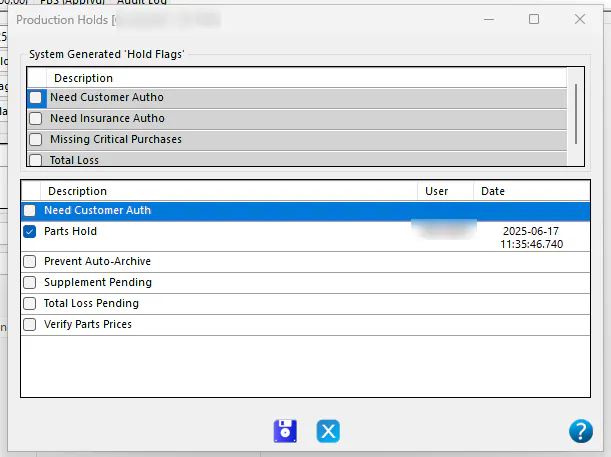
Nexsyis records the user and date for the hold, and adds a note to the folder each time a hold is set.