Print return documents
Print return slips to attach to rejected parts and for the vendor to sign.
Open the Return Documents screen
Section titled “Open the Return Documents screen”Use either of these:
-
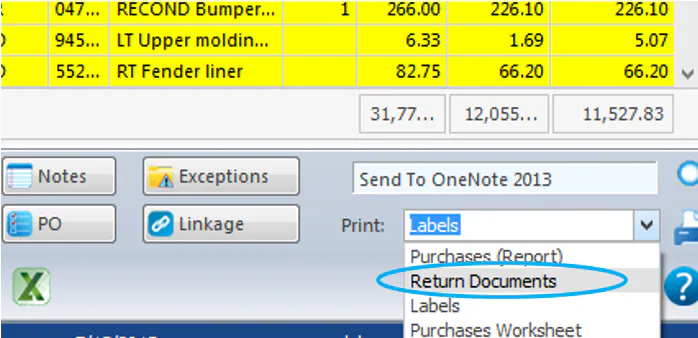
In the Purchase Assistant, select the folder, choose Return Documents in the Print list at the bottom right, and select the print icon.
-
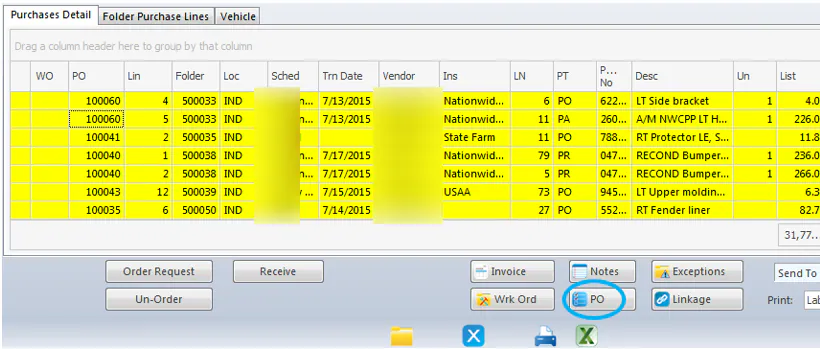
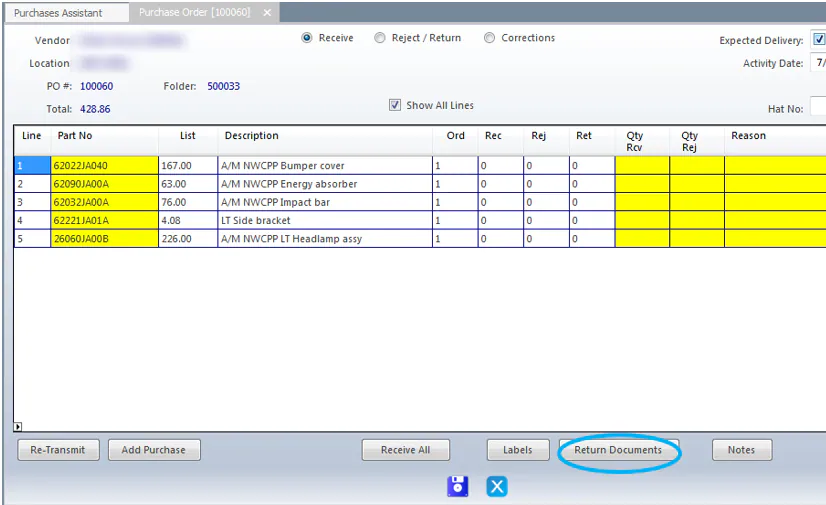
In the Purchase Assistant, select the line, select PO, and then select Return Documents.
Print the documents
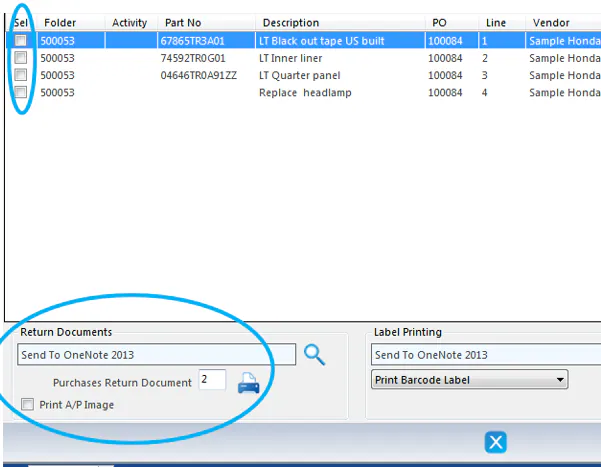
Section titled “Print the documents”- On the Return Documents/Labels screen, select the Sel box for each document you want.
- Choose your printer and the number of copies.
- Select the print icon.