
NexsyisNow: Folder Notes and Favorite Contacts
Released April 15, 2026
Folder notes
Section titled “Folder notes”We’ve redesigned the Folder Notes feature in NexsyisNow. You can now add notes from anywhere in the folder by selecting + Add Note in the panel on the left.
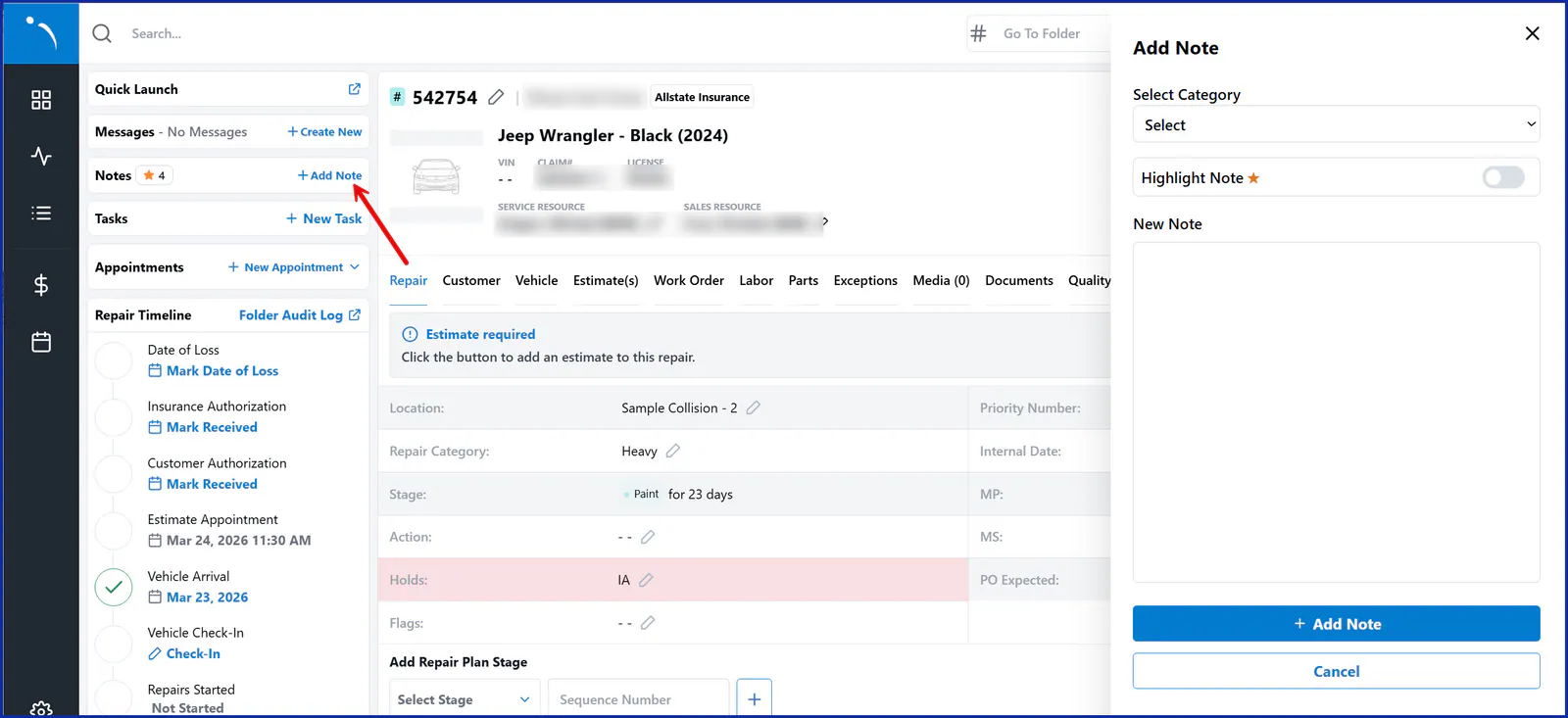
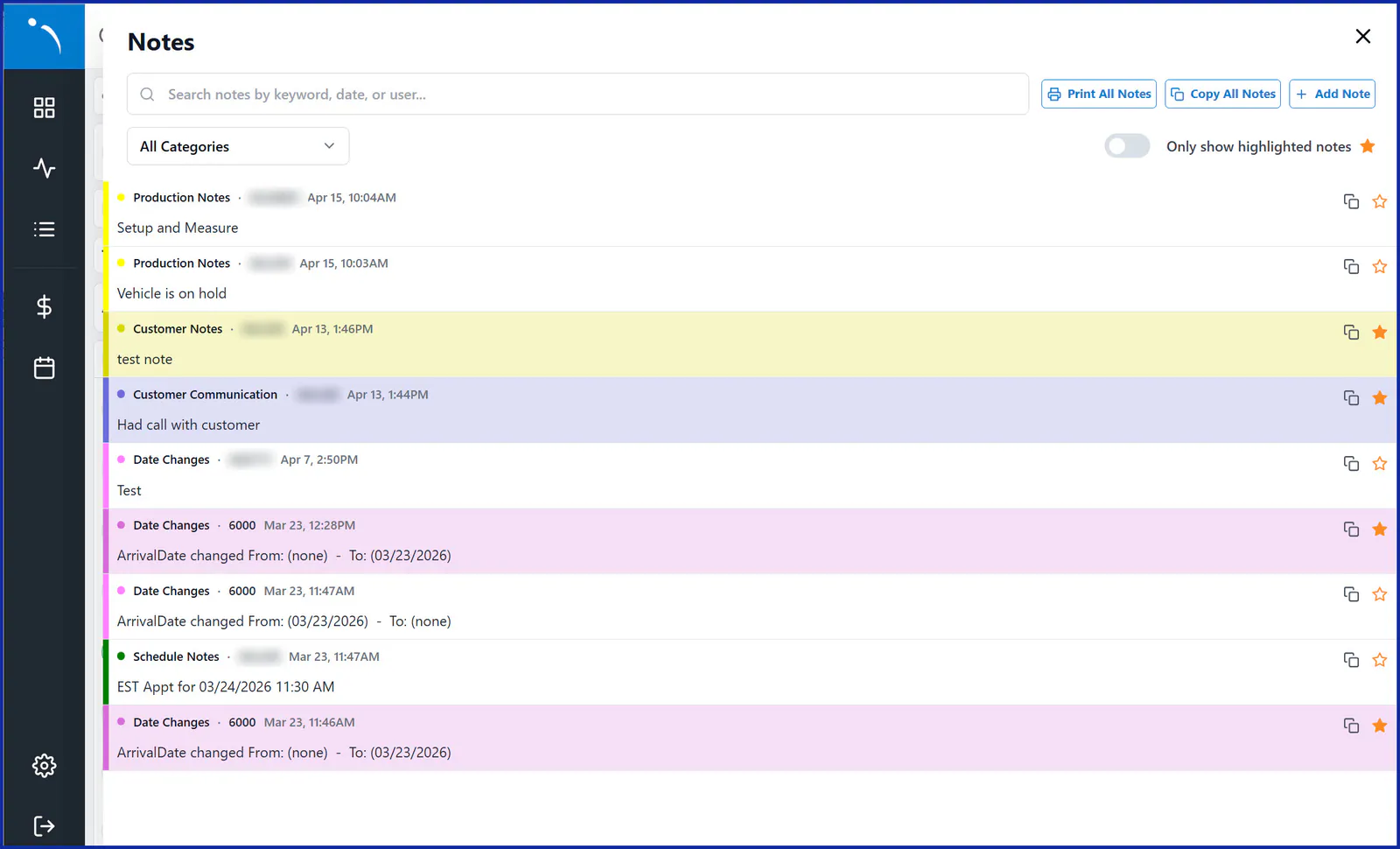
Select the Notes section to open the Folder Notes drawer and view all notes. From there, you can:
- Search notes by keyword, date or user to quickly find what you need.
- Filter by category to view only the notes that matter to you.
- Copy notes to your clipboard, or print all notes at once for easy sharing.
- Highlight individual notes with the star, and turn on the toggle to view only your most important ones.
For more information, see Notes in NexsyisNow.
Favorite internal contacts
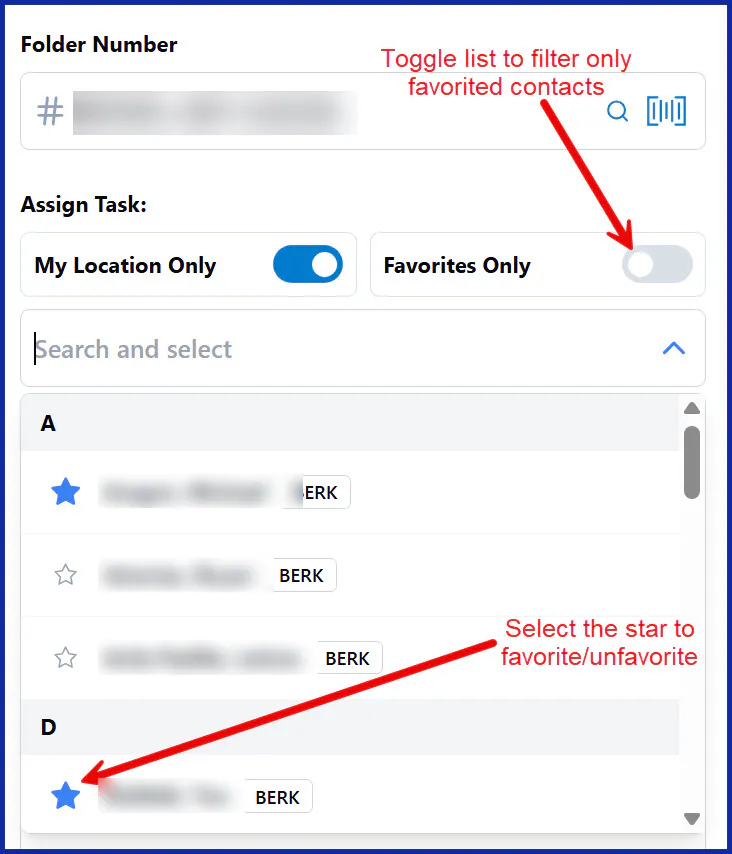
Section titled “Favorite internal contacts”You can now star the team members you contact most in the internal contact list in NexsyisNow. Once a team member is a favorite, you can filter your contact list to Favorites Only when assigning tasks or sending team messages.
For more information, see Tasks in NexsyisNow.