Post announcements
Announcements are company-wide messages. Everyone gets them in the Message Center.
Read announcements
Section titled “Read announcements”New announcements show under Messages › Announcements, and a red indicator shows at the bottom right of Nexsyis.


To mark an announcement as read, right-click it and select Mark as Read.

Send an announcement
Section titled “Send an announcement”Before you begin: you need the Allow operator to send announcements transaction permission.
-
In the Announcements inbox, select New at the top of the Message Center.

-
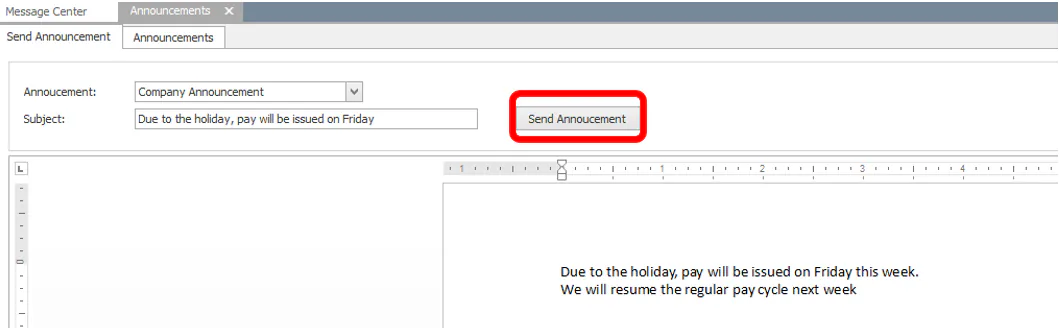
On the Send Announcements tab, enter a subject, then type or paste the announcement text.
-
Select Send Announcement.
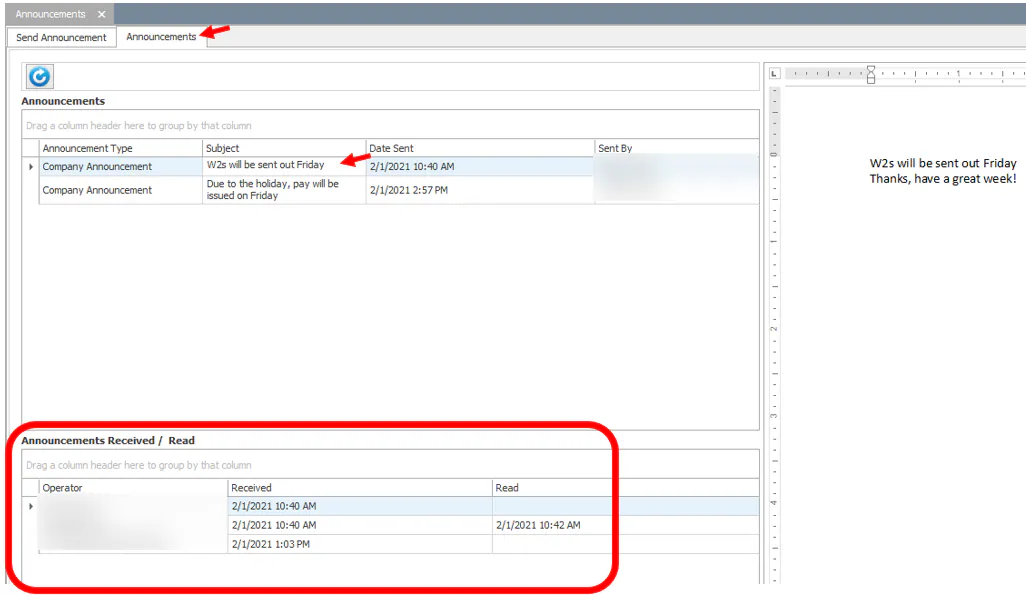
To see who has received and read the announcement, go to the Announcements tab. An announcement counts as received when the person had Nexsyis open.