
Activate SMS for a location
If your company already uses Nexsyis automated texting, give each new location its own texting number.
- Go to Setup › Company › Locations and select the location.
- On the General tab, find Nexsyis Automated SMS at the bottom right.
- Choose the Account. Your company should have only one.
- Type 888 for the area code and select Activate.
- Choose a phone number from the list.
- Select Save.
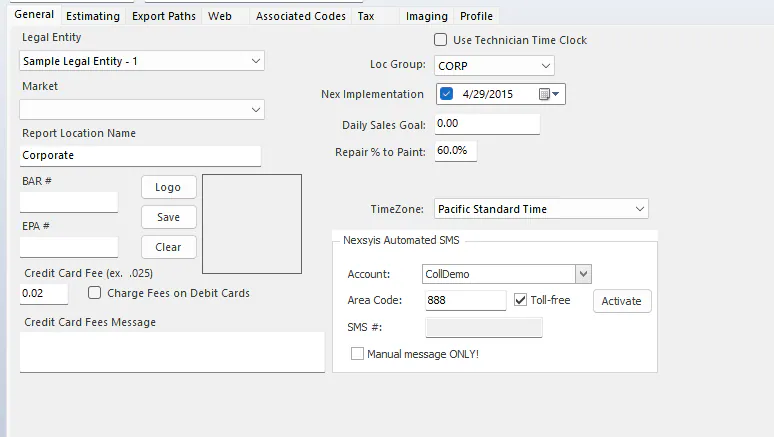
The location can now send and receive customer texts.