Save reports as favorites
Save a report with the parameters and filters you use often. A personal favorite is only for you. A company favorite is available to every user in the company.
Save a favorite
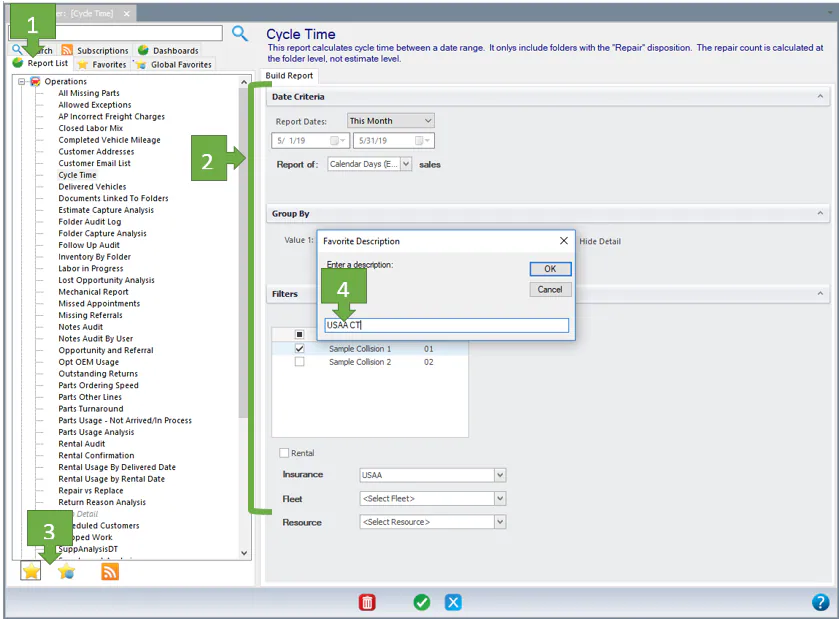
Section titled “Save a favorite”- On the Report List tab, select the report.
- Choose the parameters and filters.
- At the bottom left, select the star icon to save a personal favorite, or the star with the globe to save a company-wide favorite.
- Type a name for the favorite, then select OK.
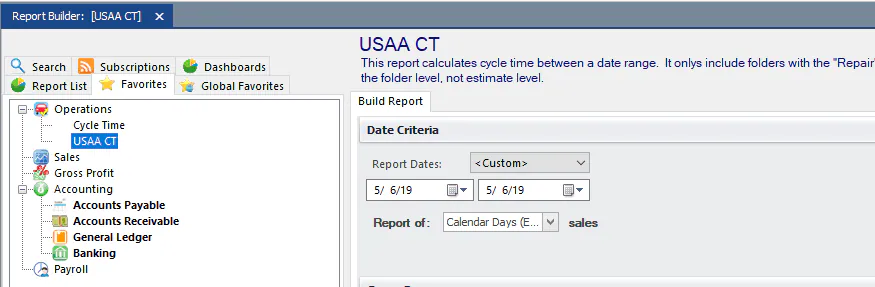
The report is now listed on the Favorites tab.
Save a favorite
Section titled “Save a favorite”Favorites in NexsyisNow keep the report’s parameters, display options and column filters.
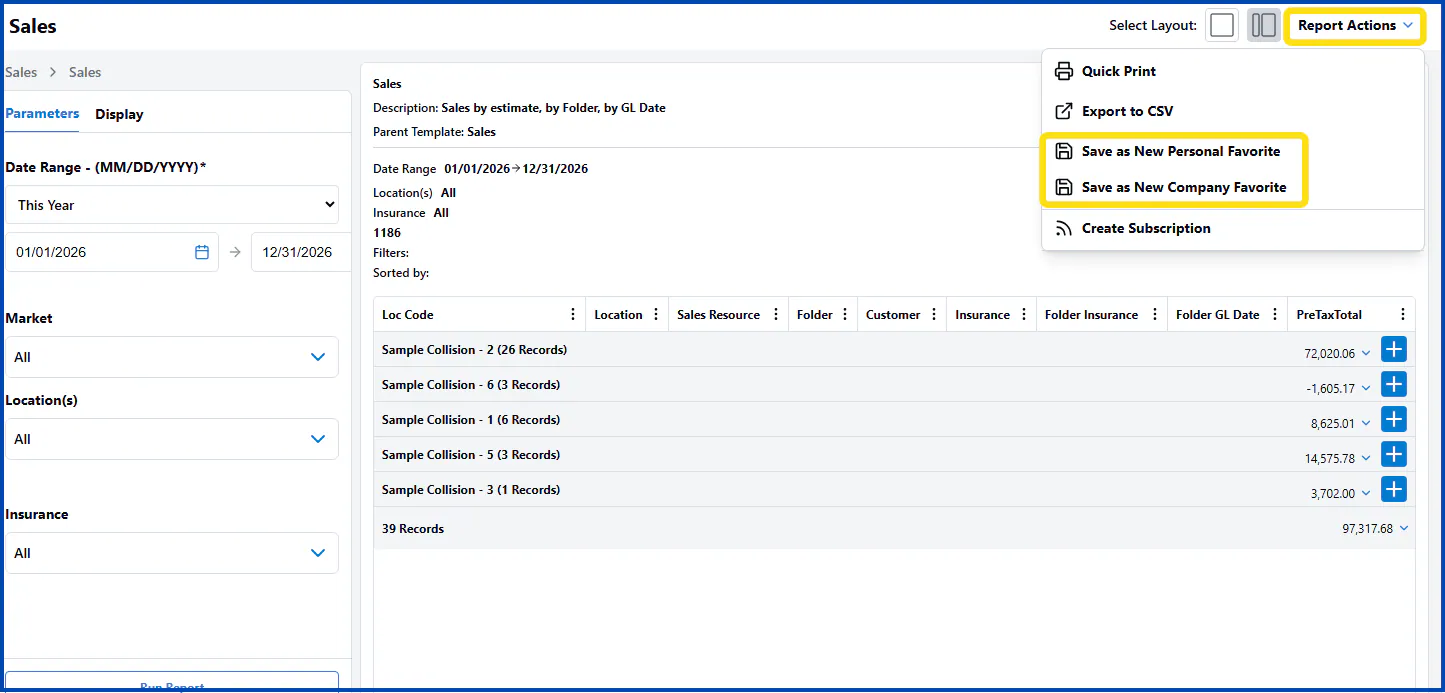
- Run the report with the parameters and display options you want.
- Select Report Actions, then select one of these:
- Save as New Personal Favorite: the report shows only in your favorites.
- Save as New Company Favorite: the report shows in Company Favorites for all users in the company.
Open a favorite
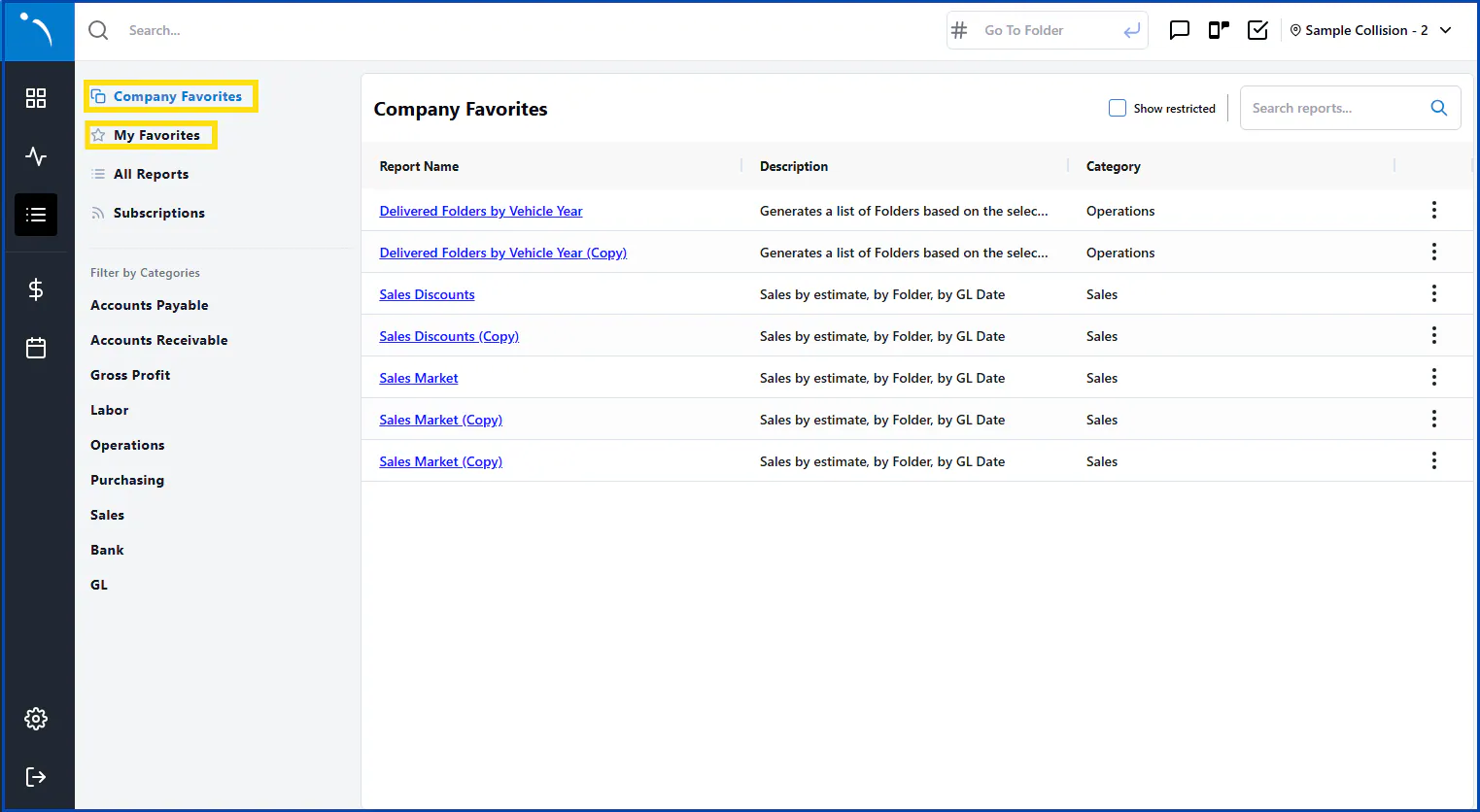
Section titled “Open a favorite”On the main reports page, select Company Favorites or My Favorites in the menu on the left.